64 User’s Manual
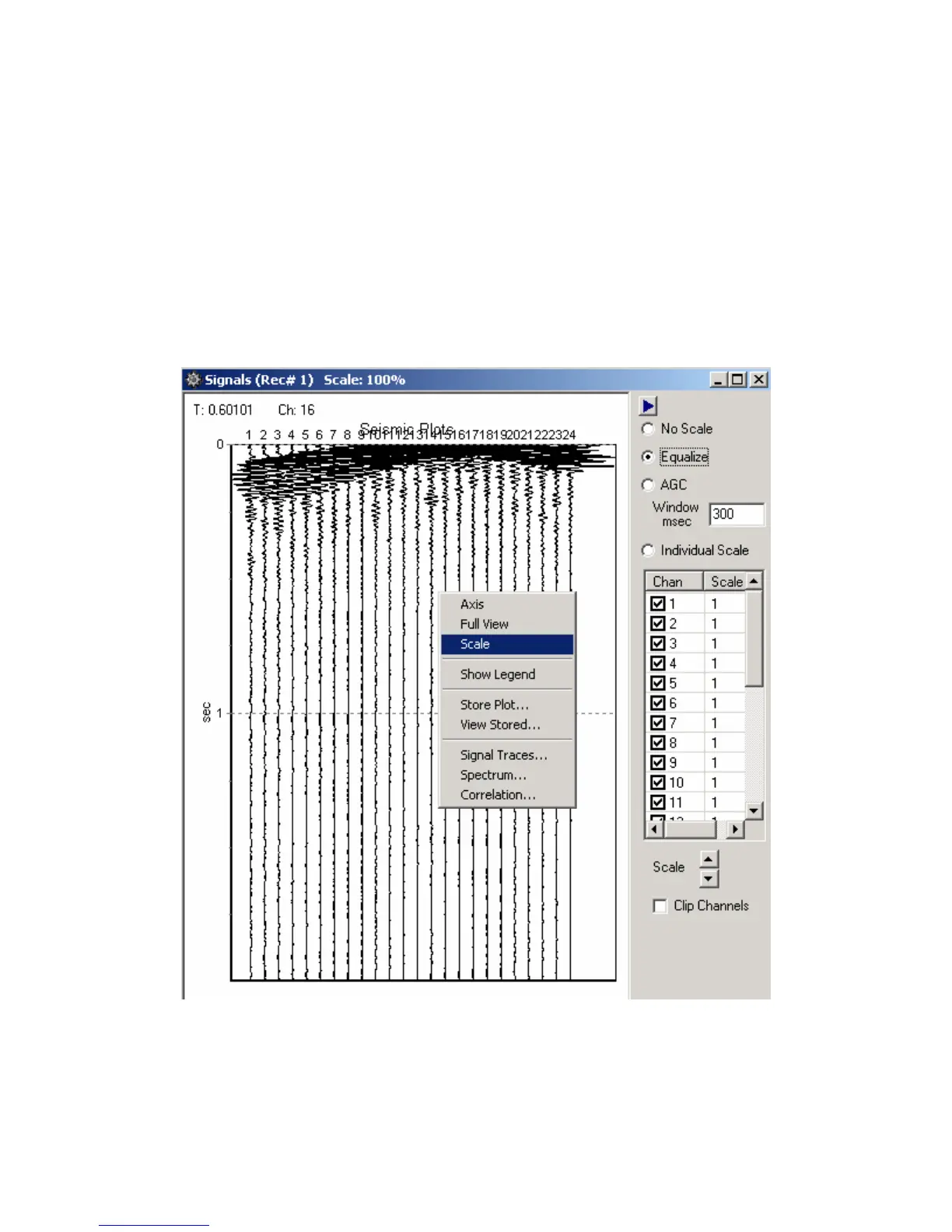
Pressing the right mouse button when it is on the graph, will pull up the plot popup menu.
Select the Scale feature. The scale window allows the user to select different scaling options for
the Seismic Plot.
Absolute Max – Applies the same gain to every trace
Equalize – Applies a different fixed gain to each trace. The gain is different for each
trace to equalize the amplitude of the traces.
AGC – Applies an AGC (automatic gain control) to the data. The AGC algorithm
equalizes the energy in the entered time window.
Individual Scale – The user can enter a fixed scale for each trace. Highlight the channels
under the individual scale selection, and use the up down arrows to increase or decrease the scale.
Clip Channels- When selected the amplitude of each channel will be clipped, so that it
will not overlap to the next channel.
Figure 5.4.4.1 Vertical Seismic Plot – Scale Feature



 To Next Page