© 2019 Safe Fleet | All rights reserved | Part #: 700-1123 R4
p. 13
TH8 Installation and Conguration Guide
About
Firmware controls how DVR features operate, including the Playback and Conguration menu displays.
Technical Support may direct you to install a rmware update when new features are added or specic issues
are addressed.
This topic describes how to use the On-screen Display to install a rmware update from a thumb drive in the
USB port on the DVR's front panel.
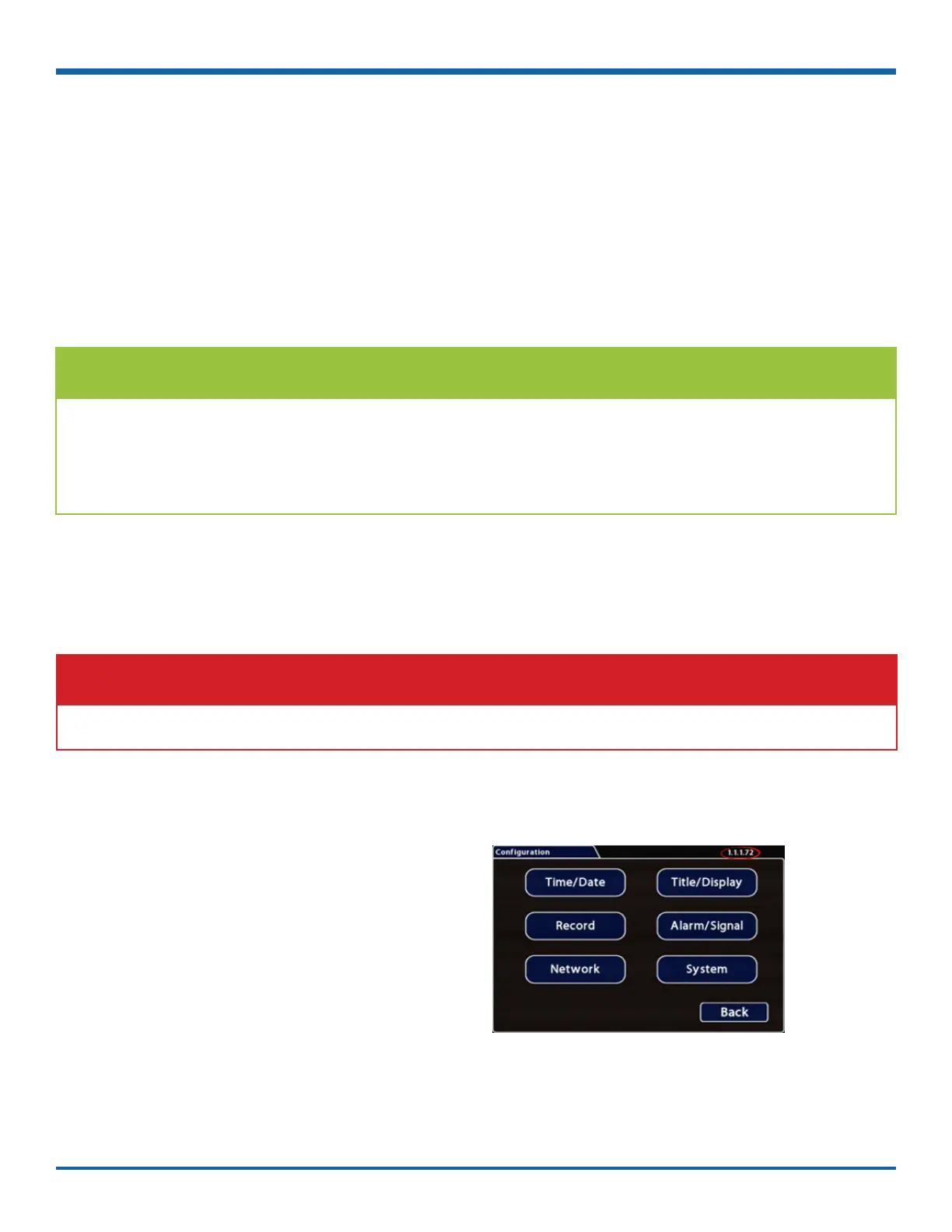
The current rmware version appears in the top-right
corner of every Conguration menu.
For instructions on opening the Conguration menus,
see "Accessing the On-screen Display" on page 25.
IMPORTANT: Firmware Updates
Only install rmware updates as directed by Technical Support
Firmware Updates
Before you begin...
Contact Technical Support to obtain the latest rmware update for your DVR. Copy the update le to a USB
storage device formatted by a Windows-based computer using the FAT le format.
TIP: Using the Web Interface to Install Firmware
You can also connect to the DVR with a Web Browser to install DVR rmware updates from a le stored on
another device.
For more information, see "Web Browser access:" on page 33.
Firmware Version



 To Next Page