© 2019 Safe Fleet | All rights reserved | Part #: 700-1123 R4
p. 69
TH8 Installation and Conguration Guide
System Settings
About
This topic describes how to congure various system-level settings, including a password for local access to
the DVR.
Before you begin...
Power up the DVR with a monitor and USB mouse connected, then right-click in Live view and select
Conguration.
For more information, see "Accessing the On-screen Display" on page 25.
System Tab
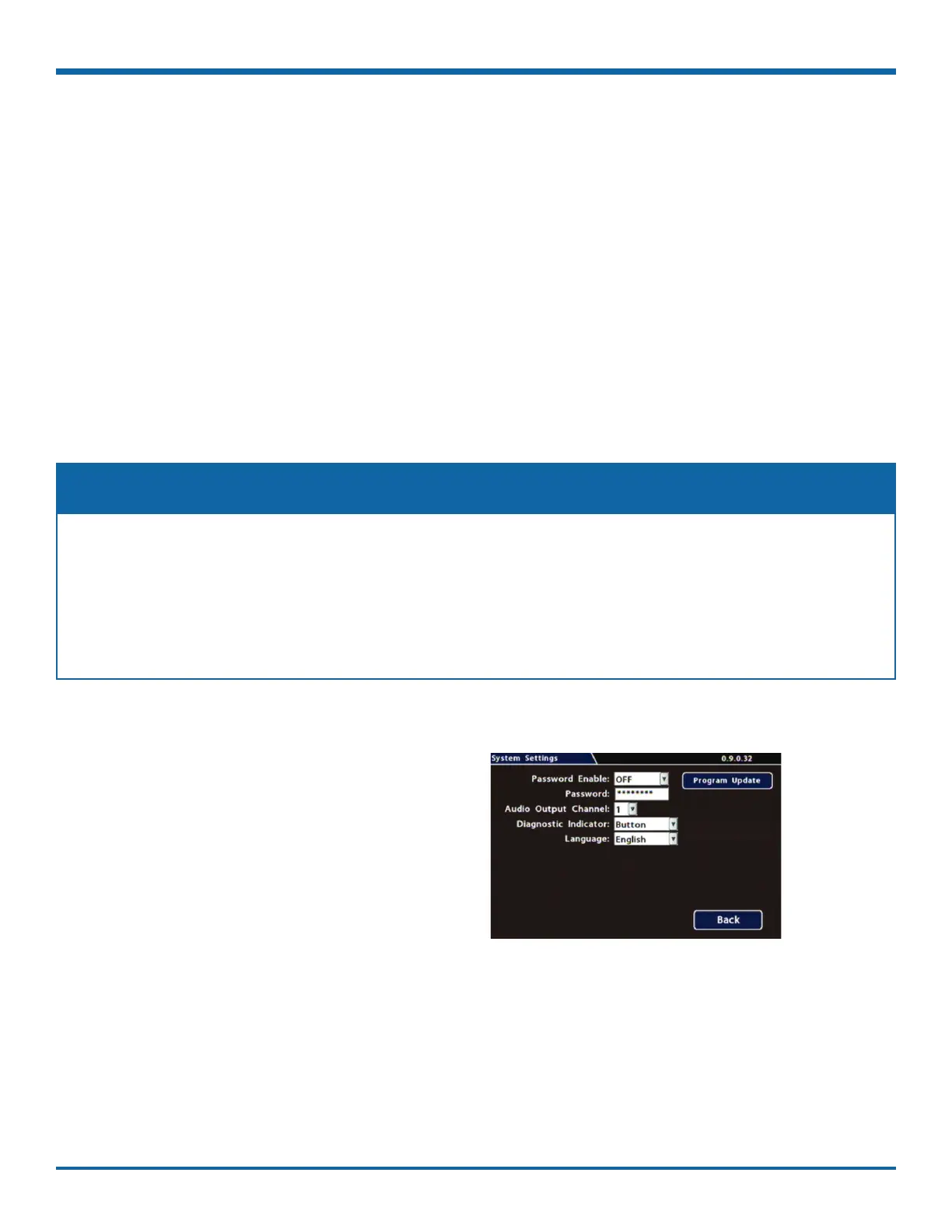
To congure System Settings:
1. Select System to open the tab.
2. Adjust system settings as required.
For details, see , below.
3. Click Back to save changes.
This tab allows control of system-level settings and functions that should only be changed by authorized
individuals.
The Password applies to local DVR access, and generates a prompt when the unit powers up, before
any other features become available. The default password is 11111111. For security purposes, we
recommend changing the default password. Keep a copy of your password in a secure place, in case it is
lost or stolen.
NOTE: Authorized Individuals



 To Next Page