© 2019 Safe Fleet | All rights reserved | Part #: 700-1123 R4
p. 39
TH8 Installation and Conguration Guide
Title/Display Menu
About
This topic describes setting up information to display as text when viewing live or recorded video, including the
Main Title (generally a vehicle/bus number to identify the video source), as well as the time/date and various
system status details.
Before you begin...
Power up the DVR with a monitor and USB mouse connected, then right-click in Live view and select
Conguration. For more information, see "Accessing the On-screen Display" on page 25.
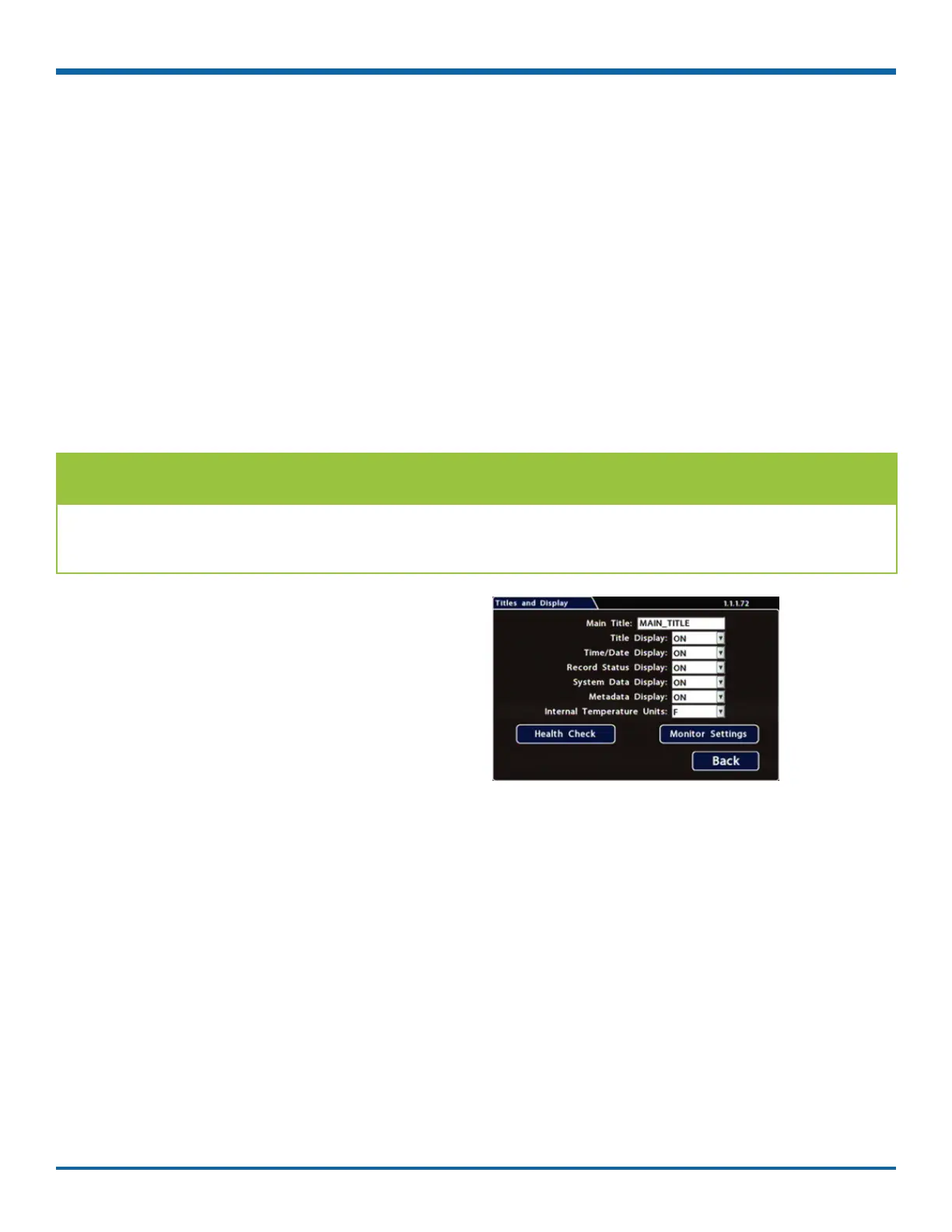
Titles and Display Tab
1. Select Title/Display to open the tab.
2. Enter the bus number in the Main Title eld (if
it is not already there). For more information
about using the On-screen keyboard, see "Using
On-screen Keyboards" on page 27.
3. Choose the desired display settings, as
described in "Menu Options", below.
For information about display items, see
"Metadata Details" on page 41.
TIP: Changing the default display
All options are set to display by default. You can turn OFF items that are not of interest so the related text
will not appear.



 To Next Page