© 2019 Safe Fleet | All rights reserved | Part #: 700-1123 R4
p. 11
TH8 Installation and Conguration Guide
Installing the SD Card (optional)
About
This topic describes installing the optional SD card, a secondary storage device used to record the DVR's low
resolution (and low frame rate) stream, providing backup storage for the DVR's internal media. The amount of
backup storage available from the card is determined by the card's capacity.
Only the lower resolution "Record 2" video stream is stored on the SD card. Access to the recording on the SD
card is only possible through vMax View, since the card is intended for backup purposes.
To install the SD card:
TIP: Repeat Record setting controls "looping"
The Conguration Record Repeat Record setting determines what happens when storage media
(including the SD card and internal drives) become full. The default is to loop (record over the oldest video).
For more information, see "Recording Settings - Menu Options" on page 53.
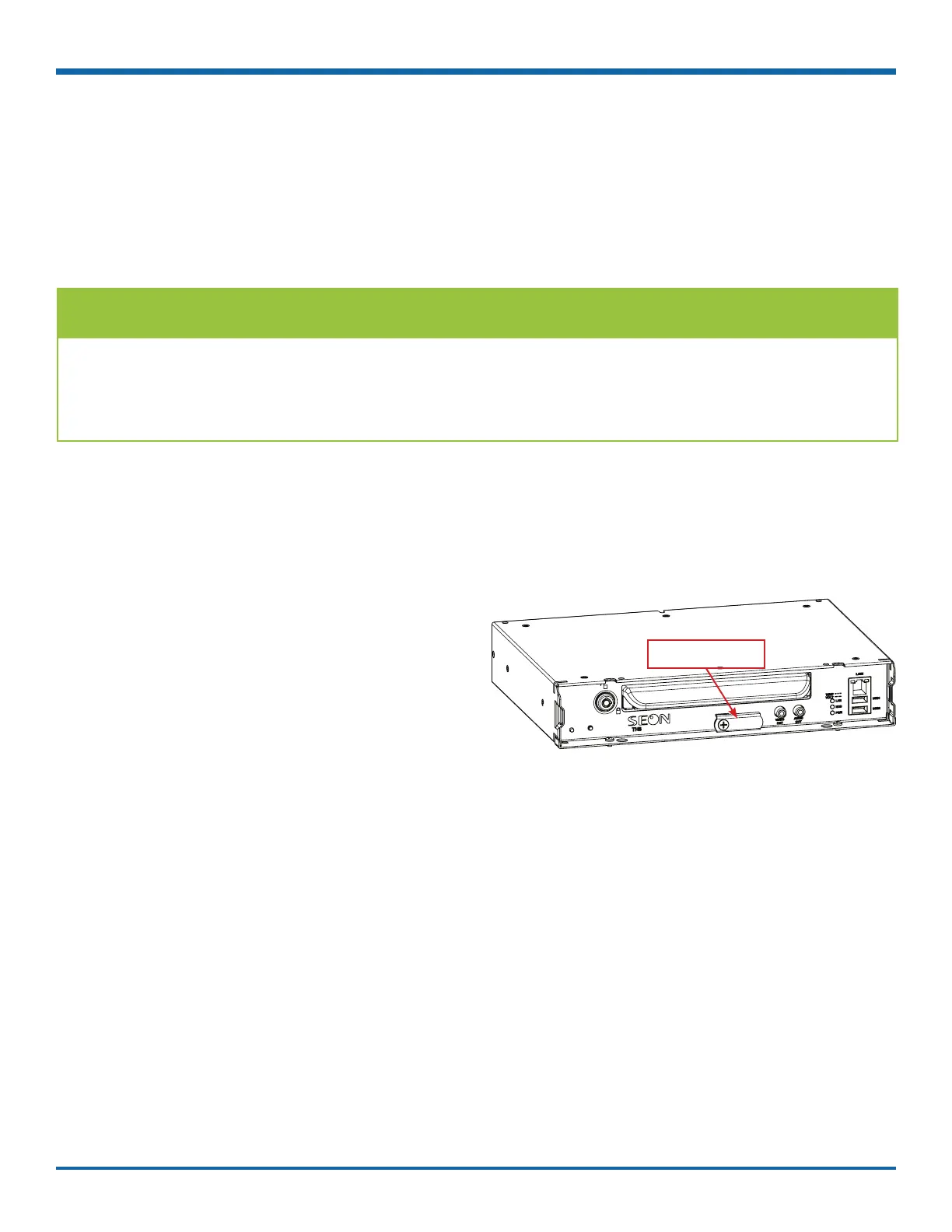
1. On the front of the DVR, remove the screw
holding the SD card cover plate, and remove the
plate.
2. Remove the adhesive plastic shipping strip
covering the SD card slot.
3. Insert a Seon-approved SD card into the slot until
it clicks.
4. Replace the SD card slot cover plate.
SD card slot cover



 To Next Page