© 2019 Safe Fleet | All rights reserved | Part #: 700-1123 R4
p. 59
TH8 Installation and Conguration Guide
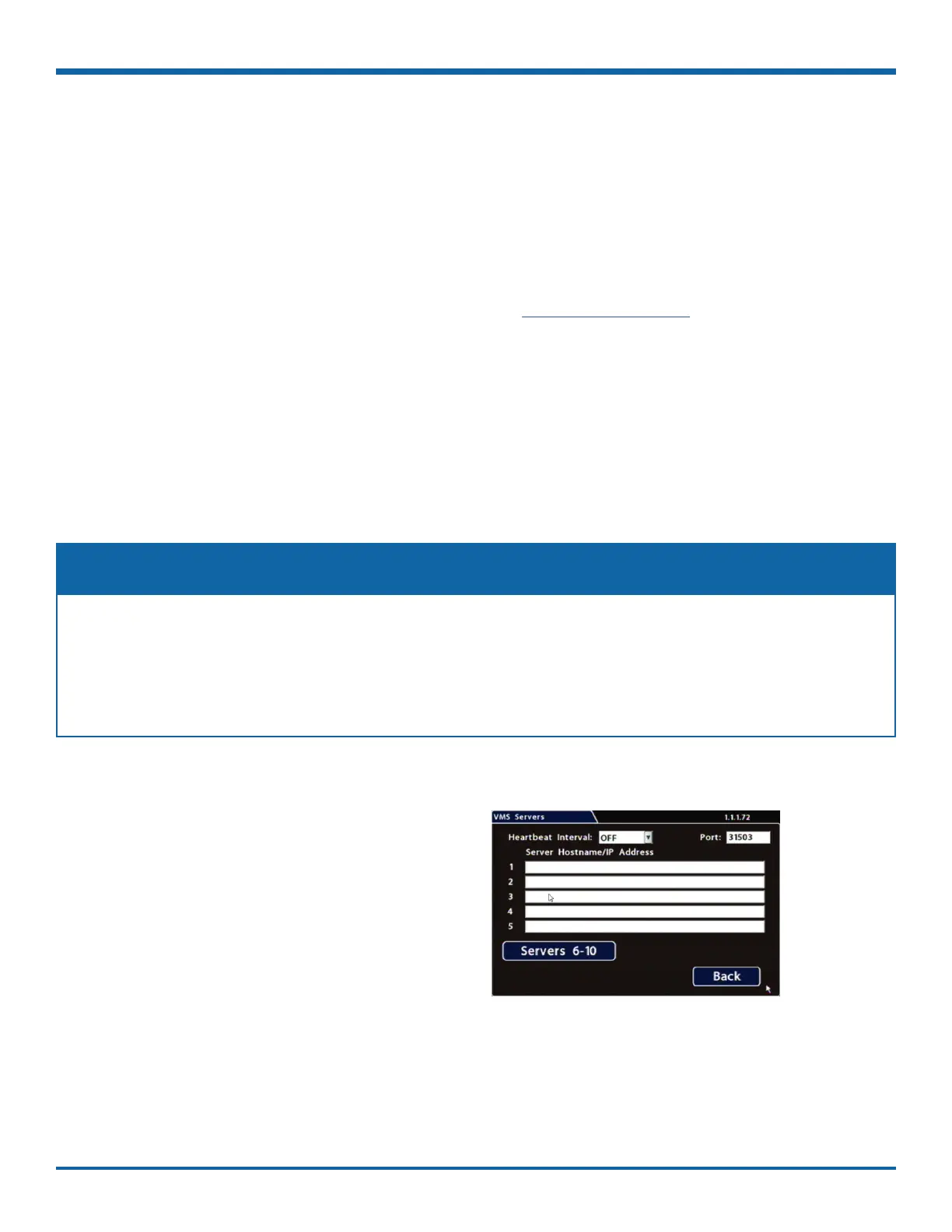
VMS Servers
About
This topic describes setting up communication parameters required to enable the DVR for Commander
software. Commander remotely schedules and displays downloaded alarm video archives, tracks vehicles, and
runs reports on eet activity.
For more information, see the Commander User Guide on the Safe Fleet Community.
Before you begin...
Power up the DVR with a monitor and USB mouse connected, then right-click in Live view and select
Conguration.
For more information, see "Accessing the On-screen Display" on page 25.
VMS Servers Tab (Commander Settings)
A qualied IT administrator is required to perform network conguration, including assignment of IP
addresses.
A wireless bridge and an access point must also be installed and congured.
Contact Technical Support for more information.
NOTE: Qualied IT Administrator Required
To congure VMS Servers:
1. Select Network Advanced VMS Servers to
open the tab.
2. Congure settings as required.
For details, see , below.
3. Click Back to save changes, then click Back
on successive screens to return to the
Conguration menu.



 To Next Page