© 2019 Safe Fleet | All rights reserved | Part #: 700-1123 R4
p. 61
TH8 Installation and Conguration Guide
G Sensor
About
This topic describes calibrating and conguring the optional G Sensor (inertia sensor), which records vehicle
acceleration, deceleration, and lateral motion data. The information can be used to provide information about
driver behavior and vehicle accidents.
Before you begin...
The G Sensor must be properly installed and connected, as described in "G Sensor Mounting and Calibration"
on page 62. For more information see the TH8 Quick Install Guide on the Safe Fleet Community.
Power up the DVR with a monitor and USB mouse connected, then right-click in Live view and select
Conguration. For more information, see "Accessing the On-screen Display" on page 25.
G Sensor Tab
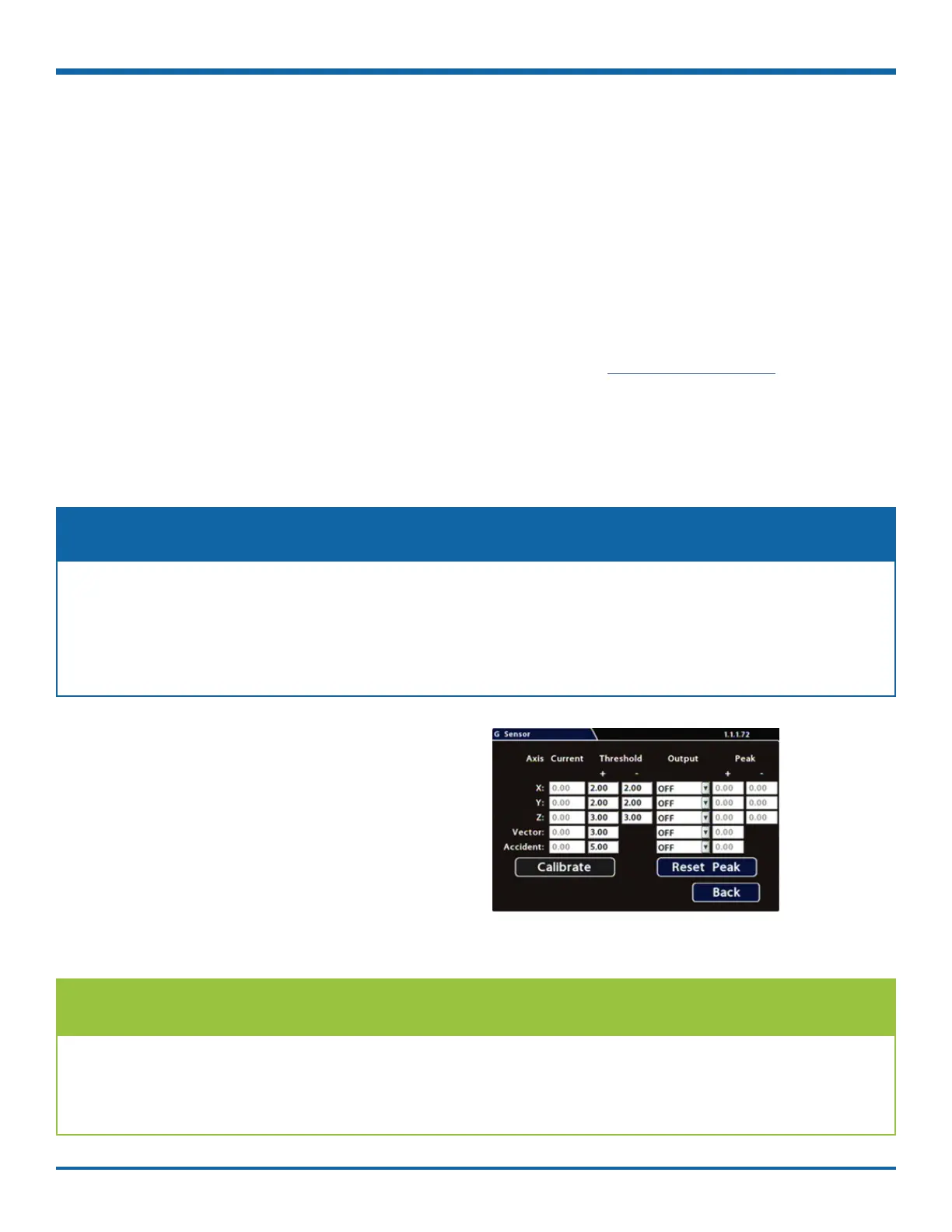
1. Select Alarm/Signal G Sensor to open the tab.
2. If this is a new system installation, or the G
Sensor unit has been relocated:
• Skip to the next page, and follow the
G Sensor Mounting and Calibration
procedure.
3. If required, adjust G Sensor settings.
For details, see , below.
4. Click Back to save settings, then click Back
again to return to the Conguration menu.
The G Sensor must be calibrated when initially installed or if the unit is relocated, and the procedure
must be performed on the vehicle (i.e. not by connecting to the DVR from a remote location).
G Sensor settings can be adjusted to t specic requirements. Note that if thresholds are set too low and
alarms are enabled, many alarms may be generated. Details are provided below.
NOTE: Calibration
We recommend the default G Sensor settings for large bus movement detection.
Smaller vehicles may require lower thresholds - some experimentation may be necessary to dene the
optimal conguration for each vehicle type. If thresholds are set too low, they may generate many alarms.
TIP: Default G Sensor Settings



 To Next Page