© 2019 Safe Fleet | All rights reserved | Part #: 700-1123 R4
p. 20
TH8 Installation and Conguration Guide
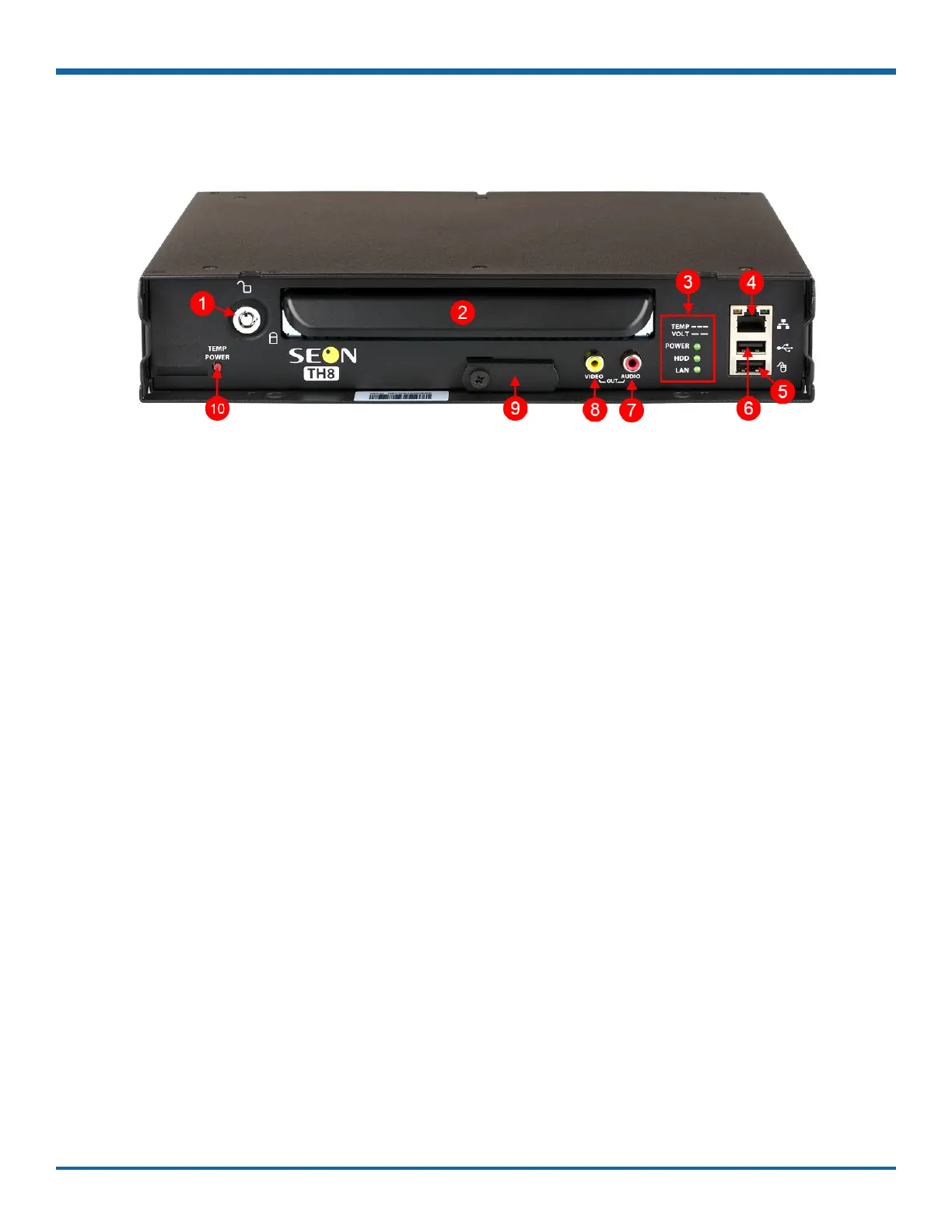
DVR Front Panel Features
1. DVR Drive lock - requires the DVR drive key to
unlock and remove the DVR drive.
2. DVR Drive - for playback, remove the drive and
use the HDD Dock connected to a PC.
3. Status Lights:
• POWER - illuminates when the DVR is
powered on
• when the DVR cannot
power up due to temperature limitations
• when the DVR cannot
power up due to voltage limitations
• HDD - illuminates when the DVR is accessing
the drive
• LAN - illuminates when there is network
activity on the Local Area Network
connection
4. LAN Port - RJ-45 Ethernet connector for a laptop,
Smart-Reach Mobile wireless equipment, or
other accessories
5. Mouse Port - connection for USB mouse
6. USB Port - supports USB devices used to:
• copy video and audio information
• export video clips
• update DVR rmware
• import/export conguration data and
archives
7. AUDIO - RCA jack for audio output
8. VIDEO - RCA jack for video output (playback and
live viewing with a portable monitor)
9. SD Card Slot Cover - SD card for recording low
resolution ("R2") backup video stream
10. TEMP POWER
• powers on the DVR for ve minutes if held
for more than 5 seconds
• powers down the DVR if held for more than
5 seconds in temporary power mode or in
shutdown sequence with ignition off



 To Next Page