© 2019 Safe Fleet | All rights reserved | Part #: 700-1123 R4
p. 14
TH8 Installation and Conguration Guide
To install a rmware update:
1. Power-up the DVR using the vehicle ignition.
2. Insert the USB memory device with the new
rmware version into the USB port on the DVR.
3. After the DVR starts up, right-click in the On-
screen Display and select
Conguration System Program Update.
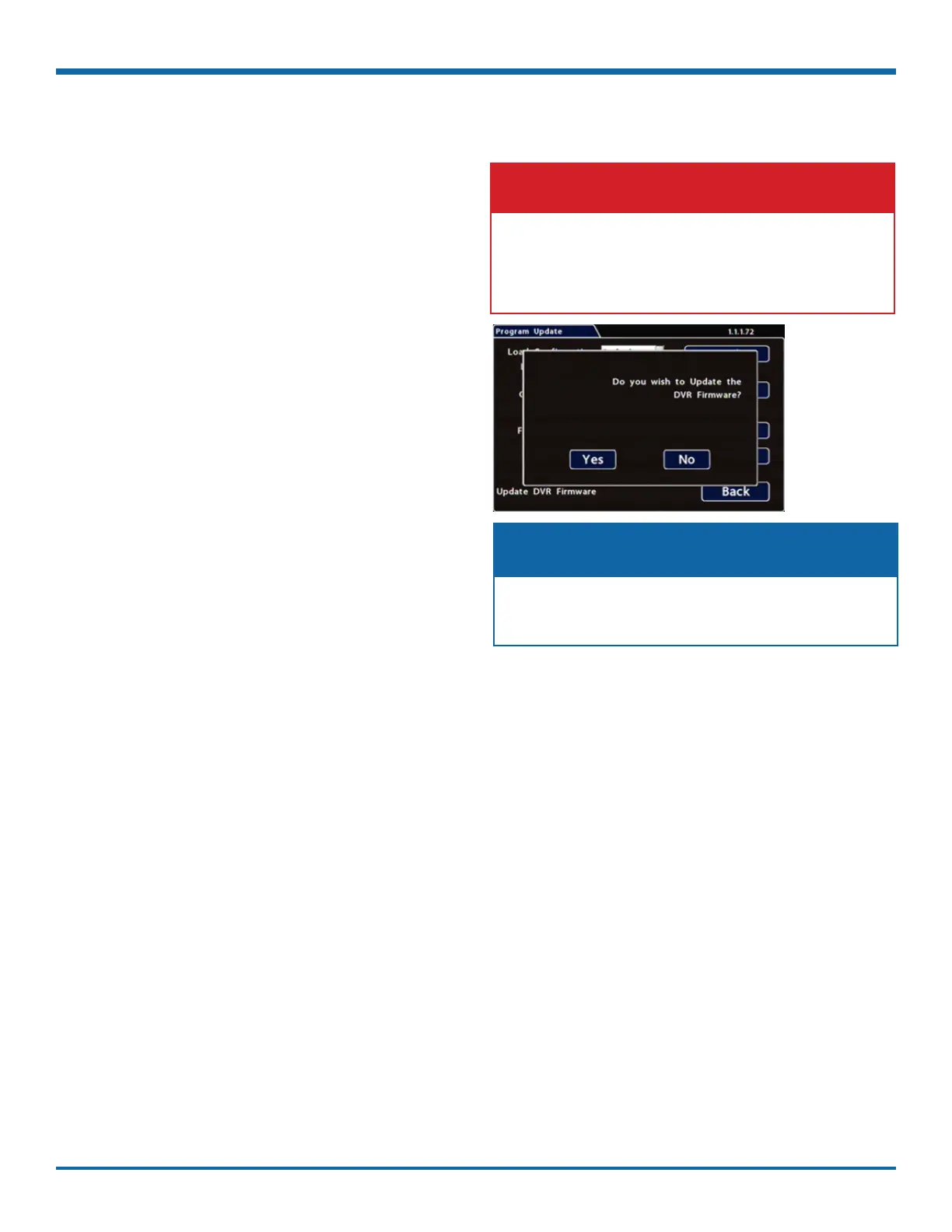
4. In the Program Update tab, click Update.
A conrmation window appears.
5. Click Yes to proceed or No to cancel.
Yes starts the rmware update, and a progress
bar displays the percentage complete.
6. Once the update is nished, the DVR
automatically restarts to allow verication of a
successful update.
7. Remove the USB memory device.
Do not crank the vehicle power or remove power
while updating DVR rmware.
Equipment damage may result.
WARNING: Do not crank the vehicle
After restarting, the DVR may take up to 3
minutes to load and complete the upgrade.
NOTE: Wait until the DVR nishes loading



 To Next Page