© 2019 Safe Fleet | All rights reserved | Part #: 700-1123 R4
p. 31
TH8 Installation and Conguration Guide
Health Check
About
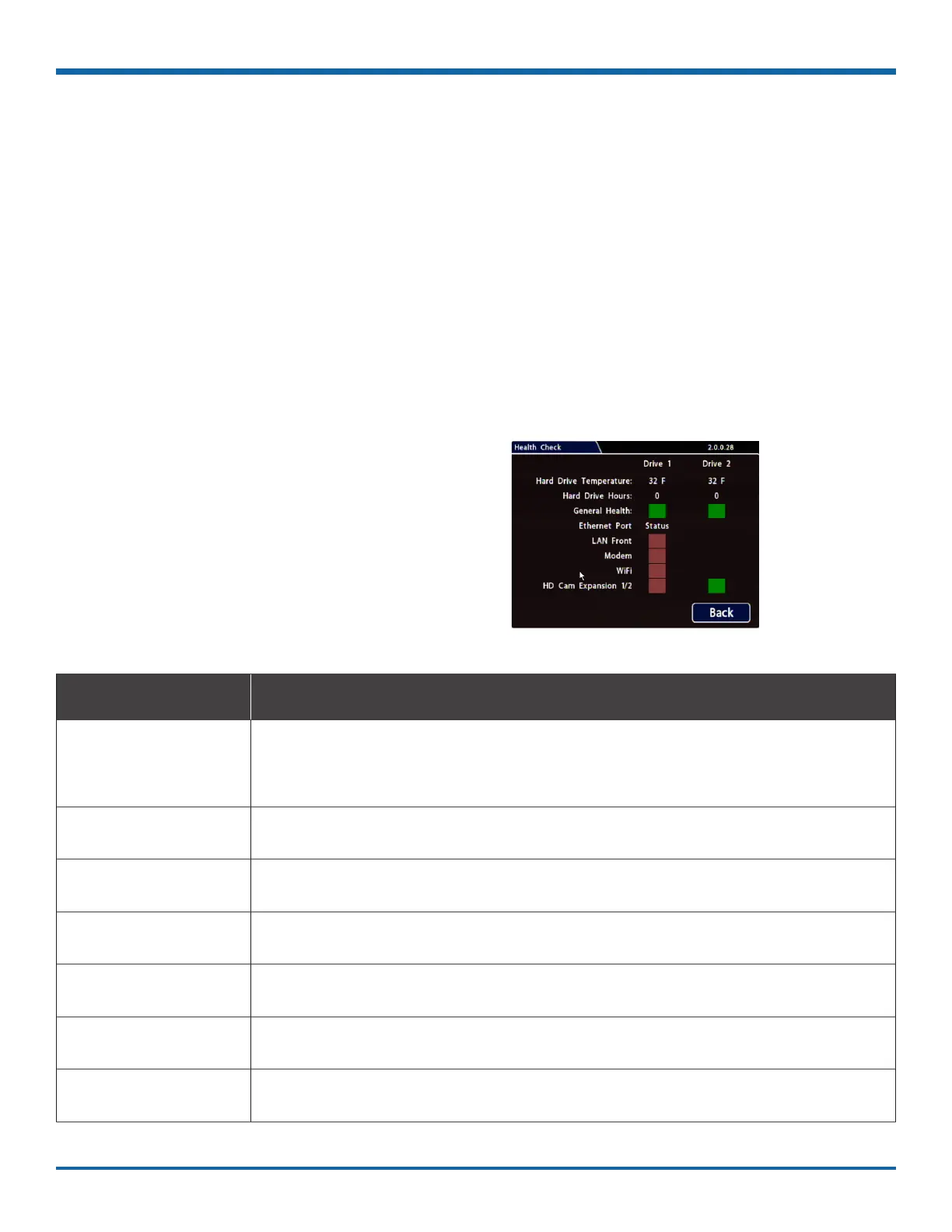
This topic describes the Health Check tab. It provides information on hard drive temperature, hard drive
operational hours, Ethernet connections, and general DVR health.
Before you begin...
Power up the DVR with a monitor and USB mouse connected, then right-click in Live view and select
Conguration.
For more information, see "Accessing the On-screen Display" on page 25.
To display Health Check information:
Select Title/Display Health Check.
Information Display
Menu Item Description
Hard Drive Temperature
(drives 1 & 2)
Current temperature inside the drive.
To choose whether this value displays in fahrenheit (USA) or celsius (Canada), use
the Titles and Display Internal Temperature Units setting.
Hard Drive Hours
(drives 1 & 2)
The number of hours the drive has been powered on since it was manufactured.
General Health
(drives 1 & 2)
Result of the drive subsystem self-check: green indicates normal operating status,
while red means a drive failure was detected.
LAN Front Connectivity indicator: green when a cable is connected from the DVR's front LAN
port to an operational network device; otherwise red.
Modem Connectivity indicator: green when a cable is connected from the DVR's rear
Modem port to an operational network device; otherwise red.
WiFi Connectivity indicator: green when a cable is connected from the DVR's rear WiFi
port to an operational network device; otherwise red.
HD Cam Expansion 1/2 Connectivity indicators: green indicates a valid connection to a device from the
DVR's the rear HD CAM EXPANSION 1 or 2 port; otherwise red.



 To Next Page