© 2019 Safe Fleet | All rights reserved | Part #: 700-1123 R4
p. 47
TH8 Installation and Conguration Guide
Signals
About
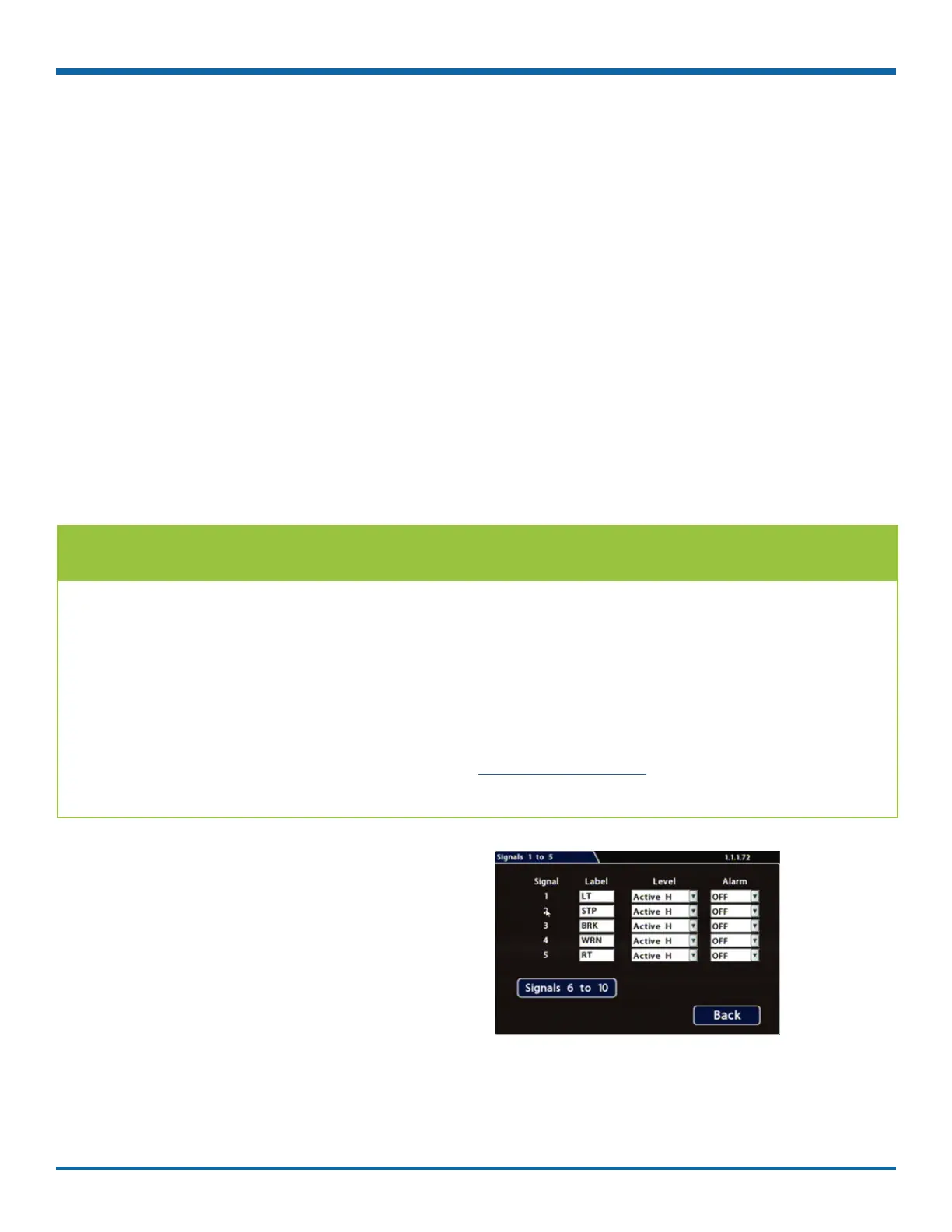
This topic describes how to congure signals and the actions they generate. The DVR supports 10 independent
signals. The rst ve are dedicated input wire (signal harness) connections: LT (left turn signal), STP (stop),
BRK (brake), WRN (warning lights), and RT (right turn signal). The last ve can be set for other functions, such
as an excessive speed event or when the installed G-sensor exceeds a threshold.
Before you begin...
Power up the DVR with a monitor and USB mouse connected, then right-click in Live view and select
Conguration.
For more information, see "Accessing the On-screen Display" on page 25.
Signals Tab
1. Select Alarm/Signal Signals to open the tab.
2. Congure signals as required.
Each signal displays its status (label) when
active, and can also trigger an Alarm. For details,
see , below.
3. Click Back to save settings, then click Back
again to return to the Conguration menu.
TIP: Signal Labels and Searching for Events
When a signal is activated, the associated 3-character label appears on-screen during video playback.
For example, "BRK" appears when the brake pedal is applied. For more information, see "Metadata Details"
on page 41.
It is important to understand that you can also search video for signal events. For example, you can nd
every instance when the warning lights were activated.
For more information, see the on the Safe Fleet Community and "Working with Video" on
page 28.



 To Next Page