© 2019 Safe Fleet | All rights reserved | Part #: 700-1123 R4
p. 9
TH8 Installation and Conguration Guide
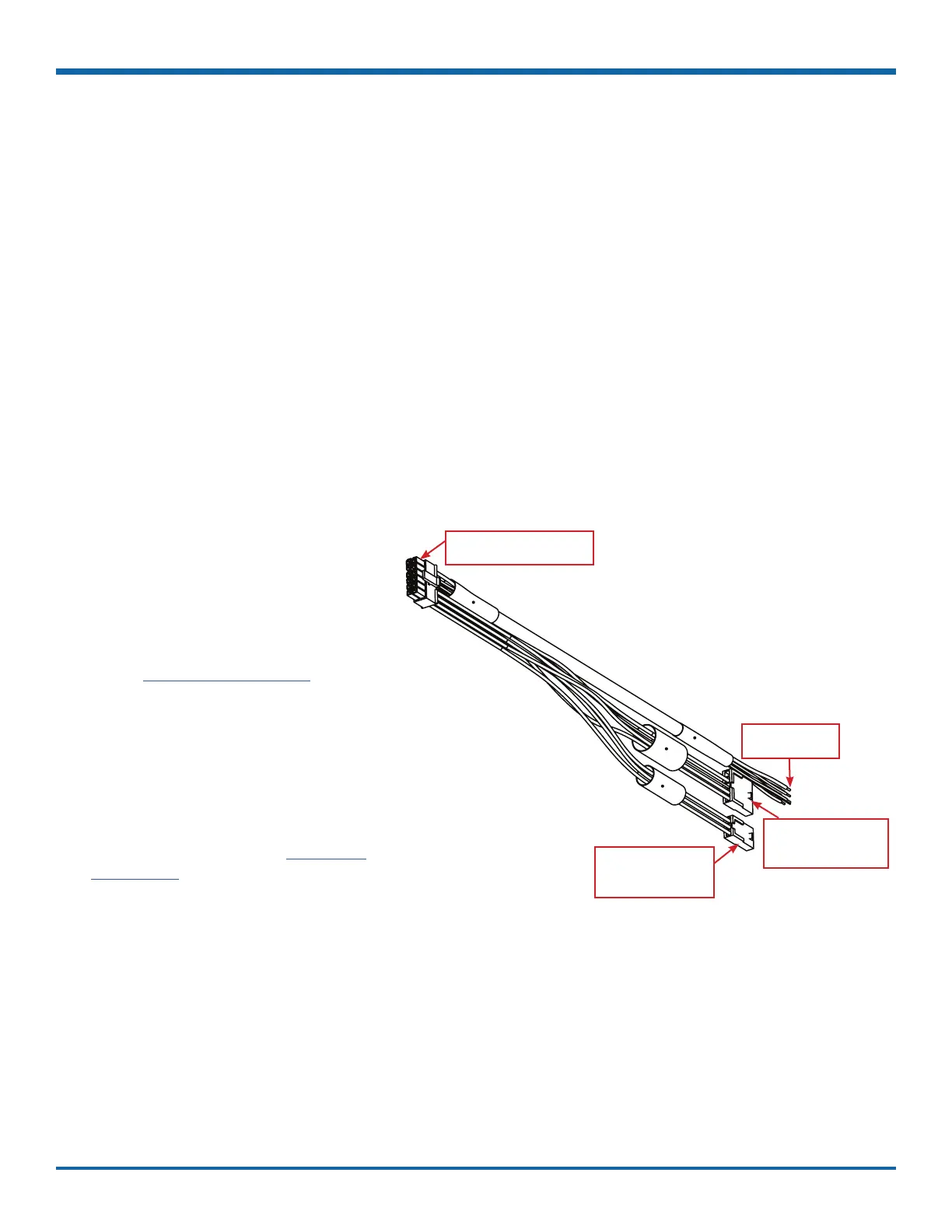
Installing the Signals Harness
About
This topic describes installing the Signals Harness, which connects the DVR to Signal inputs, and to the
optional Event/Diagnostic button and Wake on Input trigger: for more information on each of these features
see:
• "Signals" on page 47
• "Tagging Video for Review" on page 24
• "Wake on Input, Digital Output" on page 75
Before you begin...
It is your responsibility to avoid damaging safety or electrical systems.
Ensure you read and understand "Installation Requirements" on page 7.
To install the Signals Harness
Connect the 2x6 Microt to the SIGNALS
socket on the DVR.
• Connect the 5 signal input wires,
as shown in the in the Installation
Diagram in the
on the Safe Fleet Community.
• Connect the 1x5 Microt to the
Adapter harness for the Event/
Diagnostic button ().
• Remove the 1x3 Microt and connect
the green and black wires to a Wake
on Input trigger () as shown
in the Installation Diagram in the
on the Safe Fleet
Community.
The Signals harness is Part # WT1.
To DVR SIGNALS socket
(2 x 6)
To Wake on Input
trigger -
(1 x 3)
To Event/Diagnostic
button -
(1 x 5)
To Signal
inputs (5 wires)



 To Next Page