© 2019 Safe Fleet | All rights reserved | Part #: 700-1123 R4
p. 27
TH8 Installation and Conguration Guide
About
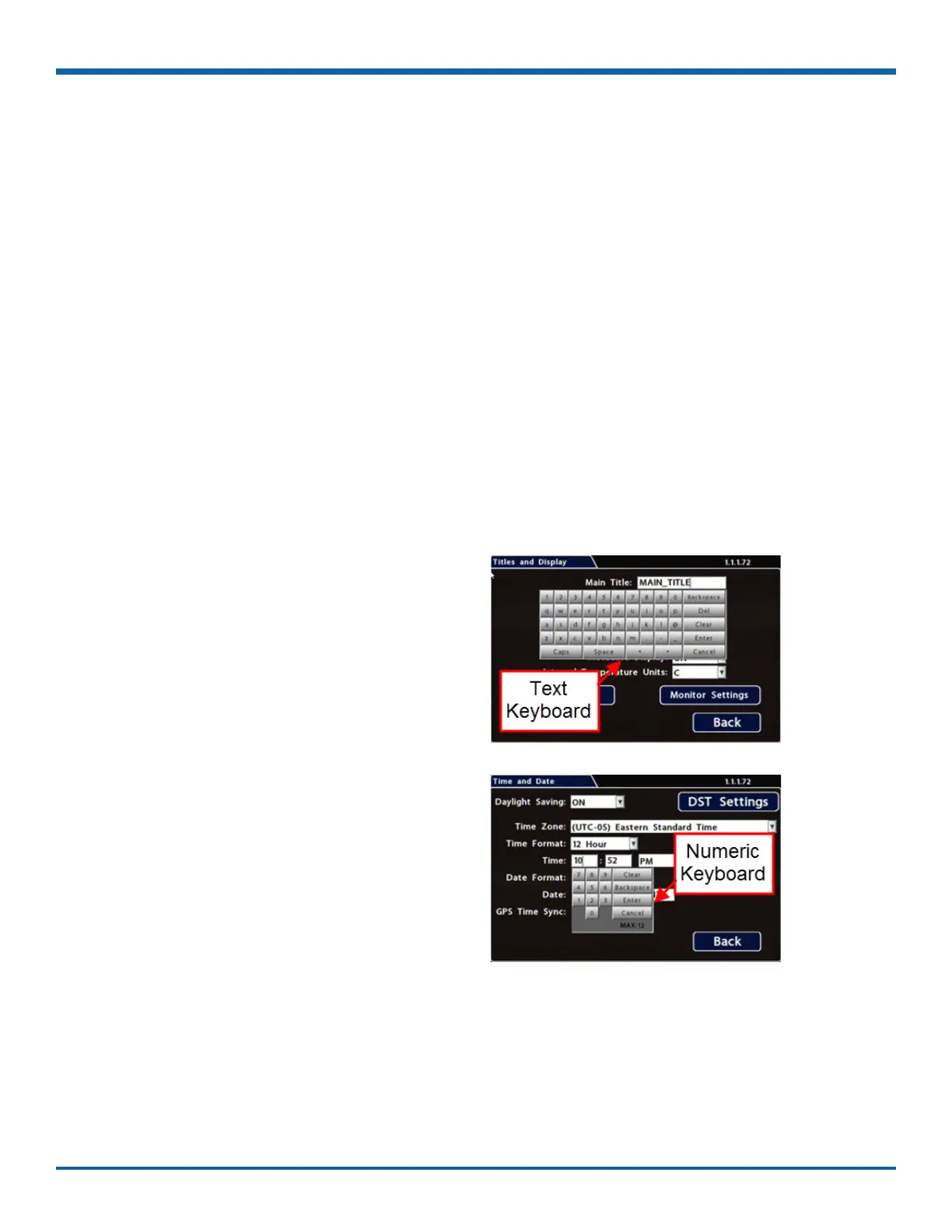
This topic describes entering text and numbers in OSD (On-screen Display) elds when accessing the DVR
locally with a mouse and monitor.
Before you begin...
A portable video monitor and a USB mouse must be connected to the DVR.
For more information, see "Accessing the On-screen Display" on page 25.
1. Click in an OSD eld that accepts text or
numbers as input.
The on-screen keyboard (text or numeric, as
shown below) pops up on the screen.
2. Click text or numbers to enter values, and use
the virtual keys as required.
Cancel closes the keyboard without saving
changes.
3. When you're done, click Enter to save changes
and close the keyboard.
Using On-screen Keyboards
Entering Data
To enter text and numbers in OSD elds using a mouse:



 To Next Page