© 2019 Safe Fleet | All rights reserved | Part #: 700-1123 R4
p. 7
TH8 Installation and Conguration Guide
Ventilated
Location
Install the DVR away from any sort of heat outlet, heater, or AC blower. Do not operate the DVR
in a closed-in area or restrict ventilation in any way. The DVR requires air circulation to maintain
optimum operation temperature and provide best performance. Do not expose the DVR to
moisture.
Mount to
secure
surfaces
only
Do not mount the DVR to a plastic panel or other surface that is subject to constant vibration.
Mounting
orientation
We strongly recommend mounting the DVR in a horizontal orientation (on top of the mounting
tray); however, to accommodate space restrictions, vertical mounting is acceptable. Do NOT
install the DVR upside-down.
Clearance
around the
DVR
Allow sufcient clearance of at least six (6) inches in front of the DVR and two (2) inches to
each side for removal of the security front cover and easy access to the hard drive and USB
ports. Allow sufcient clearance behind the DVR for camera cables, mounting cables, Ethernet
cables, and power cables.
Mounting
cables
The radius for the mounting cables will be dictated by the cable cover. The rearmost surface of
the cable cover will be about 3 inches from the back of the DVR to allow camera cables to bend
over each other.
Ethernet
cables
Avoid right angle bends in the Ethernet cables.
Power
cables
Provide enough slack on the power cable to prevent any force from being exerted on the
connectors. A single 4-inch diameter loop is sufcient.
Physical Installation
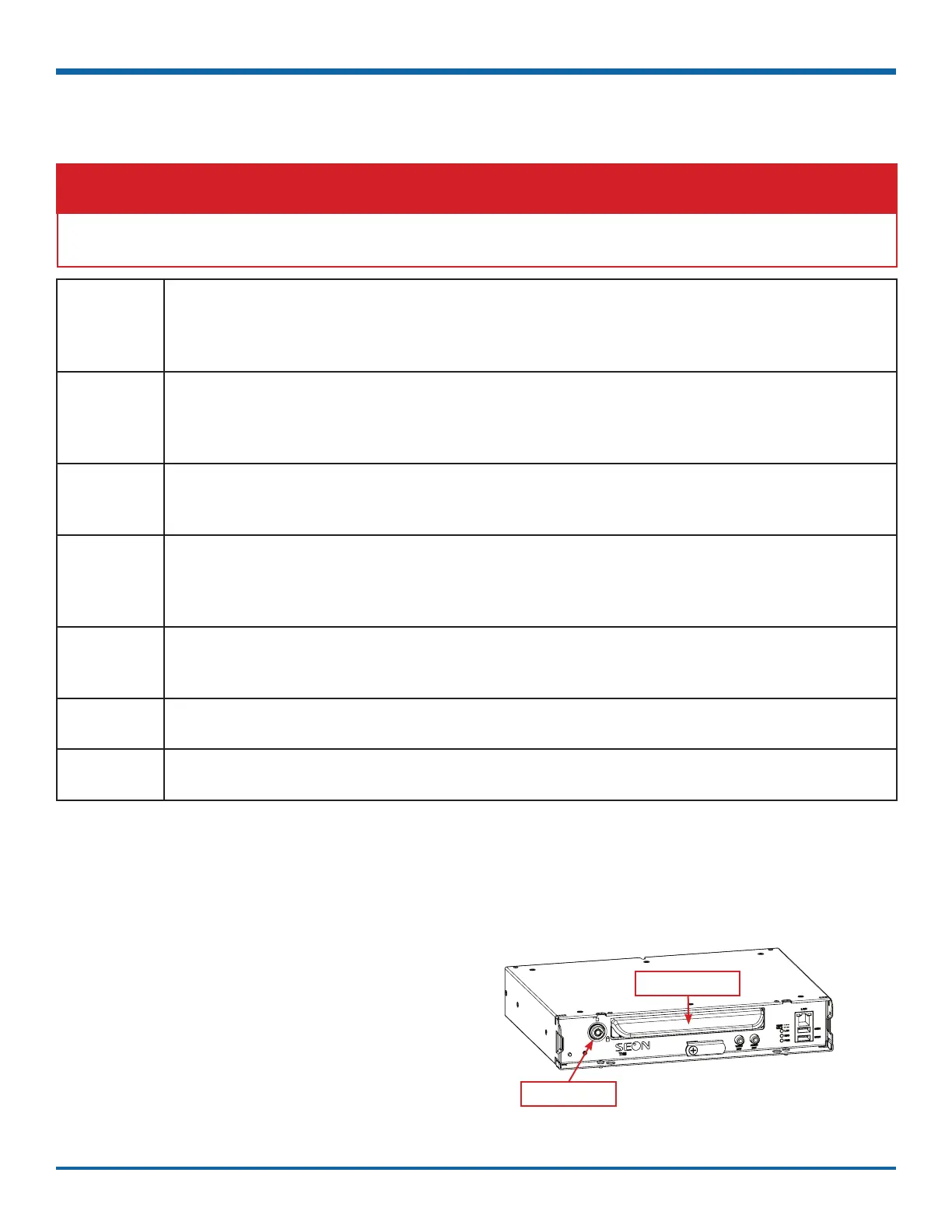
The DVR typically ships with the locking front cover, mounting plate, and cable cover off, but in the shipping
box. The hard disk drive is in a separate box in the system shipping kit.
To install the DVR:
1. Select an appropriate mounting location and
orientation (horizontal or vertical).
2. Insert a hard drive in the DVR.
3. Insert the key into the hard drive lock and rotate
a quarter turn to lock the drive.
Hard drive lock
DVR hard drive
WARNING: Safety and Electrical Systems
It is your responsibility to avoid damaging safety or electrical systems.
Installation Requirements



 To Next Page