© 2019 Safe Fleet | All rights reserved | Part #: 700-1123 R4
p. 62
TH8 Installation and Conguration Guide
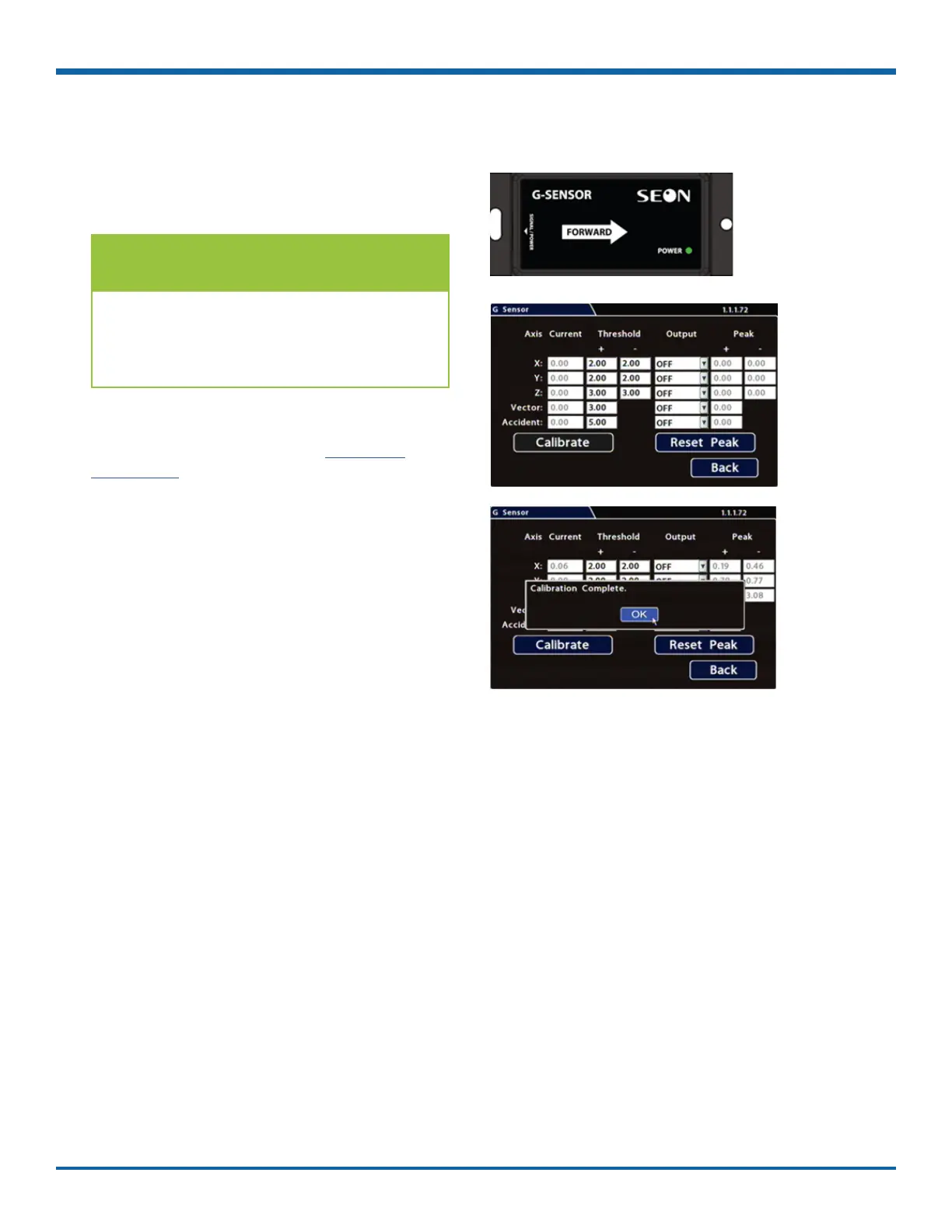
3. When the process is complete, click OK in the
conrmation dialog.
4. If required, adjust G Sensor settings.
For details, see , below.
5. Click Back to save settings, then click Back
again to return to the Conguration menu.
G Sensor Mounting and Calibration
1. Ensure the G Sensor unit is mounted securely,
with the arrow toward the front of the vehicle.
The G Sensor can be mounted sideways,
on an angle, or upside-down, as long as
the arrow points toward the front of the
vehicle.
TIP: G Sensor Mounting Orientation
The unit connects to the G SENSOR port on the
DVR rear panel. For more information see the
TH8 Quick Install Guide on the Safe Fleet
Community
2. Open Conguration Alarm/Signal G Sensor,
and click Calibrate.
The X, Y, and Z axis planes are set, based on the
mounting surface.



 To Next Page