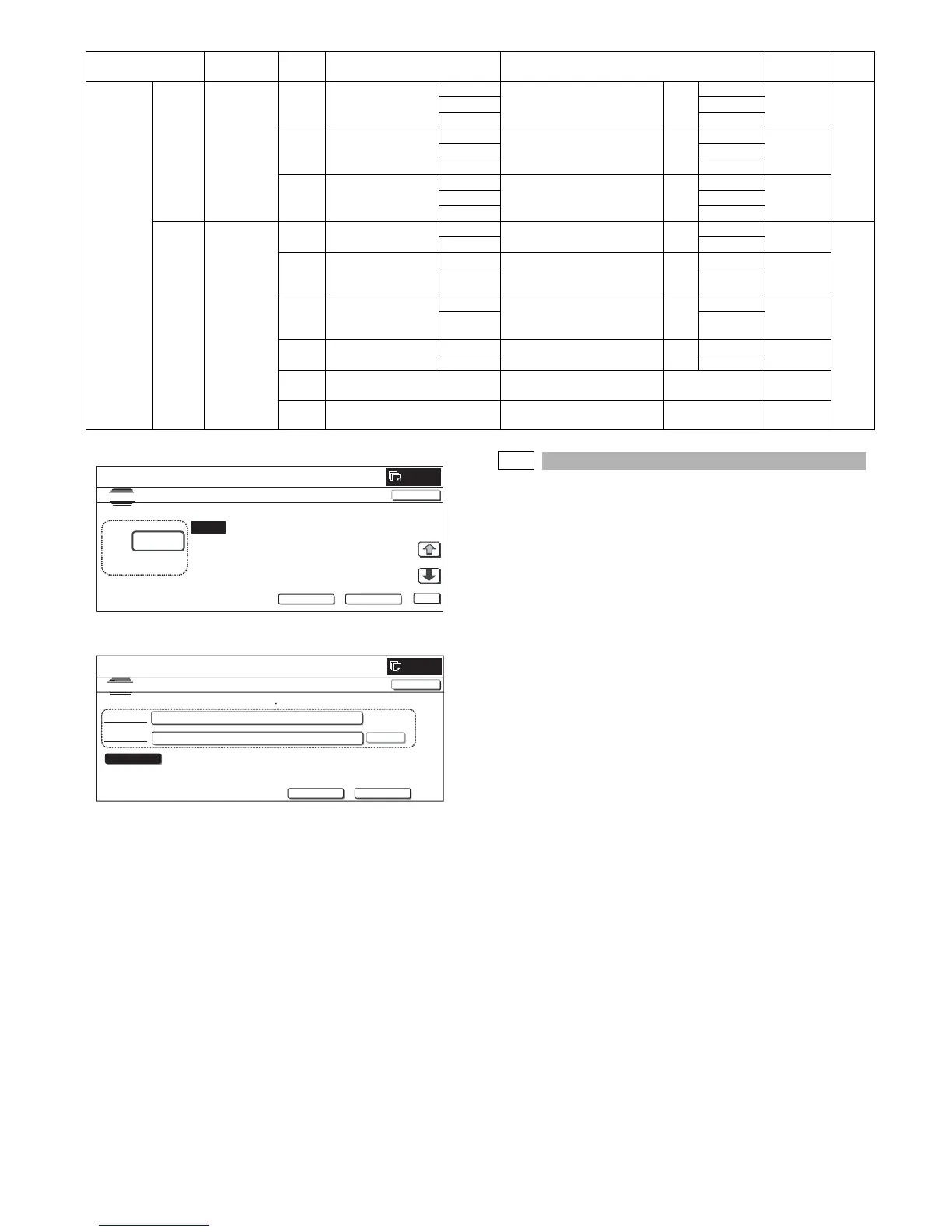
MX-2300/2700 N/G SIMULATION 7 – 81
(Initial screen)
(On the screen, [NEXT] is pressed.)
46-36
Purpose : Adjustment
Function (Purpose) : Used to perform the fine adjustment of 2-
color (Red, Black) copy.
Section :–
Item : Image quality
Operation/Procedure
1) Select a category to be set.
* When [RANGE] (red judgment range), [COEFFICIENT] (out-
put color coefficient) button is pressed to select each cate-
gory, the selected button is highlighted and the set items of
the selected category are displayed.
* Only one button can be selected. The selected button is
highlighted.
In the initial state, [RANGE] is selected.
2) Select the set item with [↑] and [↓] buttons.
The highlighted set value is switched and the value is dis-
played in the setting area.
* If there is any item over [↑], an active display is made and
item is shifted.
If there is no item over [↑], the display grays out and the
operation is invalid.
If there is any item under [↓], an active display is made and
item is shifted.
If there is no item over [↓], the display grays out and the
operation is invalid.
3) Enter the set value with 10-key.
* Press [C] key to clear the entered values.
4) When [OK], [↑], [↓] button, [COLOR], or [BLACK] key is
pressed, the currently entered data are saved to EEPROM and
RAM.
SEGMENT 4 digits
or less
setting
Quantity of
detection
adjustment
AW BKUCR_ACTA (–
99%)
THROUGH – 99% 0 –
2
00A
OFF 1
ON 2
AX BKUCR_ACTA
(100% – 199%)
THROUGH 100% – 199% 0 –
2
00
OFF 1
ON 2
AY BKUCR_ACTA
(200% –)
THROUGH 200% – 0 –
2
00
OFF 1
ON 2
5 digits
or more
setting
Text on
mesh ON/
OFF (Auto/
Manual
mode)
A MESH_CHECK1 ON Check button for investigation
[(Auto) text on mesh]
0 –
1
00B
OFF 1
B MESH_CHECK2 ON Check button for investigation
[(Auto) Text mesh (Under 1,
Line 1)
0 –
1
00
OFF 1
C MESH_CHECK3 ON Check button for investigation
[(Auto) Text mesh (Under 2,
Line 1)
0 –
1
00
OFF 1
D MESH_CHECK4 ON Check button for investigation
[(Auto) text print]
0 –
1
00
OFF 1
E THED3A(*1) THED3A (Text on mesh ON/
OFF)
0 – 65535 1000
F THED3B(*1) THED3B (Text on mesh ON/
OFF)
0 – 65535 1000
Category Item
Display Content Set range/Number of digits
Default
value
Screen
type
:
A㧦 0
B㧦 0
C㧦 0
D㧦 0
㧧 THCLMK_1
㧧 THCLBK_1
㧧 ACSMS
1
㧧 THCLMK_2
SIMULATION
NO.46
㧙
33
COLOR AUTO MODE ADJUSTMENT(ACS
4DIGIT
UNDER)
0
㨇 0㨪 9 㨉
OK
TEST
0
CLOSE
BACK NEXT
0
SIMULATION NO.46-33
TEST
COLOR AUTO MODE ADJUSTMENT(ACS 5DIGIT OVER)
CLOSE
PRESENT 000010000
㧦
NEW㧦
SET
BACK NEXT
TH_ACS5 ENLARGE



 To Next Page