MX-2300/2700 N/G SIMULATION 7 – 90
<Update target data firmware>
*1: Not supported for the MX-2300/2700 series.
<List of error display in case of error end>
49-3
Purpose : Version-up
Function (Purpose) : The Operation Manual saved in the hard
disk is updated.
Section :—
Item : Adjustment
Operation/Procedure
1) Insert the USB memory into the machine.
* When USB is not connected, "INSERT A STORAGE E-
MANUAL STORED ON" is displayed. When [OK] button is
pressed, the display is shifted to the folder selection screen
1.
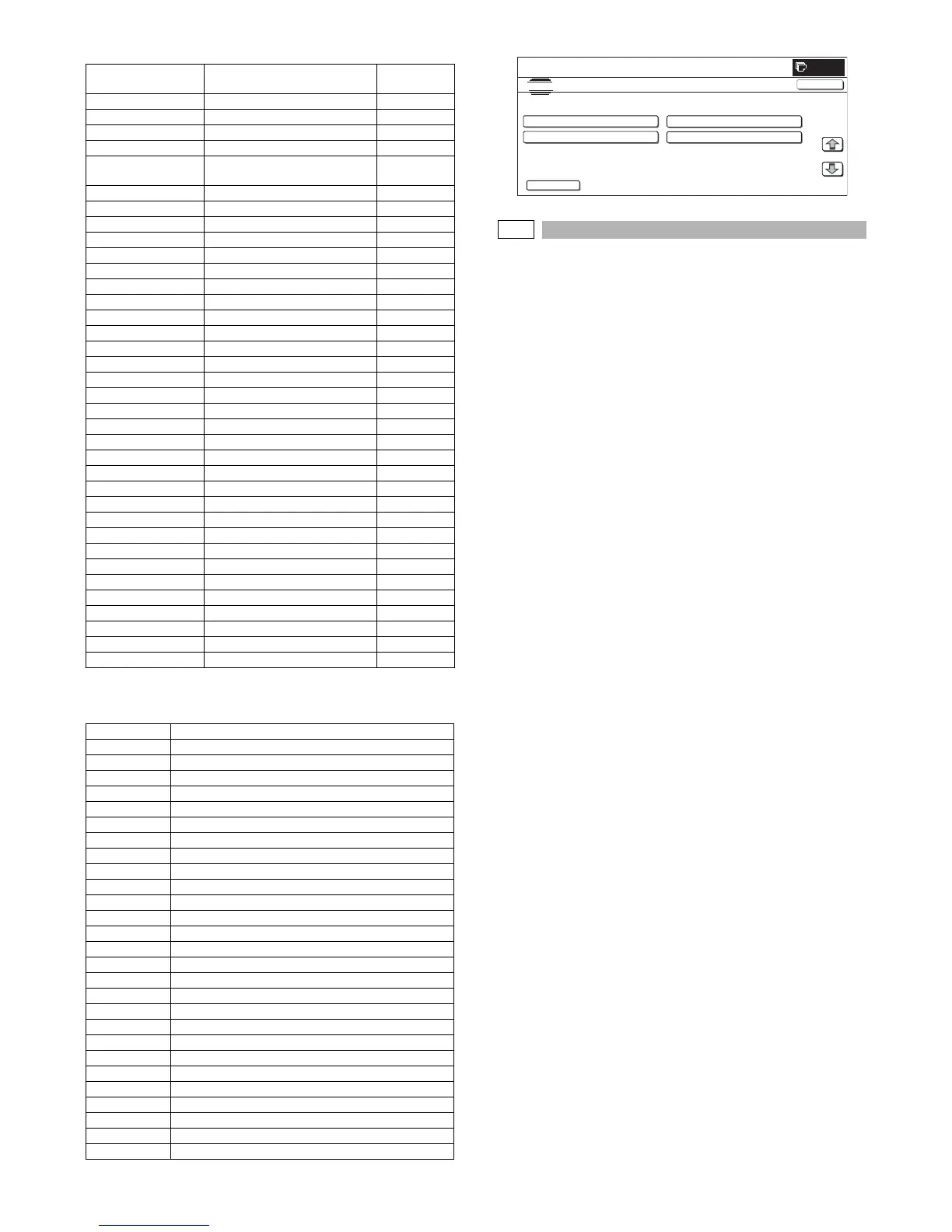
2) When a operation manual update folder button is pressed, the
display is shifted to the operation manual update screen.
* A folder name is displayed on the button.
* "<DIR>" is displayed at the head.
If the folder name is of more than 34 characters, only 34
characters are displayed.
* When [ .. ] button is pressed on the folder selection screen 2,
the display is shifted to the folder selection screen 1. On the
folder or file selection screen, the keys are disabled.
* The path of the folder or file is displayed on the title section.
If the path is of more than 50 characters, only 50 characters
are displayed.
3) The current version and the update version are displayed.
4) Press [EXECUTE] button.
[EXECUTE] button is highlighted, and [YES] and [NO] buttons
are changed from gray-out display to active display.
5) Press [YES] button.
[YES] button is highlighted, and update of the selected opera-
tion manual is executed.
* When [NO] and [EXECUTE] button are pressed, the display
returns to the version display screen.
6) After completion of update, the result is displayed.
When the operation is completed normally, "COMPLET" is dis-
played. In case of an error, "ERROR" is displayed.
* When [CA] key or [SYSTEM SETTING] key is pressed during
execution, the operation is interrupted and the machine is reboo-
ted.
* When [OK] button is pressed, the machine is rebooted.
* When [CA] key is pressed on the folder selection screen 1 and 2,
the simulation is terminated.
* When [SYSTEM SETTINGS] key is pressed on the folder selec-
tion screen 1 and 2, the display returns to the sub code entry
screen.
* When [CA] key or [SYSTEM SETTINGS] key is pressed to exit
the simulation on the version display screen and the following
screens before execution, the machine is rebooted.
Display item Item description Number of
digits
CONFIG Configuration data 8 digits
ICU (MAIN) ICU main section former half 8 digits
ICU (BOOTM) ICU boot section main 8 digits
ICU (BOOTS) ICU boot section sub 8 digits
LANGUAGE Language support data program
(Generic name)
8 digits
GRAPHIC Graphic data for L-LCD 8 digits
SLIST SLIST data for L-LCD 8 digits
PCU (BOOT) PCU boot section 8 digits
PCU (MAIN) PCU main section 8 digits
DESK (BOOT) Desk unit boot section 8 digits
DESK (MAIN) Desk unit main section 8 digits
A4LCC (BOOT) Side LCC (A4) boot section 8 digits
A4LCC (MAIN) Side LCC (A4) main section 8 digits
FIN (BOOT) Inner finisher boot section 8 digits
FIN (MAIN) Inner finisher main section 8 digits
INSERTER (BOOT) Inserter boot section *1
INSERTER (MAIN) Inserter main section *1
1KFIN (BOOT) 1K Finisher boot section 8 digits
1KFIN (MAIN) 1K Finisher main section 8 digits
4KFIN (BOOT) 4K Finisher boot section *1
4KFIN (MAIN) 4K Finisher main section *1
A3LCC (BOOT) Side LCC (A3) boot section *1
A3LCC (MAIN) Side LCC (A3) main section *1
SCU (BOOT) SCU 8 digits
SCU (MAIN) Main section 8 digits
DSPF (BOOT) DSPF boot section *1
DSPF (MAIN) DSPF main section *1
FAX1 (BOOT) FAX1 line (Boot section) 8 digits
FAX1 (MAIN) FAX1 line (Main section) 8 digits
FAX OPTION (BOOT) FAX2 line (Boot section) 8 digits
FAX OPTION (MAIN) FAX2 line (Main section) 8 digits
ESCP_FONT ESC/P fonts 8 digits
PDL_FONT PDL fonts 8 digits
ANIMATION Animation data 8 digits
IMAGE_DATA Image ASIC data 8 digits
COLOR PROFILE Color profile 8 digits
Display item Item description
CONF Configuration data
ICUM ICU main section former half
ICUBM ICU boot section main
ICUBS ICU boot section sub
LANG Language support data program (Generic name)
GRAPH Graphic data for L-LCD
SLIST SLIST data for L-LCD
PCUB PCU Boot section
PCUM PCU main section
DESKB Desk unit Boot section
DESKM Desk unit main section
LCC4B Side LCC(A4) Boot section
LCC4M Side LCC(A4) main section
FINB Inner Finisher Boot section
FINM Inner Finisher main section
FIN1B 1K Finisher Boot section
FIN1M 1K Finisher main section
SCUB SCU
SCUM Main section
FAXB FAX1 Boot section
FAXM FAX1 main section
FAXOPB FAX2 Boot section
FAXOPM FAX2 main section
ESCP ESC/P fonts
PDL PDL fonts
ANIME Animation data
IMGDT Image ASIC data
SIMULATION NO.49-01
TEST
FIRMWARE UPDATE/usbbd00
<DIR> FOLDER1
FILE1
FILE2 <DIR> FOLDER2
1/1
0
CLOSE
..



 To Next Page