MX-2300/2700 N/G SIMULATION 7 – 98
50-22
Purpose : Adjustment
Function (Purpose) : Used to execute the auto adjustment of the
main/sub scan the main/sub registration.
(Print on the belt/ Scan with the registration
sensor (photo sensor)
Image registration adjustment (Auto adjust-
ment) adjustment image quality image posi-
tion
Section :–
Item : Image quality
Operation/Procedure
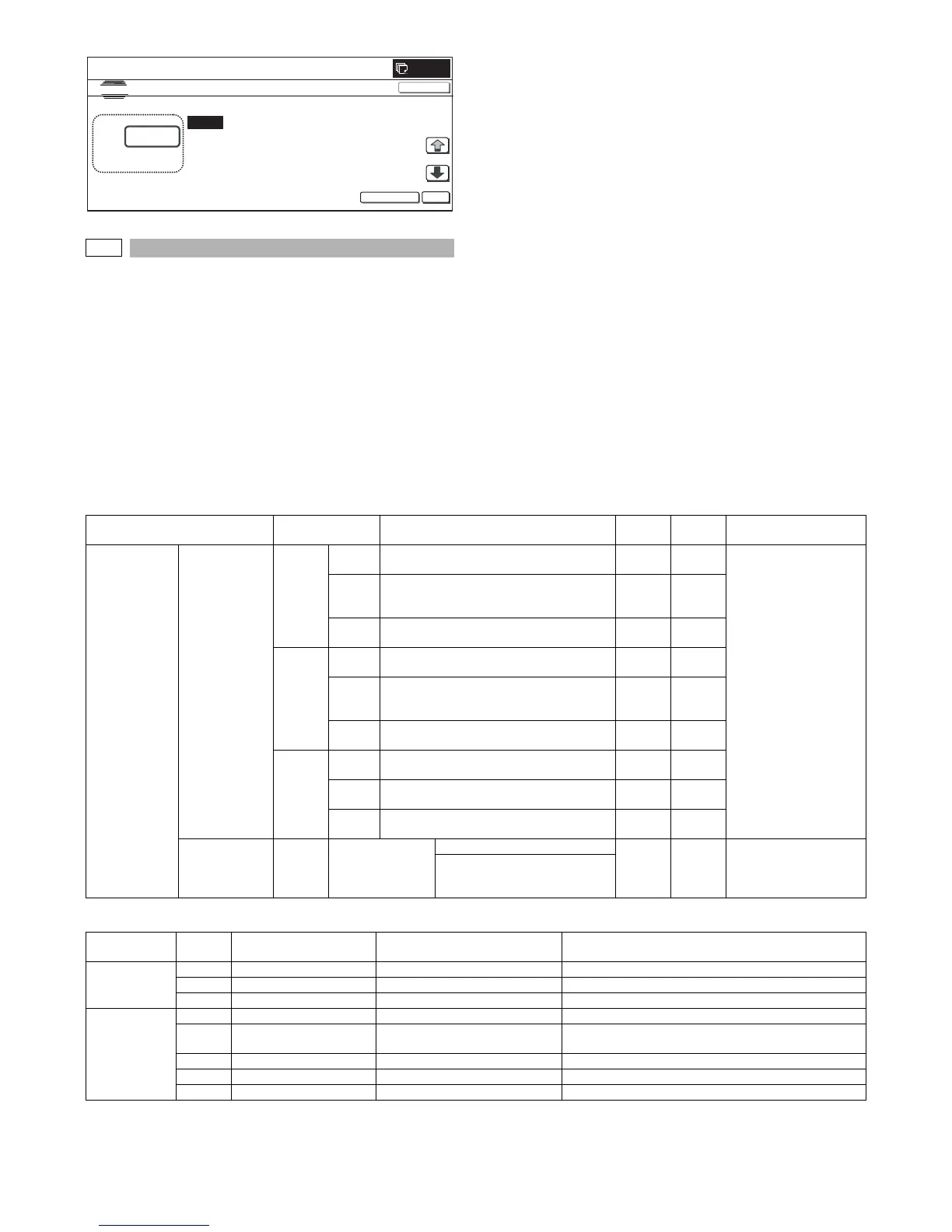
1) Select the mode. (In this example, [REGIST] is selected.)
* Press the button to select a category. The selected button is
highlighted. The set item of the selected button is displayed.
* Only one button can be selected. The selected button is
highlighted. In the initial state, [ALL] button is selected.
* If there is a page over [↑], an active display is shown and the
page moves up. If there is no page upward, the display
grays out and the operation is invalid.
If there is a page under [↓], an active display is shown and
the page moves down. If there is no page downward, the
display grays out and the operation is invalid.
2) When [EXECUTE] button is pressed, it is highlighted and all
the drum motors are driven to start the adjustment.
* After completion of the adjustment, the drum motor is
stopped and [EXECUTE] button returns to the normal dis-
play. The adjustment result is displayed.
MAIN, SUB:
After the adjustment, the adjustment value is displayed.
( ) Difference from the previous value.
Example: This time 105, previous time 103: 105 (+2)
PHASE:
The number assigned to the phase is displayed.
( ) Difference from the previous value.
<Display items and contents in normal end>
<Error displays and contents in error end>
0
:
A㧦100
B㧦100
㧧 CYAN
㧧 MAGENTA
SIMULATION
NO.50
㧙
21
REGISTRATION ADJUSTMENT : SCANNIN G DIRECTION
100
㨇 1㨪199㨉
OK
TEST
EXECUTE
CLOSE
C㧦100 㧧 YELLOW
D㧦 1 㧧 MULTICOUNT
Button Display Content Display
Default
value
Remark
ALL (All
execution (Both
of the auto
registration
adjustment and
the auto phase
adjustment are
executed.)
REGIST (Auto
registration
adjustment is
executed.)
MAIN F C Registration adjustment value main scan
direction (Cyan laser writing position F side)
1.0 –
199.0
100.0 Same item with SIM50-20
*
However, the adjustment
accuracy is in the unit of
±0.1 dot. (The adjustment
accuracy of 50-20, -21 is
in the unit of ±1.0dot.)
M Registration adjustment value main scan
direction (Magenta laser writing position F
side)
1.0 –
199.0
100.0
Y Registration adjustment value main scan
direction (Yellow laser writing position F side)
1.0 –
199.0
100.0
MAIN R C Registration adjustment value main scan
direction (Cyan laser writing position R side)
1.0 –
199.0
100.0
M Registration adjustment value main scan
direction (Magenta laser writing position R
side)
1.0 –
199.0
100.0
Y Registration adjustment value main scan
direction (Yellow laser writing position R side)
1.0 –
199.0
100.0
SUB C Registration adjustment value sub scan
direction (Cyan drum → Black drum)
1.0 –
199.0
100.0
M Registration adjustment value sub scan
direction (Magenta drum → Cyan drum)
1.0 –
199.0
100.0
Y Registration adjustment value sub scan
direction (Yellow drum → Magenta drum)
1.0 –
199.0
100.0
DLUM POS
(Auto phase
adjustment is
executed.)
PHASE Phase adjustment
value BK → CL
Angle step 1 – 8 2 Same item with SIM 44-31
0° (1) → 45° (2) → 90° (3) → 135°
(4) → 180° (5) → 225° (6) → 270°
(7) → 315°(8)
Error
code
Error display Error content Detail of content
Compulsory
end error
- SUSPENDED Door open end Door open during operation
- SUSPENDED CA end Pressing [CA] button during operation
- - OFF end Unconfirmed operation (power OFF) during operation
Basic error 1 TONER EMPTY Toner empty BK or all colors toner empty detection
2 TONER BEFORE
BEHAVIOR
Other conditions Other conditions
4 SENSOR CALIBRATION Calibration error With 3 times of retry of F or R, the target is not reached.
5 TIME OVER Time error Data is not acquired for 90sec from data acquisition
7 PROCESS CONTROL Process control error Process control error detection



 To Next Page