10.2 How to use FACTORY menu
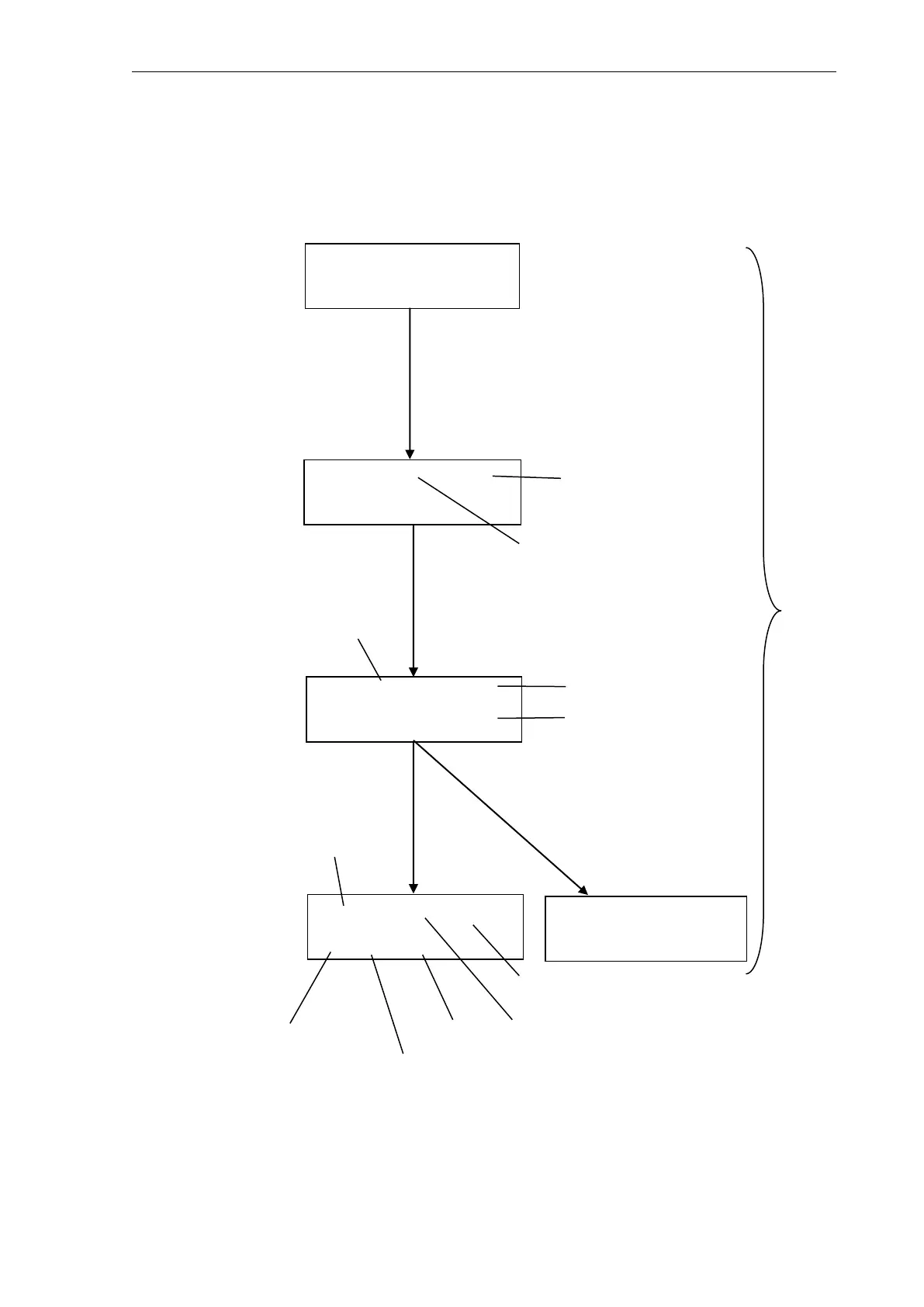
10.2.1 Operation procedure in the temperature test mode [TEMP CHECK] . (Only RF-
20AXS model)
TEMP CHECK
Enter to Check
WAITING.* 30:00s
Enter to Skip
SET= 33℃ / 33.4℃
TIME 5:00s
R=30℃ S=33℃ OK
32.9-33.1 dT0.2℃
R=30℃ S=33℃ NG
32.8-33.3 dT0.5℃
If [Enter] key is pushed, it will
progress to the next.
Or for 30 minutes [Enter]または
30 分経過
Display :
"*" will be displayed if the
temperature range (MAX-MIN) of
0.4 degrees C or less became in
the past 5 minutes.
If 0.5 degrees C or more become,
"*" will disappear.
5 minute progress.
In the case of O.K.
5 minute progress
In the case of NG.
Set temperature is
the room
temperature of +3
degrees C.
Room
temperature
immediately after
setting
temperature
Highest temperature Difference
Room
temperature of +3
degrees C
If CE key is
pushed, it will
return to
Factory
screen.
1) Temperature test
start
screen



 To Next Page