SMARTRG INC. PROPRIETARY AND CONFIDENTIAL. ALL RIGHTS RESERVED. COPYRIGHT © 2014 103
STUN Config
STUN:
Stands for “Simple Traversal of UDP through NATs”. STUN enables a device to find out its public IP address and the type of NAT service it is
sitting behind.
STUN is most commonly used with older modems under ACS management connected via a NAT gateway. NAT accommodates a LAN side
device that has been allocated a Private IP address such as a CPE device on a private network behind an ONT. In such an instance, the regular
CWMP Connection Request mechanism to talk to the modem gateway cannot be used to initiate a session with that ACS.
STUN Server:
An entity that receives STUN requests and sends STUN responses. STUN servers are generally attached to the public Internet.
When a STUN server is present within the infrastructure of the Service Provider, utilize this screen to configure this gateway with the connectivity
specifics for that server.
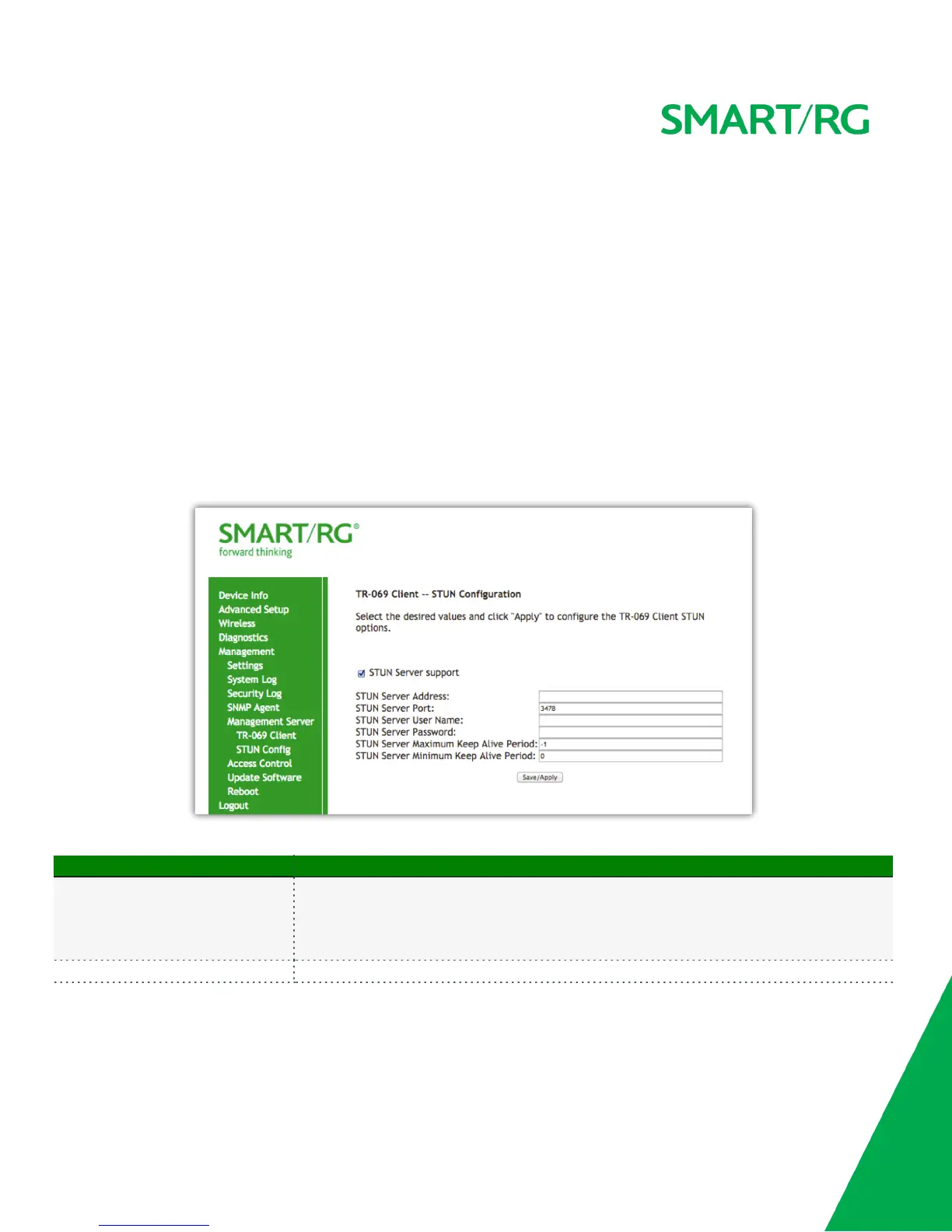
After selecting Management -> Management Server -> STUN Config, check the STUN Server Support button to expose the required STUN
settings. Complete each field in accordance with the implementation specifics of server.
Click the Save/Apply button to commit your changes.
The individual fields on this screen are defined as follows:
Field Name Description
STUN Server Address
Character limit is 256 characters and represents the physical STUN server’s assigned network address.
An invalid address will produce an immediate on-screen error message from the SmartRG gateway.
Note that an ACS server may also have STUN functionality running on the same physical box. Please
consult your ACS vendor for implementation options and also TR-069 protocol documentation, if
necessary.
STUN Server Port [0-64435] Default = 3478. Set the port number associated with your STUN server infrastructure.



 To Next Page