SMARTRG INC. PROPRIETARY AND CONFIDENTIAL. ALL RIGHTS RESERVED. COPYRIGHT © 2014 89
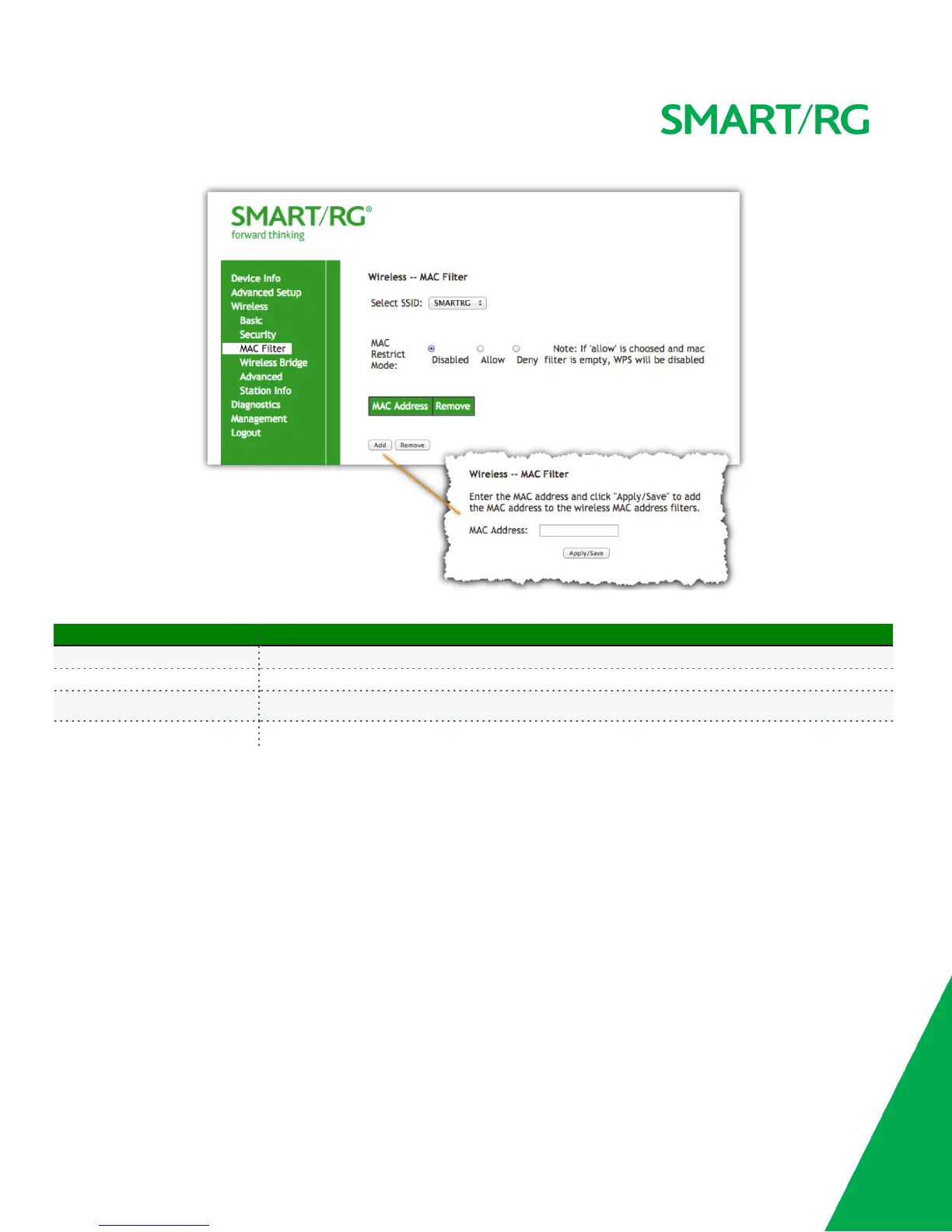
The individual fields on this screen are defined as follows:
Field Name Description
Select SSID Select the SSID to apply this MAC filter rule to.
MAC Restrict Mode Disabled: MAC filtering is off.
Allow: For specified MAC address, access is permitted.
Deny: Access for the specified MAC address is rejected.
Wireless Bridge
This page allows you to configure wireless bridge features of the wireless LAN interface. You can select Wireless Bridge (also known as Wireless
Distribution System) to disable access point functionality. Selecting Access Point enables access point functionality. Wireless bridge functionality
will still be available and wireless stations will be able to associate to the Access Point.
Selecting Disabled in Bridge Restrict will disable wireless bridge restriction. Any wireless bridge will be granted access. Selecting Enabled or
Enabled(Scan) enables wireless bridge restriction. Only those bridges specified via their MAC address in Remote Bridges will be granted access.
After selecting Wireless -> Wireless Bridge from the left navigation bar, enter your settings as desired.
Click Refresh to update the remote bridges. Wait for few seconds to update.
Click Apply/Save to commit your changes.



 To Next Page