SMARTRG INC. PROPRIETARY AND CONFIDENTIAL. ALL RIGHTS RESERVED. COPYRIGHT © 2014 55
The individual fields on this screen are defined as follows:
Field Name Description
Interface
Each line item in the table represents one of the Ethernet LAN ports on the back of your SmartRG
gateway.
Type [LAN, WAN] Describes the function for which each physical port is configured on the gateway.
Shaping Rate (Kbps) [1 - 1,000,000 Kbps] Sets the data rate for packets on the specified Interface.
Burst Size (bytes) A value of -1 indicates no shaping. "Burst Size" will be ignored.
Routing
Default Gateway
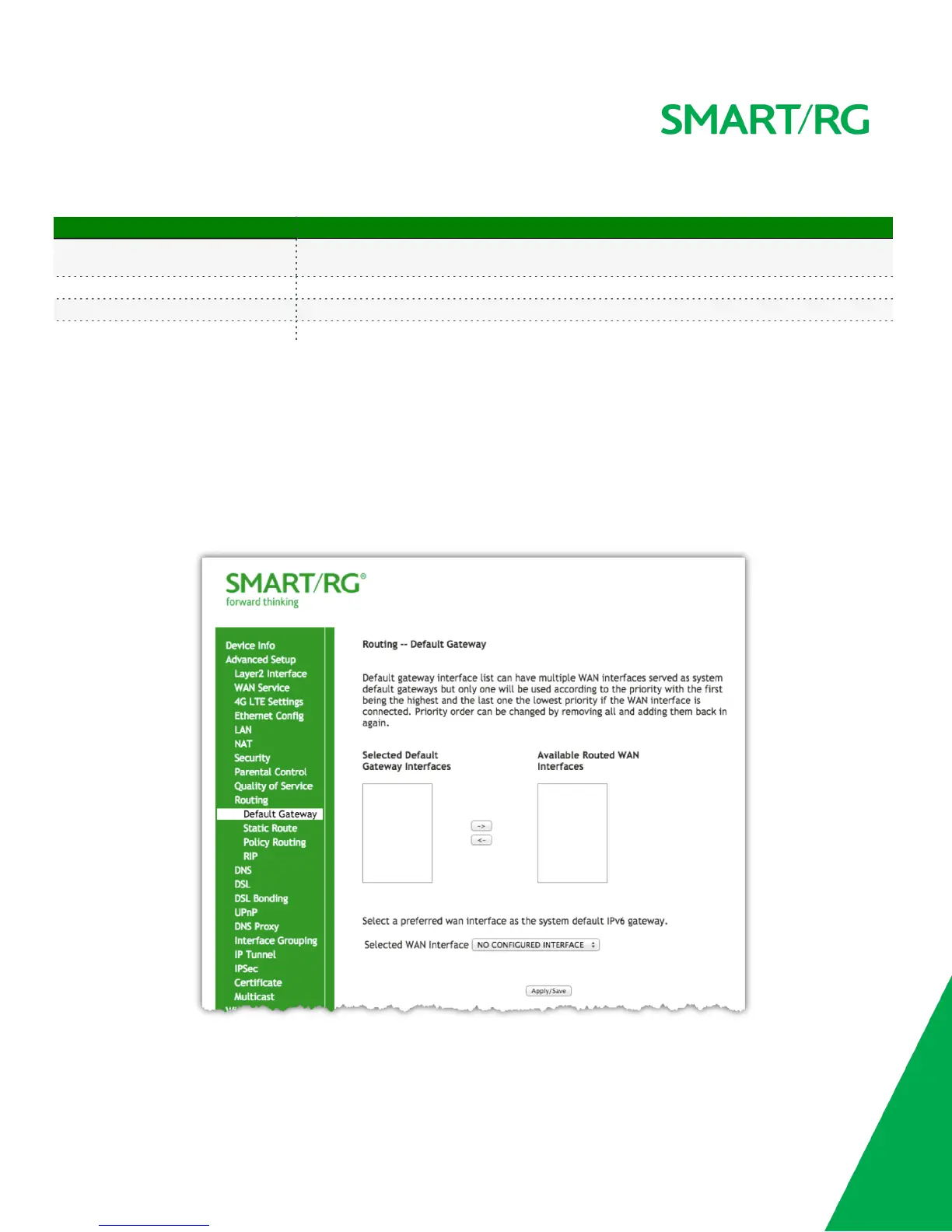
Select Advanced Setup -> Routing -> Default Gateway and the following screen will appear.
Use the -> button to move your highlighted selection from left to right or <- for right to left.
Click the Apply/Save button to commit the changes entered.



 To Next Page