SMARTRG INC. PROPRIETARY AND CONFIDENTIAL. ALL RIGHTS RESERVED. COPYRIGHT © 2014 107
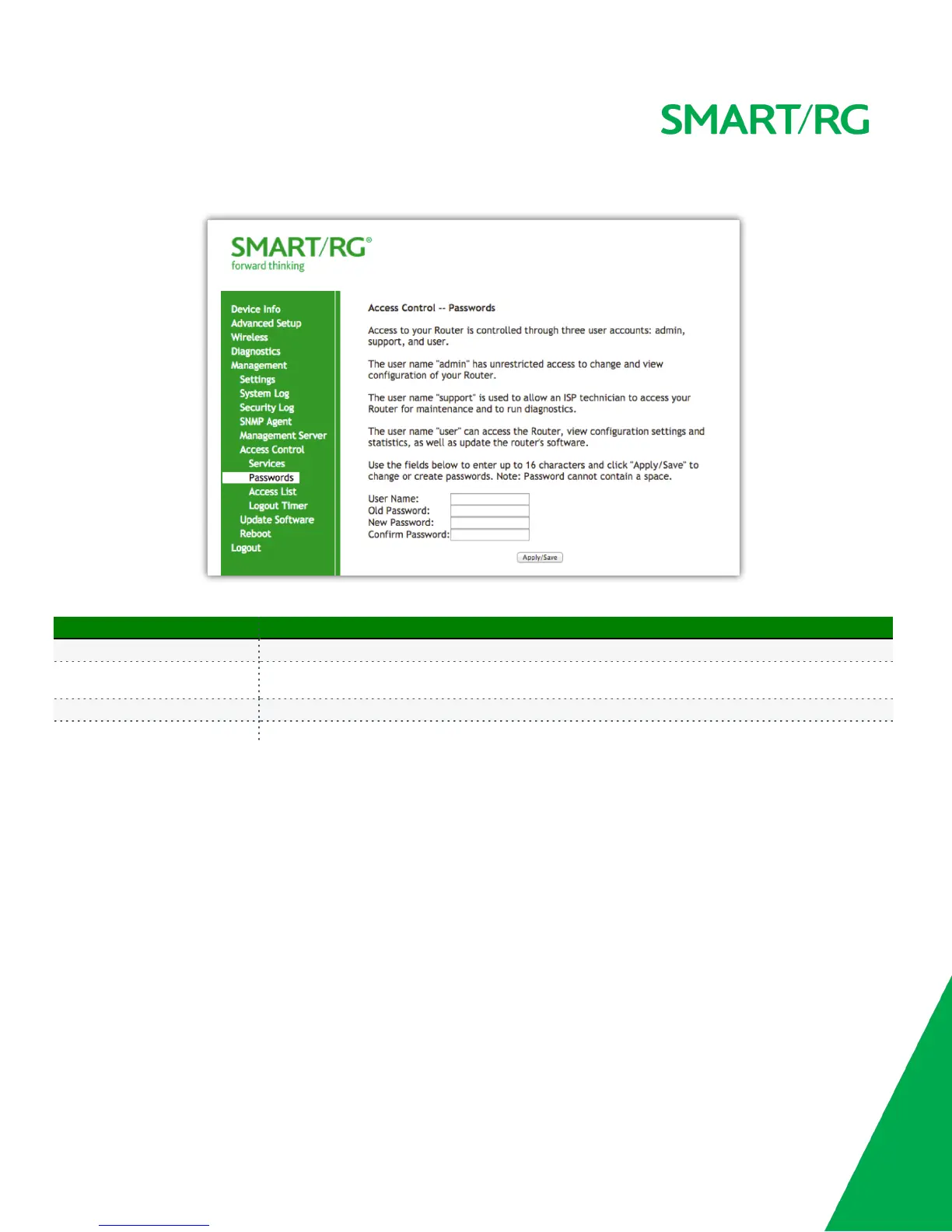
Click Apply/Save to commit your settings.
The individual fields on this screen are defined as follows:
Field Name Description
User Name [admin, support, user] Specifies name of account to be configured.
Old Password
Enter the current password being acted on for the entered User Name. It is termed the old password as the
subsequent fields will replaces it with a new password.
New Password The new password being chosen for the entered User Name. (Max 16 characters.)
Confirm Password Re-enter the desired new password exactly as entered for the previous field.
Update Software
Utilize this feature to update the firmware of your SmartRG gateway. Software updates for SmartRG product are available for download by direct
customers of SmartRG via the SmartRG Customer Portal.
Select Management -> Update Software from the left navigation bar. The following screen will appear. Follow the on-screen instructions.


 To Next Page