SMARTRG INC. PROPRIETARY AND CONFIDENTIAL. ALL RIGHTS RESERVED. COPYRIGHT © 2014 87
Field Name Description
Network Re-Auth Interval
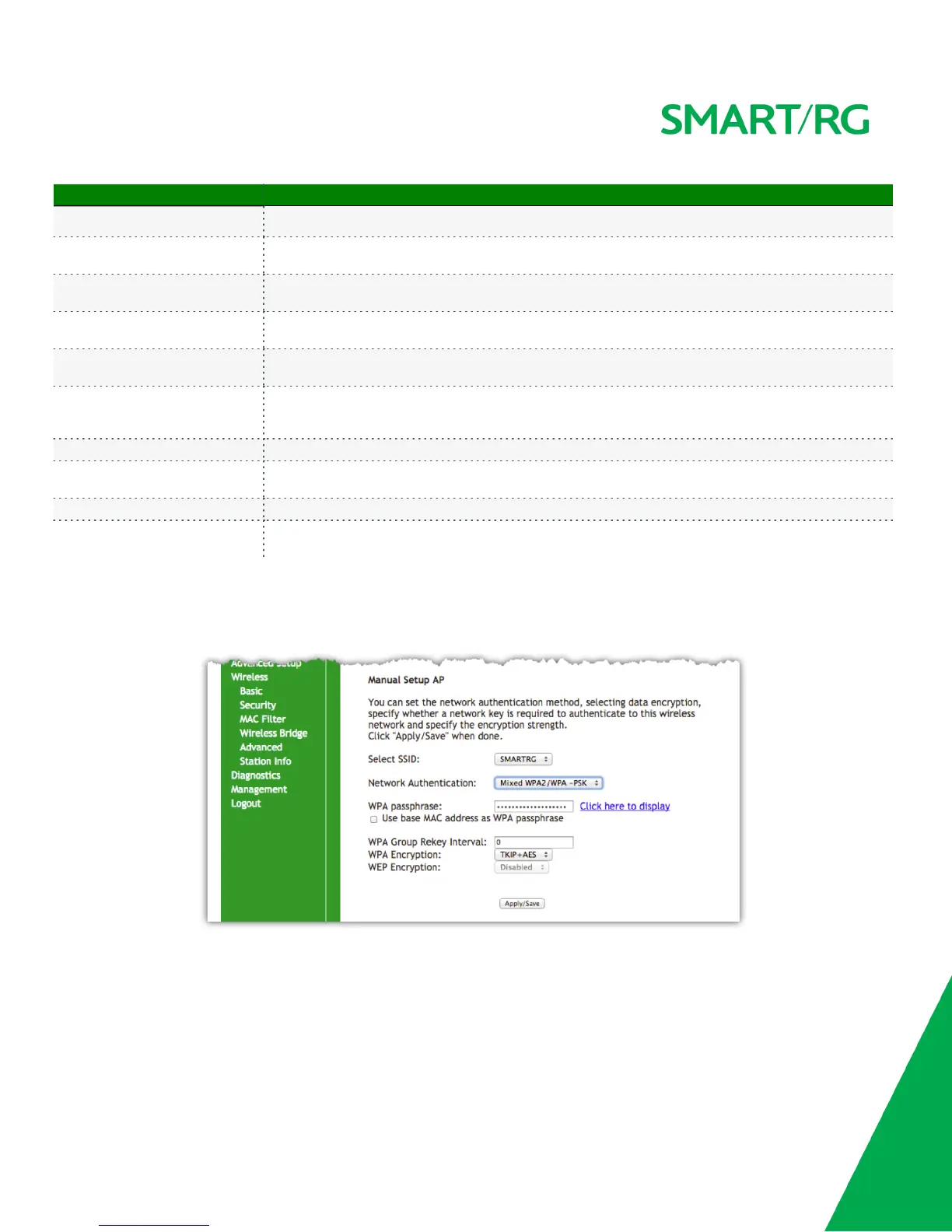
WPA Group Rekey Interval
[1-65535 seconds] The frequency with which the gateway automatically updates the group key and sends it
to connected LAN client devices.
RADIUS Server IP address
Enter the IP address for the Remote Authentication Dial In User Service server associated with your
infrastructure.
RADIUS Port
Port 1812 for authentication is a standard for RADIUS authentication per the IETF RFC 2865. Your RADIUS
deployment may differ from this. Older servers may use port 1645.
RADIUS Key
Enter the encryption key required to authenticate to the Radius Server specified via the Server IP address
above.
WPA/WAPI Encryption
[AES, TKIP+AES] Choose from Advanced Encryption Standard (AES) or AES combined with Temporary Key
Integrity Protocol (TKIP). This field has been pre-populated with the option most complimentary to the
Network Authentication selected.
WEP Encryption [Enabled, Disabled] Select Enabled to turn on Wired Equivalent Privacy mode.
Encryption Strength
[128 bit, 64 bit] Select the length of the encryption method. 128 bit being the more robust option for
security.
Current Network Key [1-4] Select which of the four keys from the list is presently in effect.
Network Key 1-4
Enter up to four encryption keys using the on-screen instructions to achieve the desired security strength
(128 or 64 bit).
Manual Setup
Network Authentication: Mixed WPA2/WPA-PSK



 To Next Page