SMARTRG INC. PROPRIETARY AND CONFIDENTIAL. ALL RIGHTS RESERVED. COPYRIGHT © 2014 84
The individual fields on this screen are defined as follows:
Field Name Description
Select SSID
Select the SSID from the drop-down list for the wireless network to which this security configuration will
apply.
WPA/WAPI passphrase Enter the desired security password to be used by this security configuration.
Use base MAC address as
WAP/WAPI Passphrase
In lieu of manually entering a password, allow the Base MAC address to be substituted for the password.
When this box is checked, any content in the WPA/WAPI passphrase field will be ignored.
WPA Group Rekey Interval
[1-65535 seconds] The frequency with which the gateway automatically updates the group key and sends it
to connected LAN client devices.
WPA/WAPI Encryption
[AES, TKIP+AES] Choose from Advanced Encryption Standard (AES) or AES combined with Temporary Key
Integrity Protocol (TKIP). This field has been pre-populated with the option most complimentary to the
Network Authentication selected.
WEP Encryption [Enabled, Disabled] Select Enabled to turn on Wired Equivalent Privacy mode.
Encryption Strength
[128 bit, 64 bit] Select the length of the encryption method. 128 bit being the more robust option for
security.
Current Network Key [1-4] Select which of the four keys from the list is presently in effect.
Network Key 1-4
Enter up to four encryption keys using the on-screen instructions to achieve the desired security strength
(128 or 64 bit).
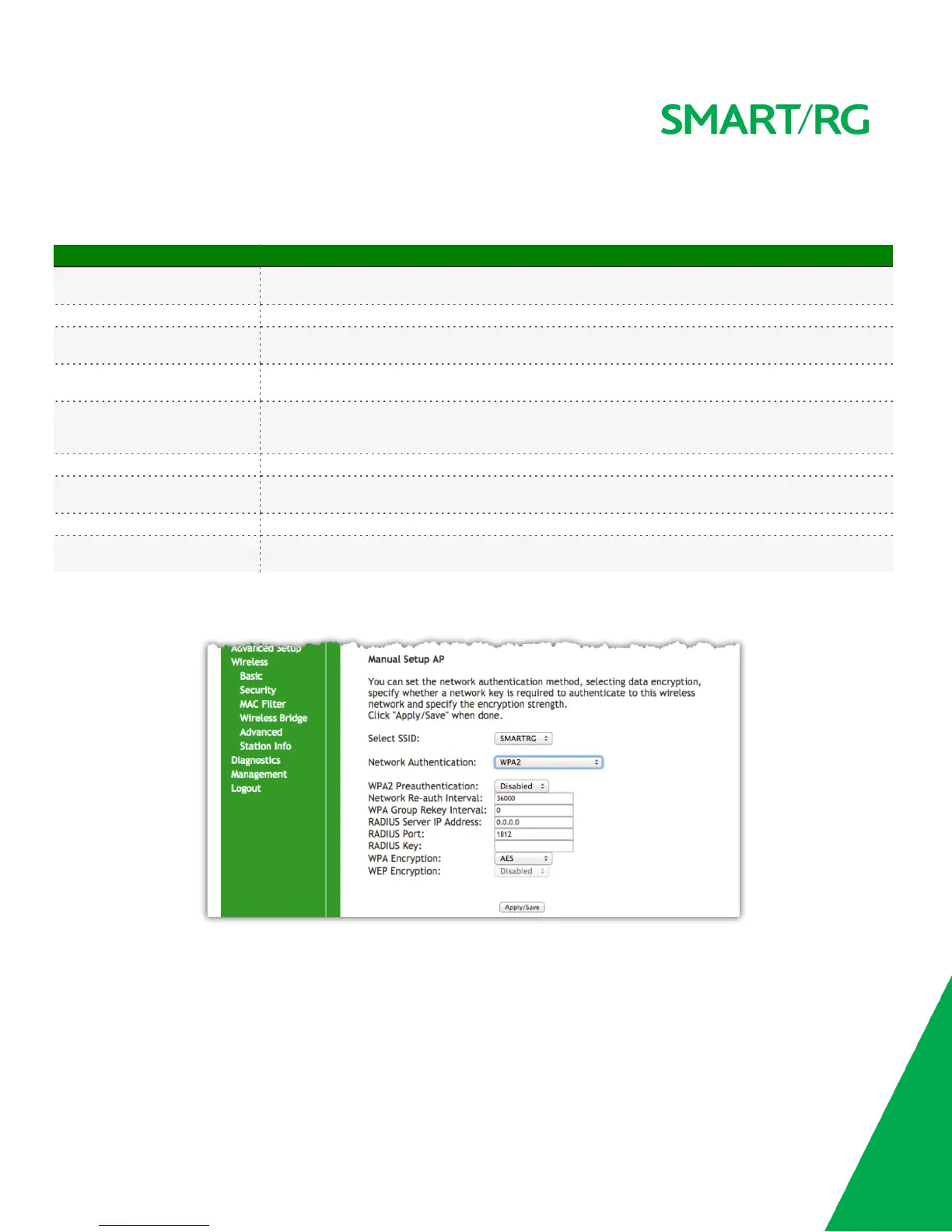
Manual Setup - Network Authentication: WPA2
The individual fields on this screen are defined as follows:



 To Next Page