SMARTRG INC. PROPRIETARY AND CONFIDENTIAL. ALL RIGHTS RESERVED. COPYRIGHT © 2014 12
later in this document. Some features are supported only on specific SmartRG models. These exceptions and are specified in this guide.
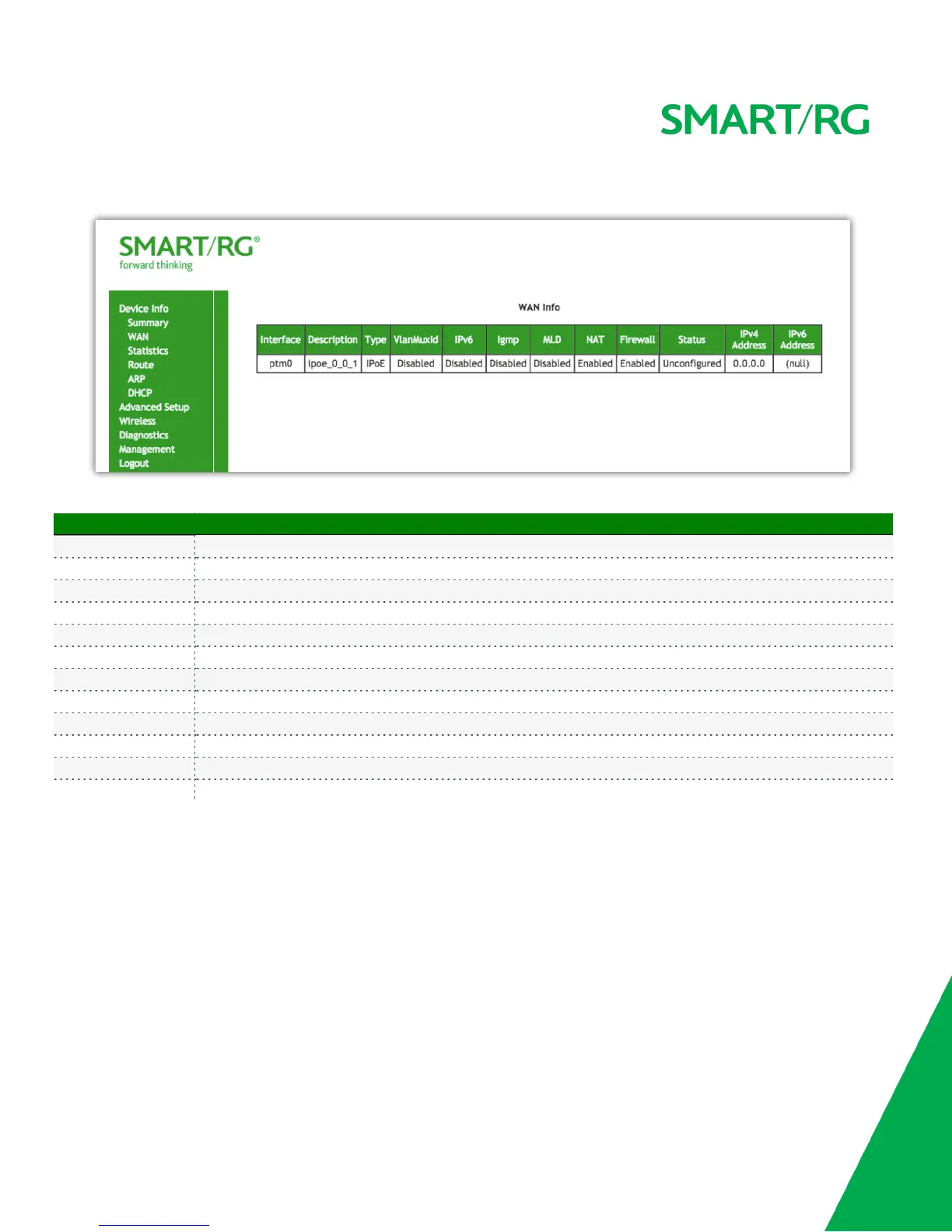
The individual fields on this screen are defined as follows:
Field Name Description
Interface Displays the connection interface (layer 2 interface () through which gateway handles the traffic.)
Description Displays the service description (pppoe, ipoe, br)
Type Displays the service type (PPPoE, IPoE, Bridge)
VlanMuxId Displays the VLAN ID (Disabled, 0-4094)
IPv6 Displays the state of IPv6 (Enabled, Disabled)
Igmp Displays the state of IGMP (Enabled, Disabled)
MLD Displays the state of MLD (Enabled, Disabled)
NAT Displays the state of NAT (Enabled, Disabled)
Firewall Displays the state of the Firewall (Enabled, Disabled)
Status Displays the status of the WAN connection (Disconnected, Unconfigured, Connecting, Connected)
IPv4 Address Displays the obtained IPv4 address
IPv6 Address Displays the obtained IPv6 address
Statistics
The Statistic screens provide network interface information for LAN, WAN Service, xTM and DSL. All data is updated on a 15 minute interval.
LAN
Device Info -> Statistics -> LAN displays the TX/RX Bytes, Packets, Error and Drops for each LAN interface for your SmartRG modem. All local
LAN Ethernet ports, Ethernet WAN ports and w10 (Wireless Interface) for your SmartRG gateway are included.



 To Next Page