SMARTRG INC. PROPRIETARY AND CONFIDENTIAL. ALL RIGHTS RESERVED. COPYRIGHT © 2014 47
The individual fields on this screen are defined as follows:
Field Name Description
Interface Interface(s) associated with established policy rule(s).
Policy [FORWARD, BLOCKED] The current/active policy type that is in place.
Change Check this box then click the Change Policy button to toggle the policy type.
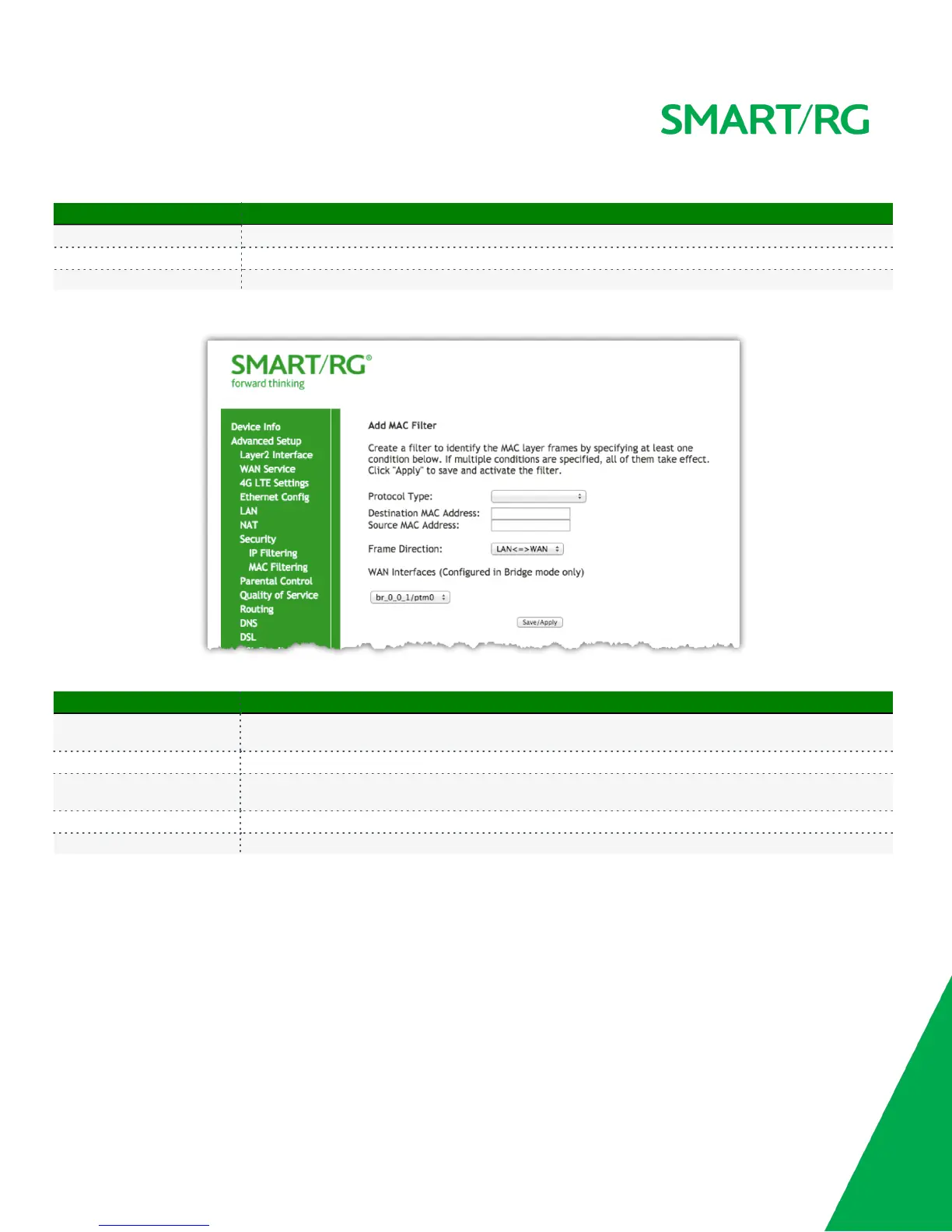
Next, click the Add button. The following screen will appear.
Click Apply/Save to commit the changes.
The individual fields on this screen are defined as follows:
Field Name Description
Protocol Type
[PPPoE, IPv4/IPv6, AppleTalk, IPX, NetBEUI, IGMP] Select the protocol associated with the device at the
destination MAC address.
Destination MAC Address Enter the MAC address of the hardware you wish to associate with this filter.
Source MAC Address
Enter the MAC address of the device that is originating requests intended for the device associated with the
Destination MAC address.
Frame Direction Select the incoming/outgoing packet interface.
WAN Interfaces Applies the filter to the selected interface(s).
Parental Control
The Parental Control features of your SmartRG gateway enable restriction of Internet access on a LAN host by LAN host basis. This is achieved
without the need for client software to be installed on each host.



 To Next Page