SMARTRG INC. PROPRIETARY AND CONFIDENTIAL. ALL RIGHTS RESERVED. COPYRIGHT © 2014 45
Field Name Description
filtered from reaching the otherwise intended destination(s) (e.g. to block the traffic to those ports on, say, a
computer external to the local network.)
IP Filtering - Incoming
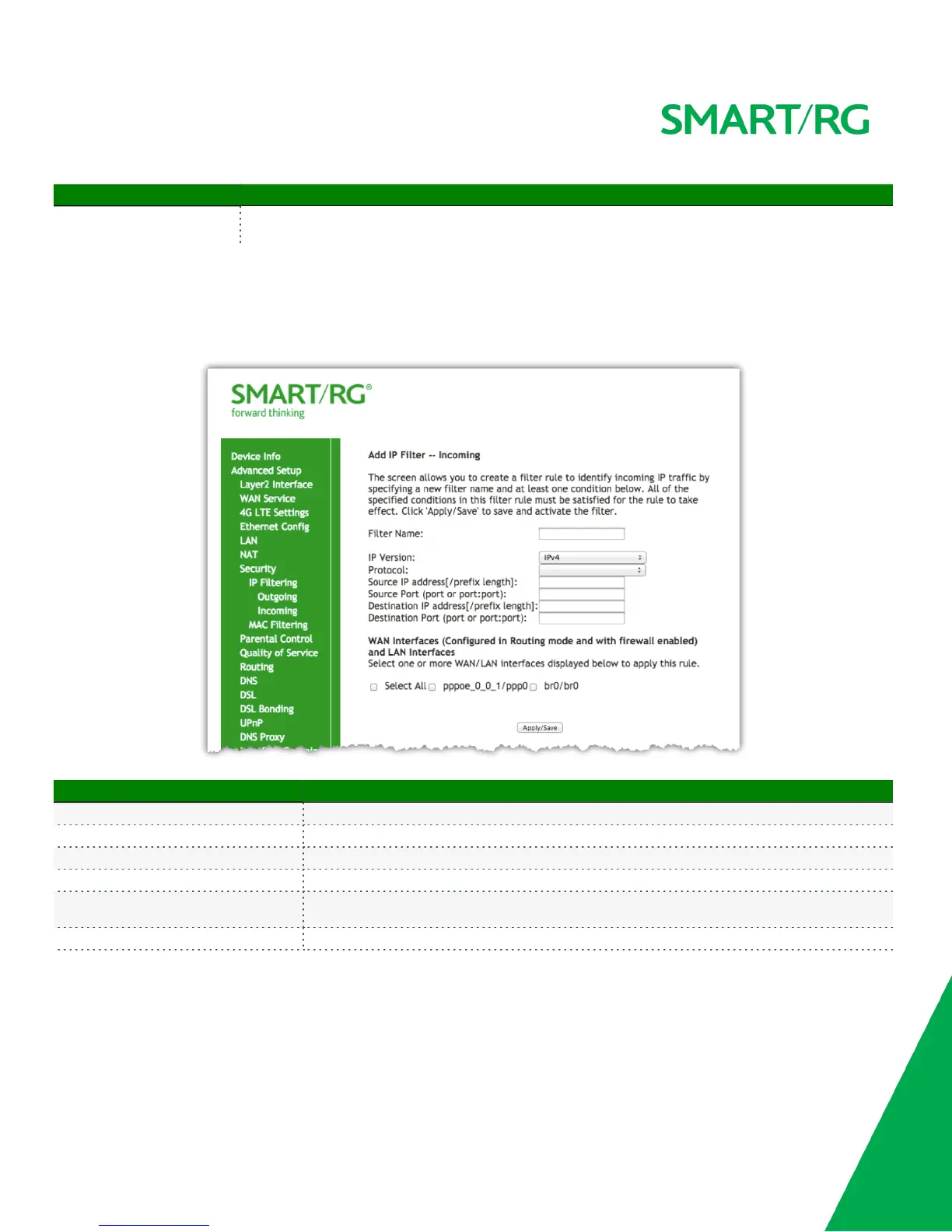
Add an Incoming filter when refusal of data from the WAN to the LAN is desired.
After selecting Advanced Setup -> Security -> IP Filtering -> Incoming click the Add button. The following screen will appear to facilitate the
filtering you desire. Click Apply/Save to commit the completed entry.
The individual fields on this screen are defined as follows:
Field Name Description
Filter Name A free-form text field. Enter a descriptive name for this filter.
IP Version Version IPv4 applies by default. IPV6 can be alternately selected.
Protocol [TCP/UDP, TCP, UDP, or ICMP] Select the protocol to be associated with this incoming filter.
Source IP address [/prefix length] Enter source address for rule.
Source Port (port or port:port)
Enter source port number or range.
(Destination port numbers xxxxx:yyyyy).
Select All checkbox Check as applicable to apply rule to all interfaces.



 To Next Page