SMARTRG INC. PROPRIETARY AND CONFIDENTIAL. ALL RIGHTS RESERVED. COPYRIGHT © 2014 50
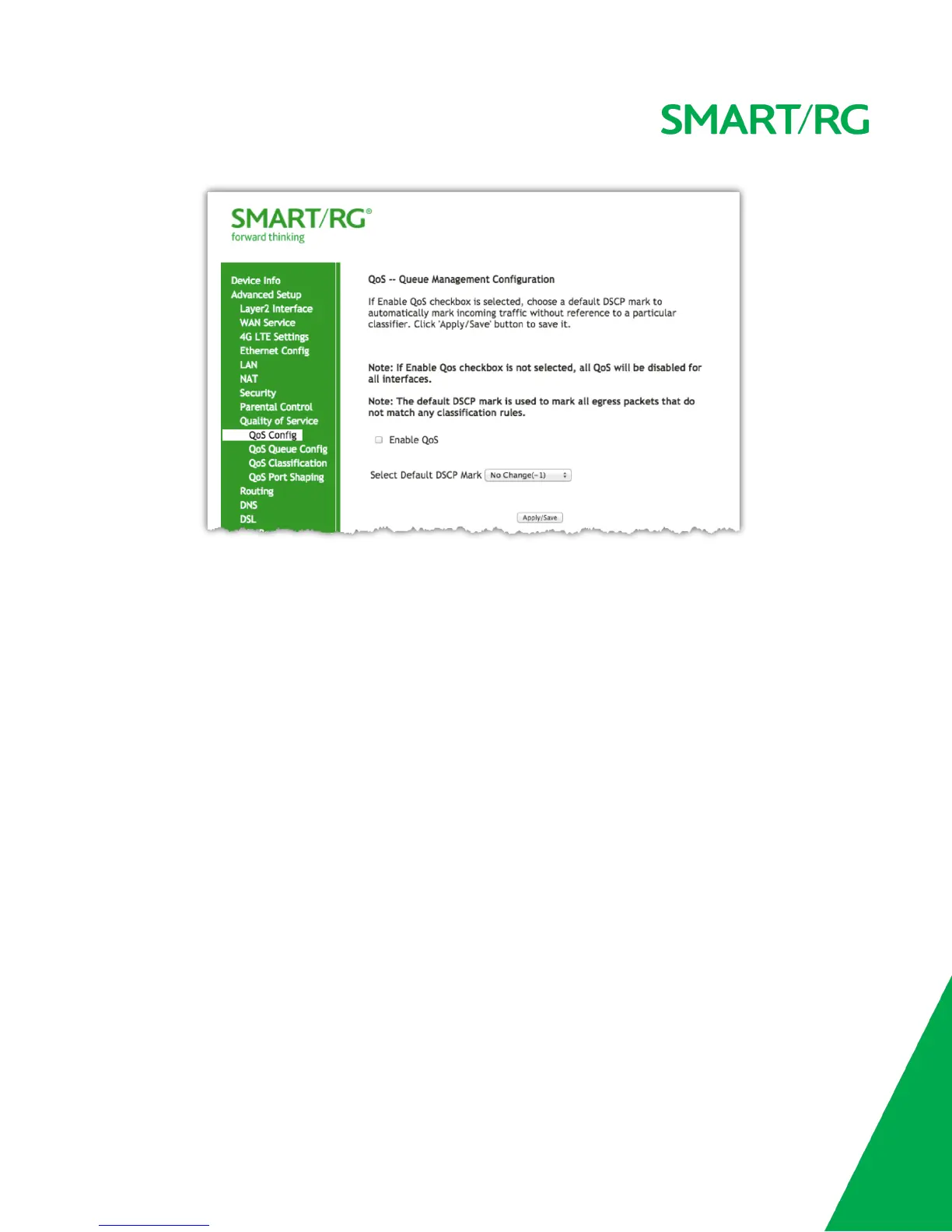
When this option is checked, it exposes the QoS Queue Management Configuration drop-down menu where selection of the default
Differentiated Services Code Point (DSCP) Mark classification value to be associated can be declared.
If this option was already enabled and the check is removed, QoS for ALL interfaces will be turned off upon clicking Apply/Save.
For a commonly used DSCP values refer to RFC 2475.
Your SmartRG gateway makes available the following values:
No Change(-1) AF22(010100) AF43(100110)
Auto Marking(-2) AF21(010010) AF42(100100)
Default(000000) CS2(010000) AF41(100010)
AF13(001110) CS2(010000) CS4(100000)
AF12(001100) AF33(011110) EF(101110)
AF11(001010) AF32(011100) CS5(101000)
CS1(001000) AF31(011010) CS6(110000)
AF23(010110) CS3(011000) CS7(111000)
Click to Apply/Save to commit the changes.
QoS Queue Management Configuration marking on ingress packets in accordance with the Select Default DSCP Mark setting field just above it.
Queue management on ingress packets will mark according to the highlighted selection therein. The associated default marking will then
automatically be applied to all incoming packets without reference to a particular classification.
NOTE: An default DSCP Mark of value Default(000000) will mark all egress packets that do NOT match any classification.
QoS Queue Config
Use the QoS Queue Config to configure a queue and add it to a selected Layer2 interface.


 To Next Page