SMARTRG INC. PROPRIETARY AND CONFIDENTIAL. ALL RIGHTS RESERVED. COPYRIGHT © 2014 51
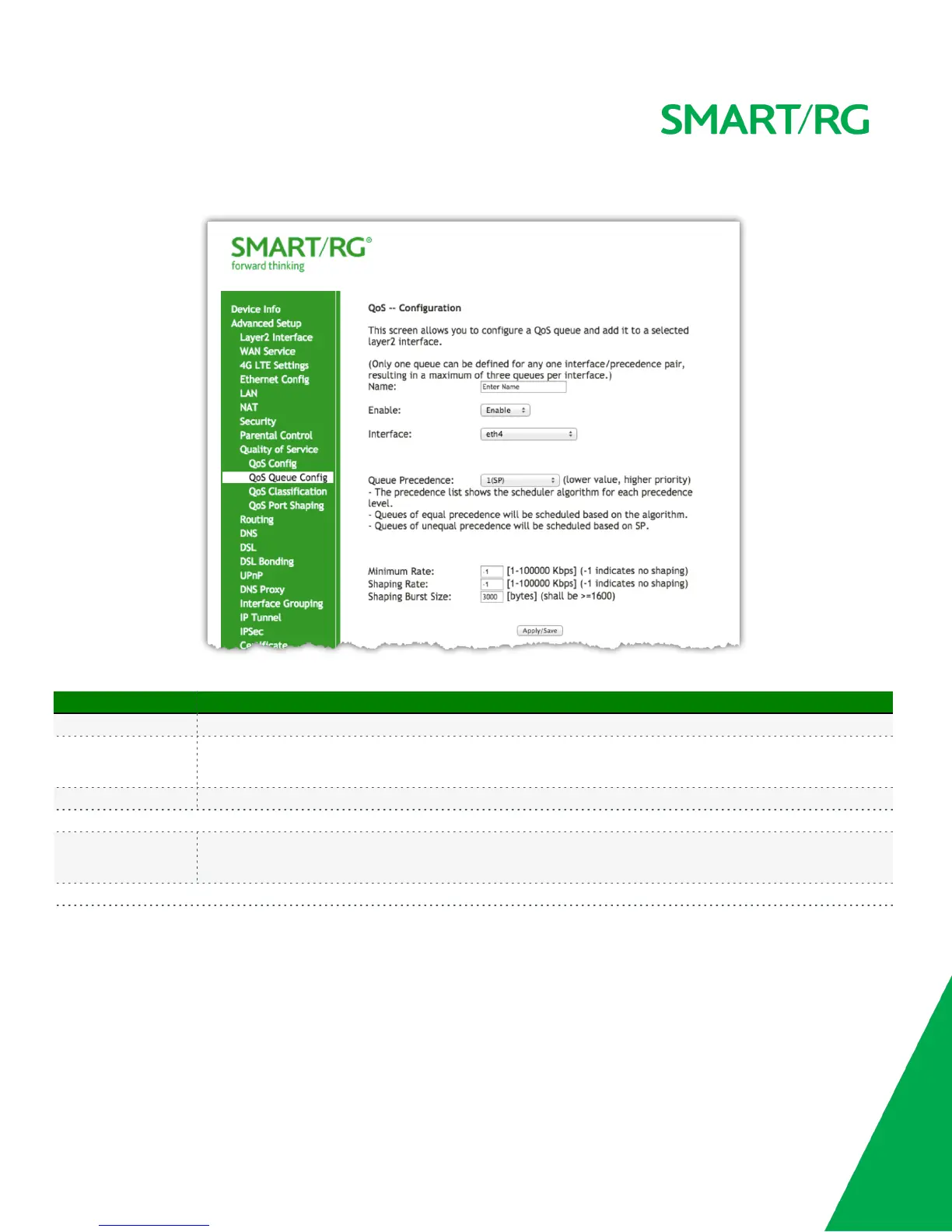
After selecting Advanced Setup -> Quality Of Service -> QoS Queue Config, click the button. The following screen will appear to facilitate the
creation of a queue and associate it with an interface.
The individual fields on this screen are defined as follows:
Field Name Description
Name A free form text field. Enter an intuitive name for your config.
Enable
Dropdown selection for either enable or disable of a given QoS queue configured on chosen Layer 2 interface.
Note: Only one queue can be defined for any one interface/precedence pair, resulting in a maximum of three queues
per interface.
Interface Dropdown selection for desired Layer 2 interface to be associated with the defined QoS queue (e.g. eth0, eth4).
The following selections are exposed upon defining an Interface as described above:
Queue Precedence
Dropdown selection for priority value to be associated with QoS queue defined (e.g. 1(SP), 2(SP), 3(SP), 4
(SP|WRR|WFQ)).
Note: Lower value = higher priority
The following selections are exposed only if SP|WRR|WFQ Queue Precedence priority as defined above is selected.



 To Next Page