SMARTRG INC. PROPRIETARY AND CONFIDENTIAL. ALL RIGHTS RESERVED. COPYRIGHT © 2014 25
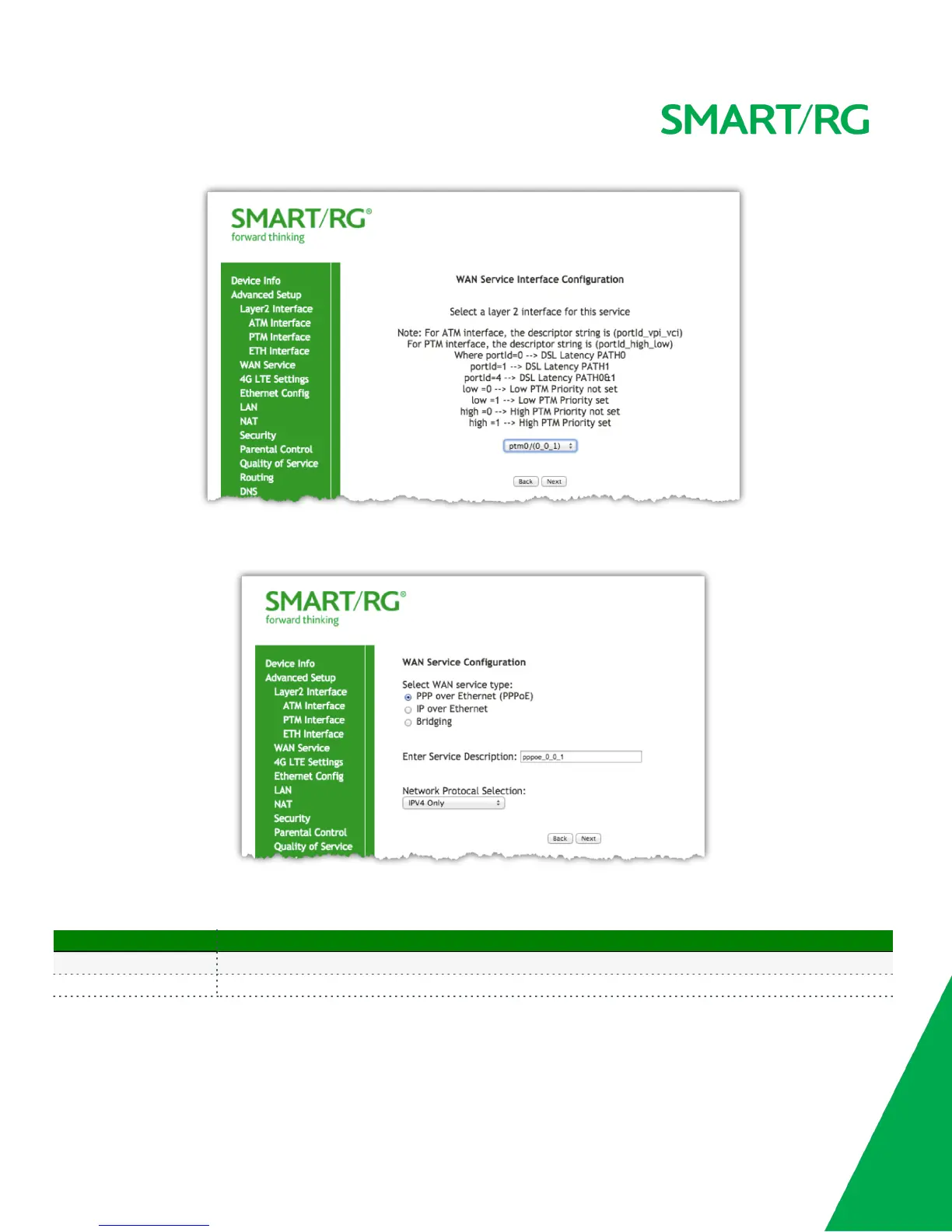
Click the Next button to advance to the next step.
Next, select the type of WAN service you wish to create. For this example choose PPP over Ethernet.
Click Next after completing the necessary fields.
The individual fields on this screen are defined as follows:
Field Name Description
WAN service type [PPP over Ethernet PPPOE, IP over Ethernet IPoE, Bridging]
Enter Service Description Enter a name to describe this configuration.



 To Next Page