SMARTRG INC. PROPRIETARY AND CONFIDENTIAL. ALL RIGHTS RESERVED. COPYRIGHT © 2014 38
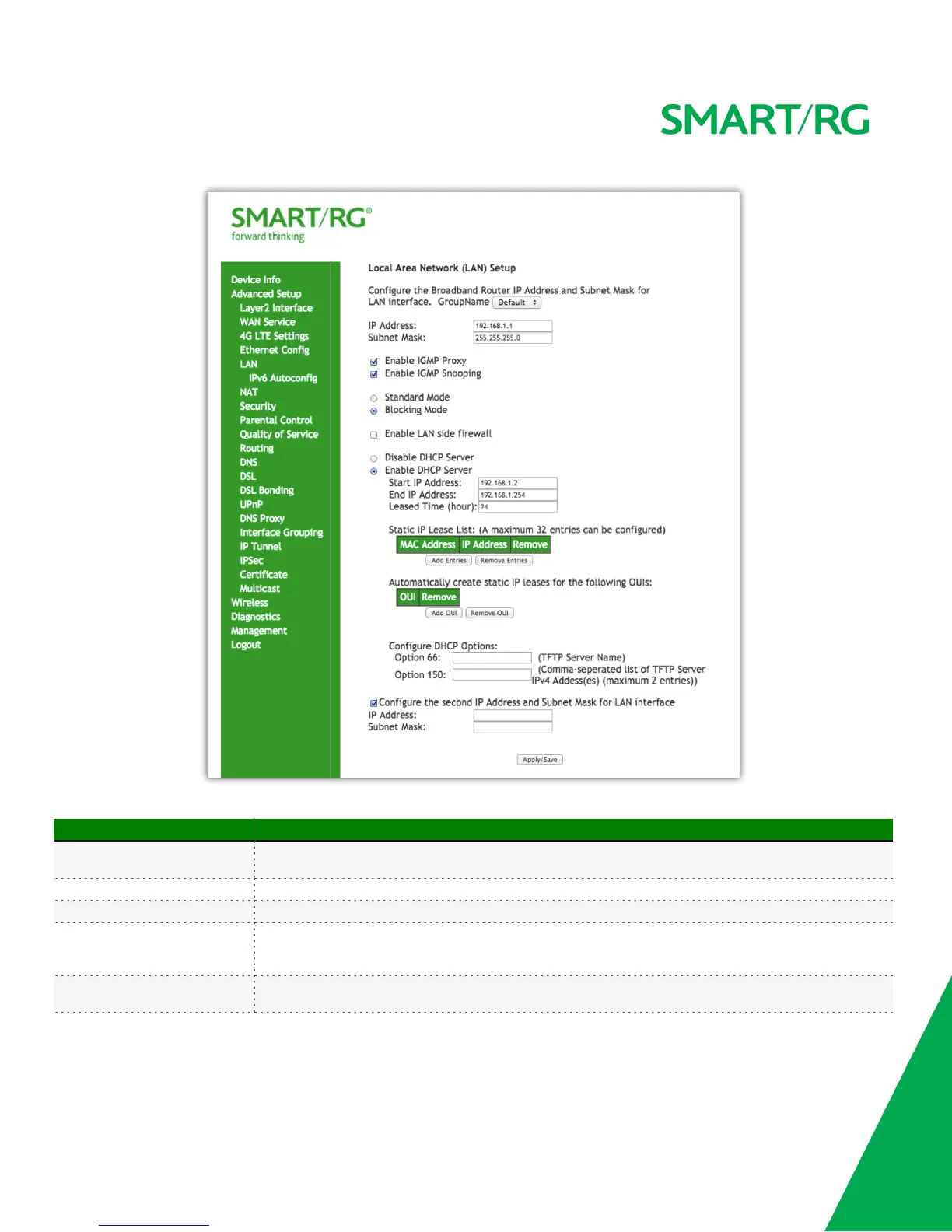
The individual fields on this screen are defined as follows:
Field Name Description
Groupname
From the drop-down list, select from the available groupings of interfaces as defined via the Interface
Grouping screen.
IP Address Set the LAN IP address by which LAN devices will connect to this gateway.
Subnet Mask Set the Subnet mask to be used by LAN devices connecting to this gateway.
Enable IGMP Snooping
Enable your SmartRG gateway to listen to Internet Group Management Protocol (IGMP) network traffic
between hosts and routers. By listening to these conversations the gateway maintains a map of which links
need which IP multicast streams.
Standard Mode
When selected, multicast traffic will flood to all bridge ports when there is no client subscribed to any
multicast group.



 To Next Page