SMARTRG INC. PROPRIETARY AND CONFIDENTIAL. ALL RIGHTS RESERVED. COPYRIGHT © 2014 40
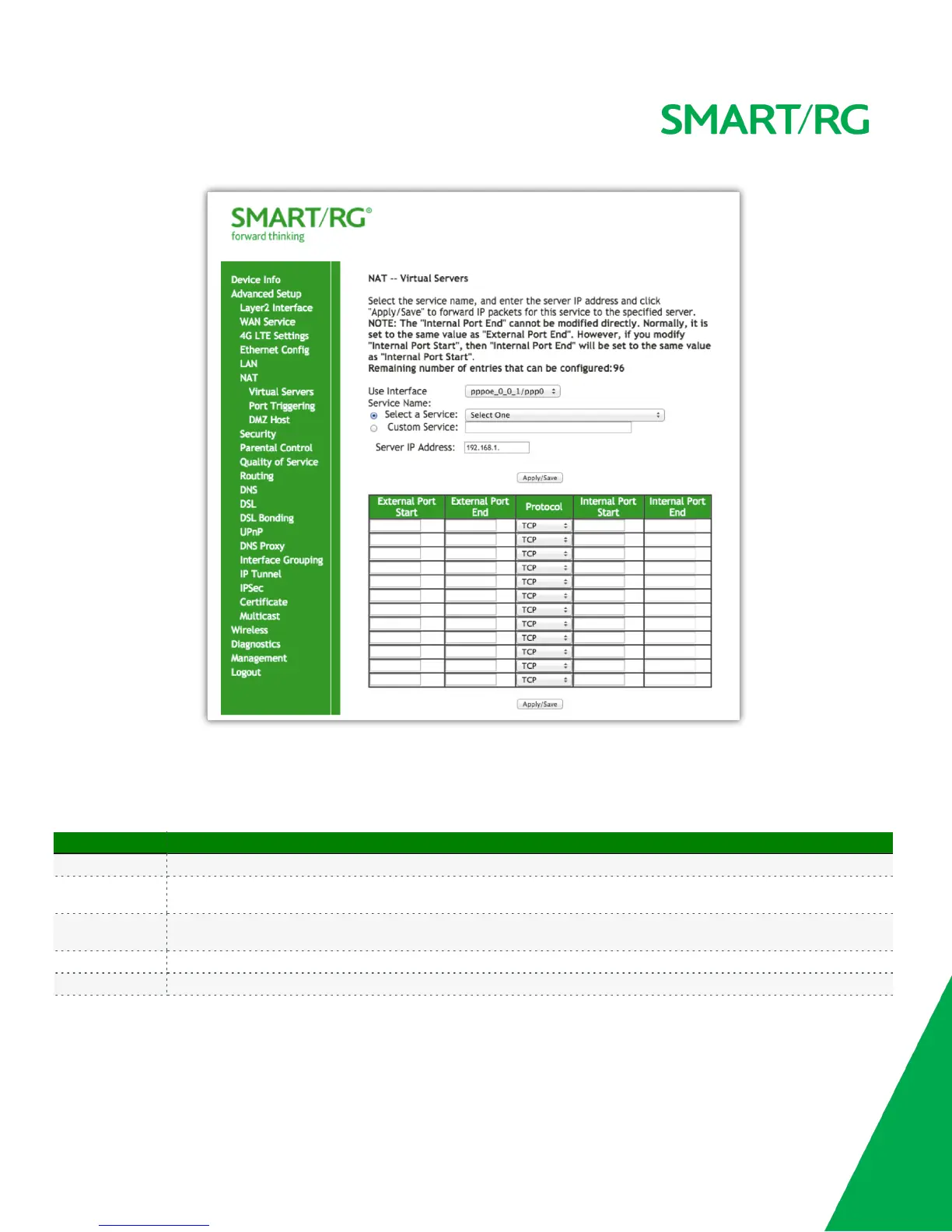
The individual fields on this screen are defined as follows:
Field Name Description
Use Interface Select the WAN interface that this NAT rule will apply to.
Select a Service
Select from a list of common applications that typically require port forwards in place. The port ranges and protocol fields
will be pre-populated
Custom Service
If your application does not appear in the preceding drop-down list you may manually enter a unique name for the
application.
Server IP Address IP address of the LAN client in which the service has been hosted.
External Port Start External Port to start with



 To Next Page