4.4 Recording configuration
Before any measurement it is necessary to properly configure the recorder in accordance with the re-
quirements of the user. |Configuration changes are made form the meter level.
4.4.1 Configuration using the meter
To access the configuration module on the main screen, select section Recording configuration.
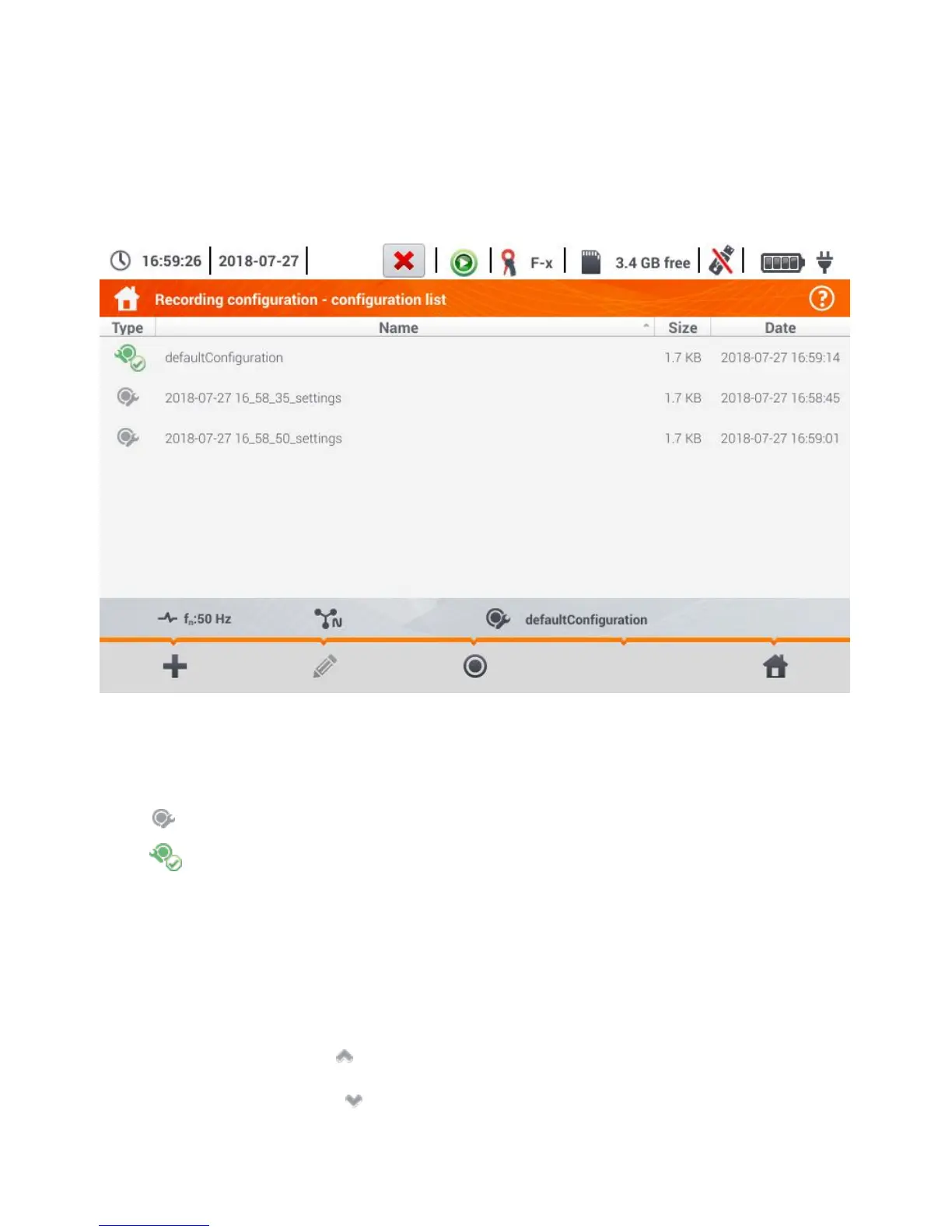
The list is displayed with measurement configurations saved in the recorder memory (Fig. 4.9).
Fig. 4.9. Recording configuration – configuration list.
The table consists of columns:
Type – displayed icon determines the type of measurement configuration:
recording according to user configuration (inactive – grey)
recording according to user configuration (active – green)
Name – the name of the configuration given by the user,
Size – the size of the configuration file,
Date – Date - date and time of creating the configuration.
The list can be scrolled by moving a finger across the window.
Item sorting is performed by tapping the header. The first row of the table contains the active config-
uration. In the next rows the item will be sorted:
in ascending order (symbol next to the header),
in descending order (symbol next to the header).



 To Next Page