Power Preparations
Chapter 2 Power Preparations and Connections
32
Chapter 2 Power Preparations and Connections
2
Attach the DC-L90 to the top panel of this unit.
Use the same method that you use to attach the BP-L60(A)/L90(A).
For details, see “To attach the battery pack” on page 30.
To connect to the DC IN connector
Use the DC-210 Battery Adaptor.
For more information about connections, refer to the operating instructions of the
DC-210.
You can also connect another battery pack to the DC IN connector when a
BP-90(A) battery pack is already mounted on the top panel of this unit.
When you connect an external battery pack to the DC IN connector, the
power supply automatically switches to the external battery pack from an
internal battery pack mounted on the top panel of the unit.
Notes
• Noise may occur in video and audio signals at the moment when the unit
switches from the internal to the external battery.
• It is always the external battery connected to the DC IN connector that
serves as power supply. You cannot switch the power supply from the
external battery to the internal battery while the external battery is
connected to the DC IN connector.
When an external battery pack is almost exhausted
If an internal battery pack is already mounted, disconnect the external
battery pack by pulling its DC power cord out from the DC IN connector.
If no internal battery back is mounted, disconnect the external battery pack
after mounting a fully charged internal battery pack.
When an internal battery pack is almost exhausted
For the remaining battery power indication (see page 66), the “BATT”
display flashes.
Connect a fully charged external battery pack to the DC IN connector, then
exchange the internal battery pack.
Using AC Power
You can operate the unit from an AC power source by using the AC-550/
550CE AC Adaptor or AC-DN2/DN2A (subsequently also refered to as
the AC-DN2(A)) AC Adaptor.
Use the AC-550/550CE to connect the AC power source to the DC IN
connector, and the AC-DN2(A) to connect the AC power source to the
battery connector.
Chapter 2 Power Preparations and Connections
Chapter 2 Power Preparations and Connections
33
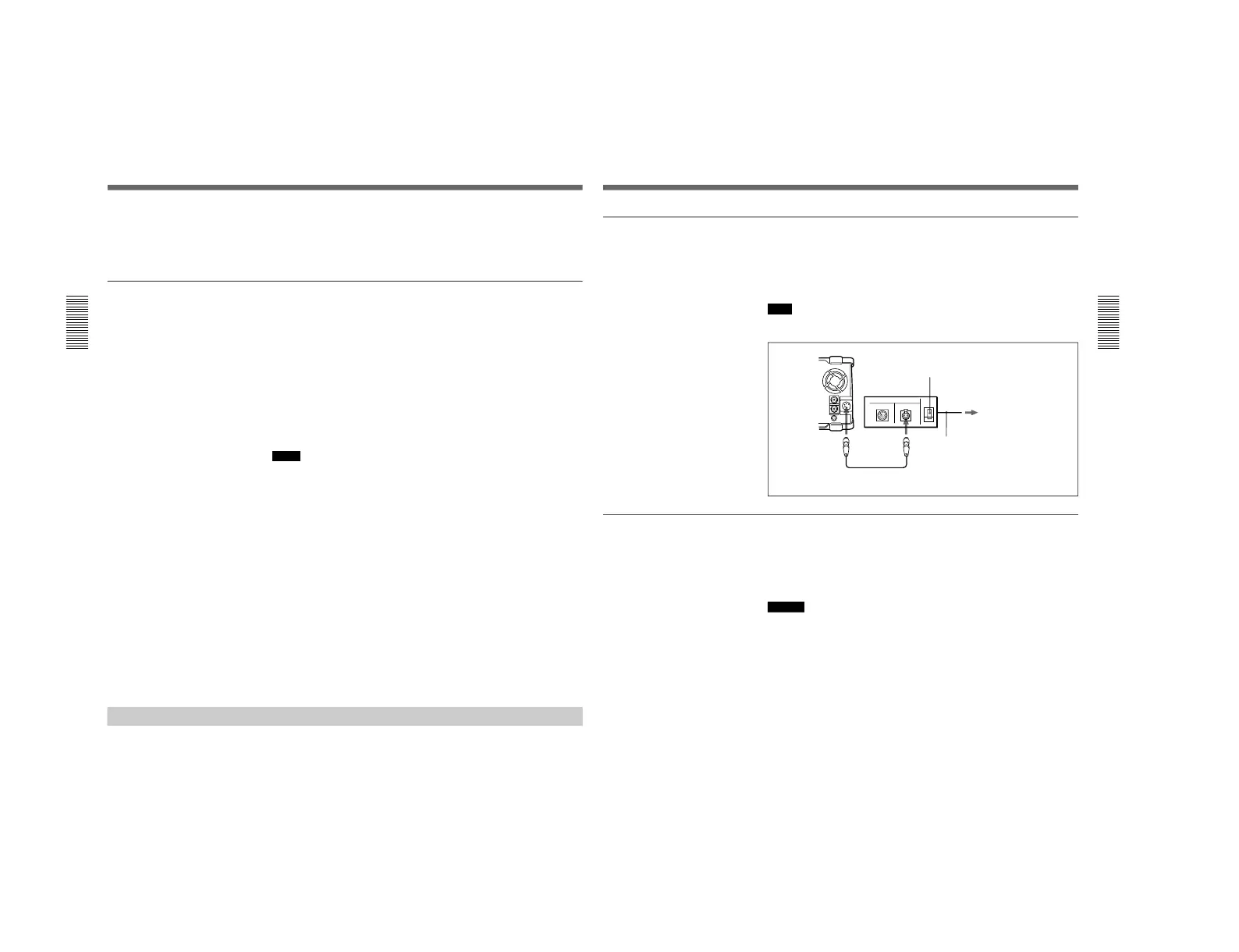
To use the AC-550/550CE
As shown in the following figure, connect the AC-550/550CE to the AC
power source and turn it on.
When you connect AC power, the power supply automatically switches to
the AC power from a battery pack mounted on the top panel of the unit.
Note
Noise may occur in video and audio signals at the moment when the unit
switches from the battery pack to AC power.
To use the AC-DN2(A)
Follow the procedure below to mount the AC-DN2(A) on the top panel of
this unit, and connect to AC power.
When two DSR-70/70P units are combined, you can supply both units
with power by fitting a single AC-DN2A to either unit.
Caution
When you use a single AC-DN2A to supply power to two DSR-70/70P
units, exercise the following caution:
• Do not turn the POWER switches of both units on at a time. (Turn one
unit on, then wait a moment before turning the other unit on.)
• Do not insert cassettes into both units at a time. (Insert a cassette into one
unit, then wait a moment before inserting a cassette into the other unit.)
If you turn on the POWER switches of the recorder and player at a time or
insert cassettes to the recorder and player at a time, this unit possibly may
not be powered. In this case, turn the POWER switches of both units off,
then turn them on again following the above instructions. Should this unit
not be powered, turn both POWER switches off and disconnect the AC
power cord of the AC-DN2A. After about 10 minutes, connect the AC
power cord of the AC-DN2A again and turn the two units’ POWER
switches on one by one as mentioned above.
DC IN
AC-550/550CE
DC OUT
DC power cord (supplied with AC-550/550CE)
AC power cord
(supplied with AC-550/550CE)
To AC power
POWER switch: ON



 To Next Page