4-19
DSR-70/70P
4-3-3. Servo Adjust
Checks the servo system automatically or semi-automatically.
Operating procedure
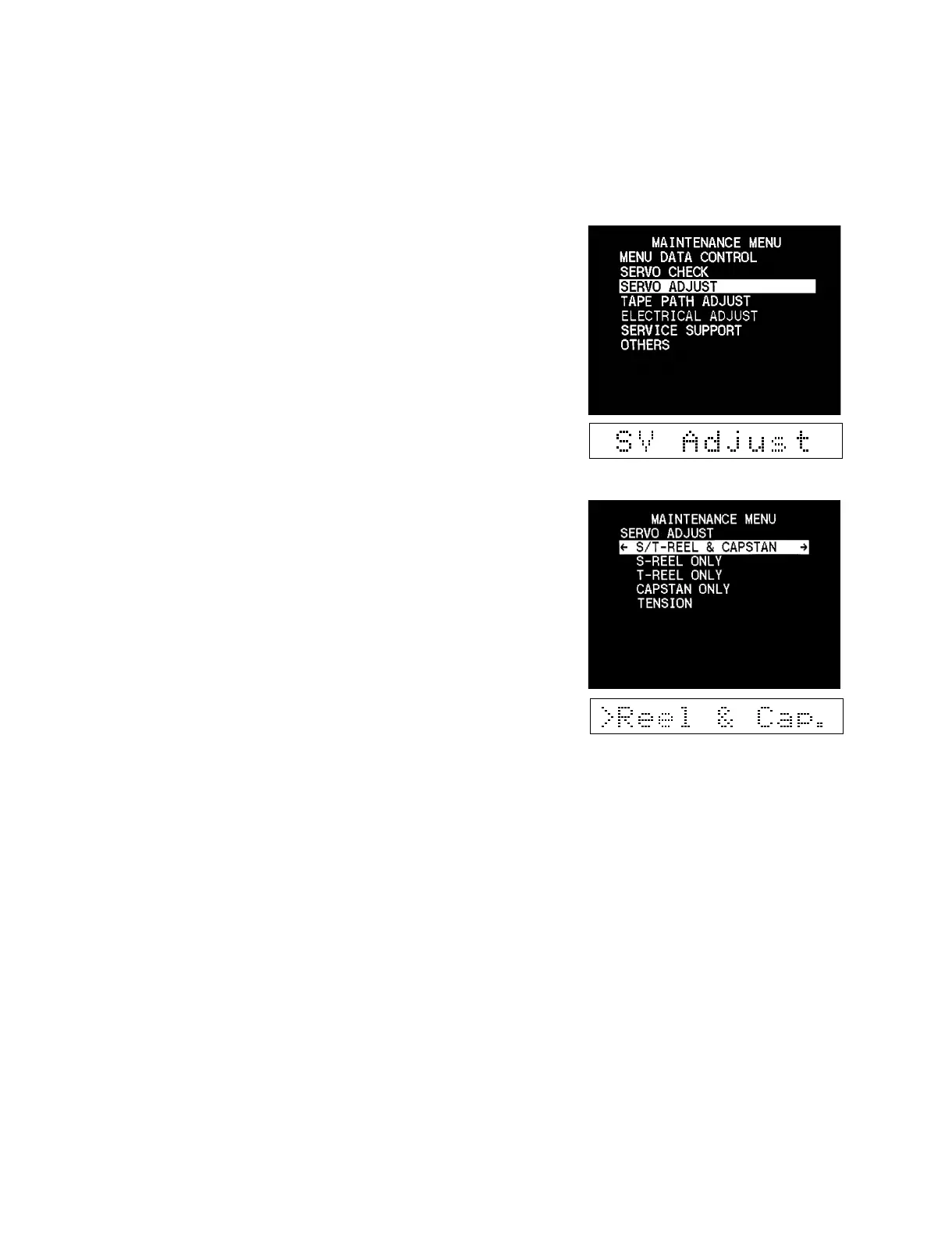
1. Enter the maintenance menu.
2. Move the cursor to “SERVO ADJUST” which is displayed
with a white background using the [ENTRY] (↑),
[AUTO|EDIT] (↓) keys.
3. Press the [OUT] (→) key.
“SERVO ADJUST” is selected and its lower-layer submenu
appears.
4. Move the cursor displayed with a white background to a
desired item using the [ENTRY] (↑), [AUTO|EDIT] (↓)
keys.
5. Press the [OUT] (→) key to execute the selected item.
(Refer to the respective menu description for the adjustment
procedure after execution.)
6. After completing the adjustment, press the [IN] (←) key to
return to the main menu.
7. To check other menus and submenus, repeat steps 4 to 6.
8. Press the [MENU] key to exit the maintenance menu.
Note : If the
[MENU][MENU]
[MENU][MENU]
[MENU] key is pressed while the adjustment is
in progress, the adjustment operation is forcibly
ended and the display returns to the main menu.



 To Next Page