4-3
DSR-70/70P
4-3. CONTENTS OF MAINTENANCE MENU
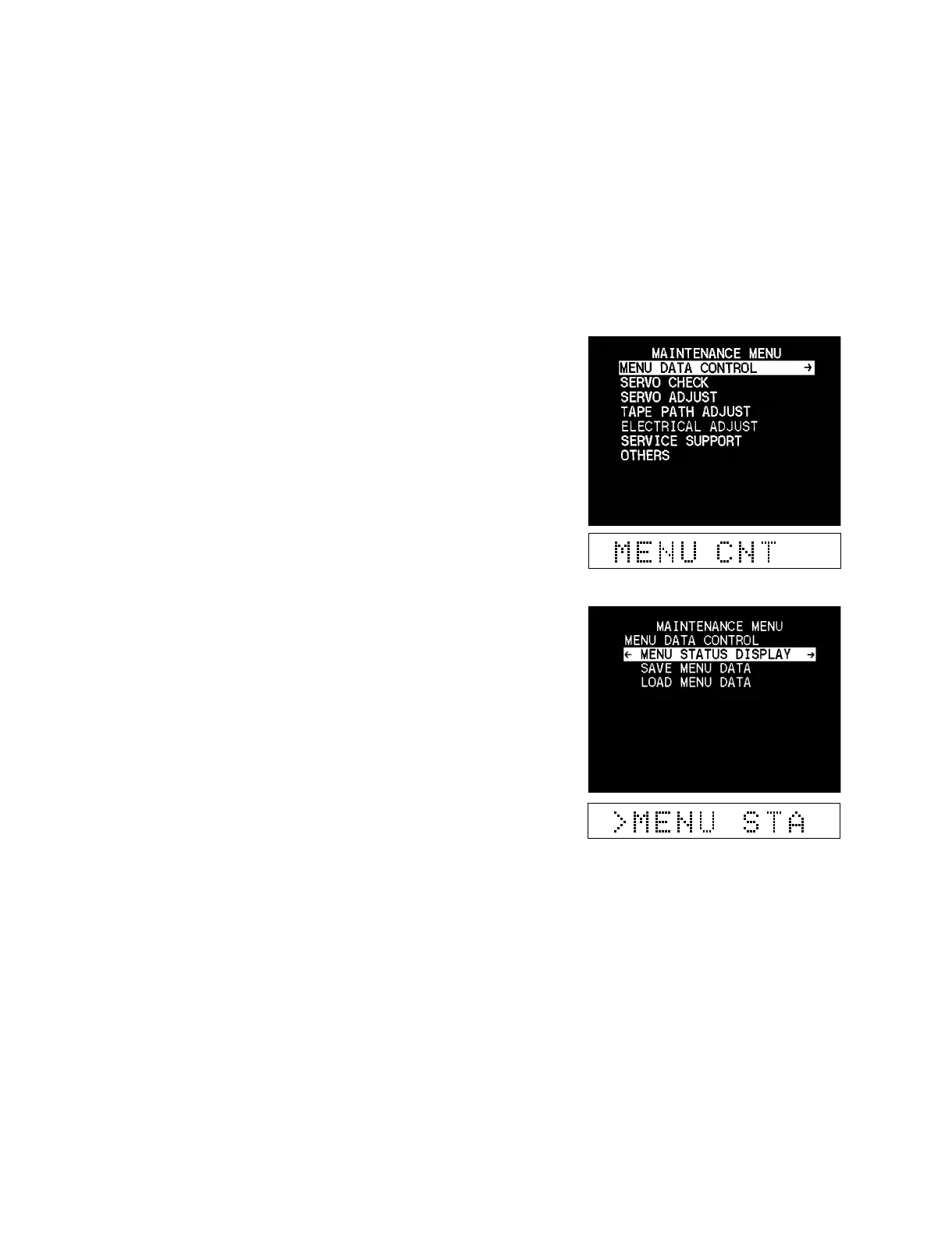
4-3-1. Menu Data Control
The MENU DATA CONTROL item provides a SETUP MENU
data display and saving and loading the SET UP MENU data.
This item is used to return the settings to their original values after
maintenance is complete or ROM upgrading is complete.
Operating procedure
1. Enter the maintenance menu.
2. Move the cursor to “MENU DATA CONTROL” which is
displayed with a white background, using the [ENTRY] (↑),
[AUTO|EDIT] (↓) keys.
3. Press the [OUT] (→) key.
“MENU DATA CONTROL” is selected and its lower layer
submenu appears.
4. Move the cursor displayed with a white background to a
desired item using the [ENTRY] (↑), [AUTO|EDIT] (↓)
keys.
5. When an item is selected, press the [OUT] (→) key. The
contents of the selected item appear.
6. Press the [IN] (←) key to exit MENU DATA CONTROL and
return to the main menu.
7. Press the [MENU] key to exit the maintenance menu.



 To Next Page