4-12
DSR-70/70P
(2) MOTOR CHECK
The respective items of “MOTOR CHECK” are described below :
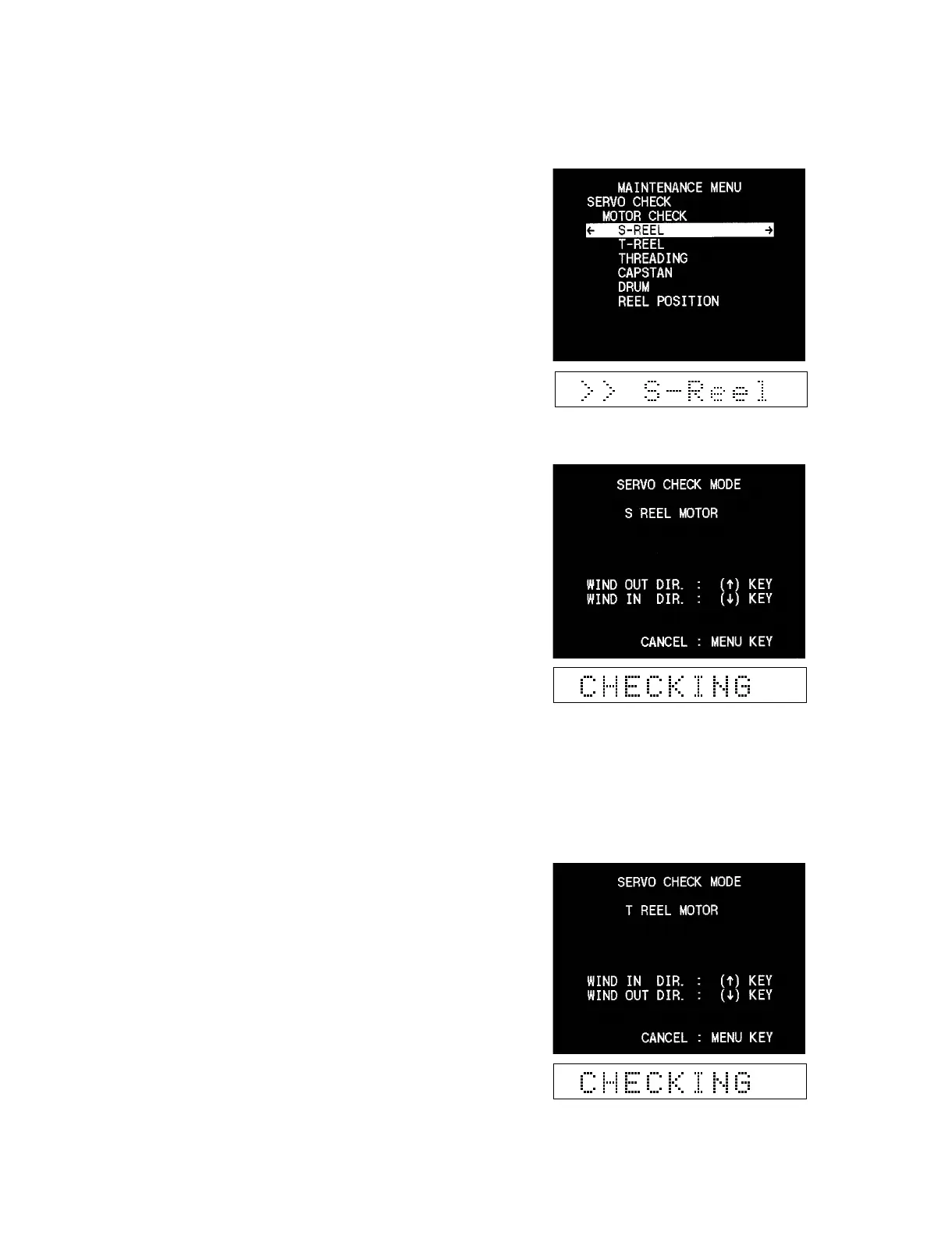
1 S-REEL
Checks the S-reel motor.
Select the S REEL MOTOR from the submenu and press the
[SET] key. Press the [ENTRY] (↑) then [AUTO|EDIT] (↓)
keys (note: keep pressing for one to two seconds) to turn the S reel
motor in the FWD then REV directions. Confirm that the S reel
motor rotates in the specified direction while pressing the
[ENTRY] (↑) or [AUTO|EDIT] (↓) key after releasing the
reel brake by activating the brake solenoid.
In case of trouble :
If the brake solenoid does not operate or the S reel motor does not
rotate in the specified direction with the key pressed, check the S
reel motor assembly and the reel motor driver circuit (SV-203
board, DR-364 board).
2 T-REEL
Checks the T-reel motor.
Select the T REEL MOTOR from the submenu and press the
[SET] key. Press the [ENTRY] (↑) then [AUTO|EDIT] (↓)
keys (note: keep pressing for one to two seconds) to turn the T reel
motor in the FWD then REV directions. Confirm that the T reel
motor rotates in the specified direction while pressing the
[ENTRY] (↑) or [AUTO|EDIT] (↓) key after releasing the
reel brake by activating the brake solenoid.
In case of trouble :
If the brake solenoid does not operate or the T reel motor does not
rotate in the specified direction with the key pressed, check the T
reel motor assembly and the reel motor driver circuit (SV-203
board, DR-364 board).



 To Next Page