Power Preparations
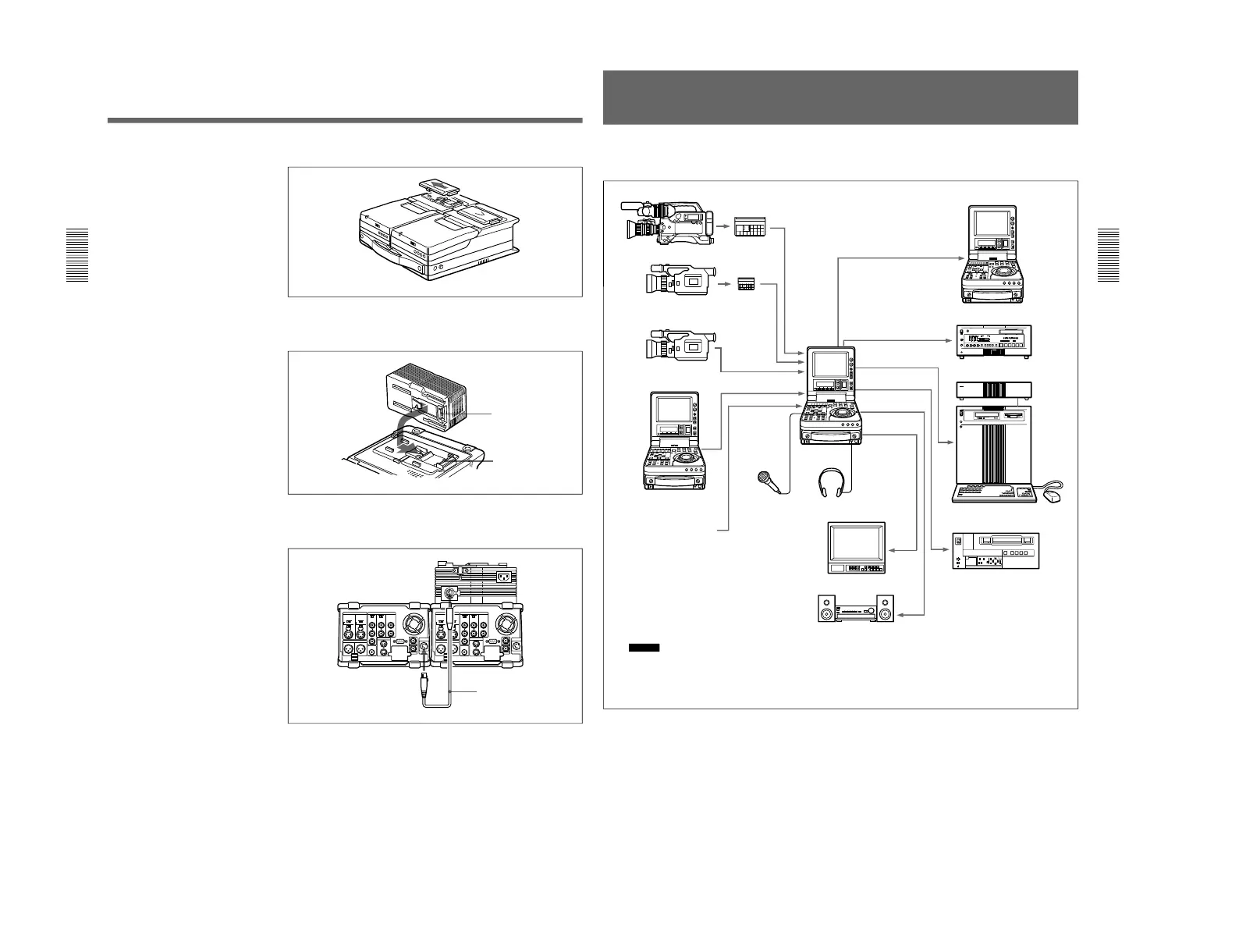
Chapter 2 Power Preparations and Connections
34
Chapter 2 Power Preparations and Connections
1
Remove the cover of the battery connector.
2
Insert the V-wedge shoe on the AC-DN2A in the V-groove on one unit
and slide the AC-DN2A until the battery charging connector is
connected to the battery connector.
3
Use the DC power cord (supplied with the AC-DN2A) to connect the
DC output connector on the AC-DN2A and the DC IN connector on
the rear of another unit.
4
Supply the AC-DN2A with AC power.
For information about how to supply AC power to the AC-DN2A, refer to the
manual for the AC-DN2A.
Battery charging
connector
Battery connector
DC IN
To DC output connector
DC power cord
(supplied with the AC-DN2A)
Chapter 2 Power Preparations and Connections
Chapter 2 Power Preparations and Connections
35
System Configuration
The figure below shows example equipment that can be connected to this
unit.
DVCAM camcorder
DVCAM cassette
DV camcorder
DV cassette
DV camcorder
DSR-70/70P
DSR-70/70P
(This unit)
Microphone
b)
Headphones
DNW-A25/A25P digital VCR
DSR-60/60P/80/80P/85/85P
digital VCR
ES-7 EditStation
Analog Betacam VCR
Video monitor
Audio monitor System
a) The DSBK-140/150/160/170 is an optional board.
b) Caution
Using a microphone other than a 48-V microphone
may damage the microphone.
Battery packs,
AC adaptors



 To Next Page