15
Fitting Procedure
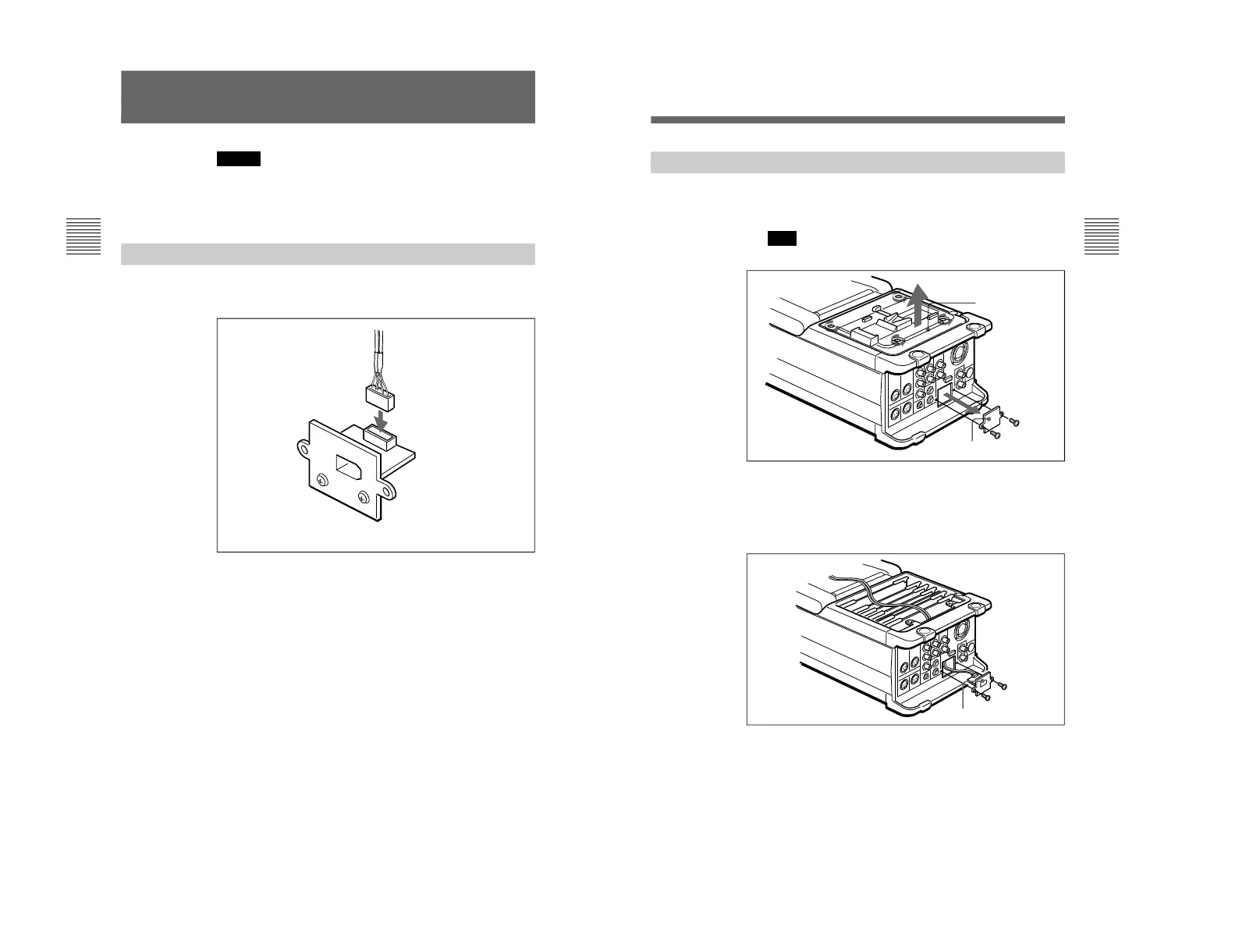
1 Remove the DSR-70/70P battery panel (four screws) and
cover plate (two screws).
Note
Take care not to lose the cover plate or screws.
2 Insert the connector panel and its attached harness into the
hole left by the cover plate. Pull the harness through the
DSR-70/70P board slot space and up to the top.
Secure the connector panel using the screws removed from
the cover plate in step 1.
Screws
Battery panel
Cover plate
Connector panel
Screws
(Continued)
14
Caution
If this option is installed incorrectly, personal injury or damage
to peripheral items may occur due to fire, shock, or other
accidental circumstances. To avoid such risks, installation
should be performed by qualified service personnel.
Preparations
Before installing the board into the VCR, first connect the
harness to the connector panel.
Installation
Connector panel
Harness



 To Next Page