Selecting an Edit Mode
Chapter 3 Editing
56
Chapter 3 Editing
To modify edit points slightly
Proceed as follows.
1
While pressing the recorder side or player side IN or OUT button,
depending on the edit point that you want to modify, press a TRIM
button (+/MARK or –/LIST) on the same side of the control panel.
The edit point time data is displayed.
Each time you press the +/MARK button, you advance one frame, and
each time you press the –/LIST button you return one frame.
2
After making the modifications, press the IN or OUT button that you
pressed in step 1.
Setting Edit Points Using the Recorder Only
If you press the PLAYER button to light the PLAYER indicator on the
control panel, you can operate the player or an external VCR with the
recorder side buttons, and set edit points.
In this case, it is recommended that you set setup menu item 006 “LOCAL
FUNCTION ENABLE” to ST&EJ (default setting) on the player
beforehand (see page 102).
Chapter 3 Editing
Chapter 3 Editing
57
Executing an Edit
Outline of Editing Operations
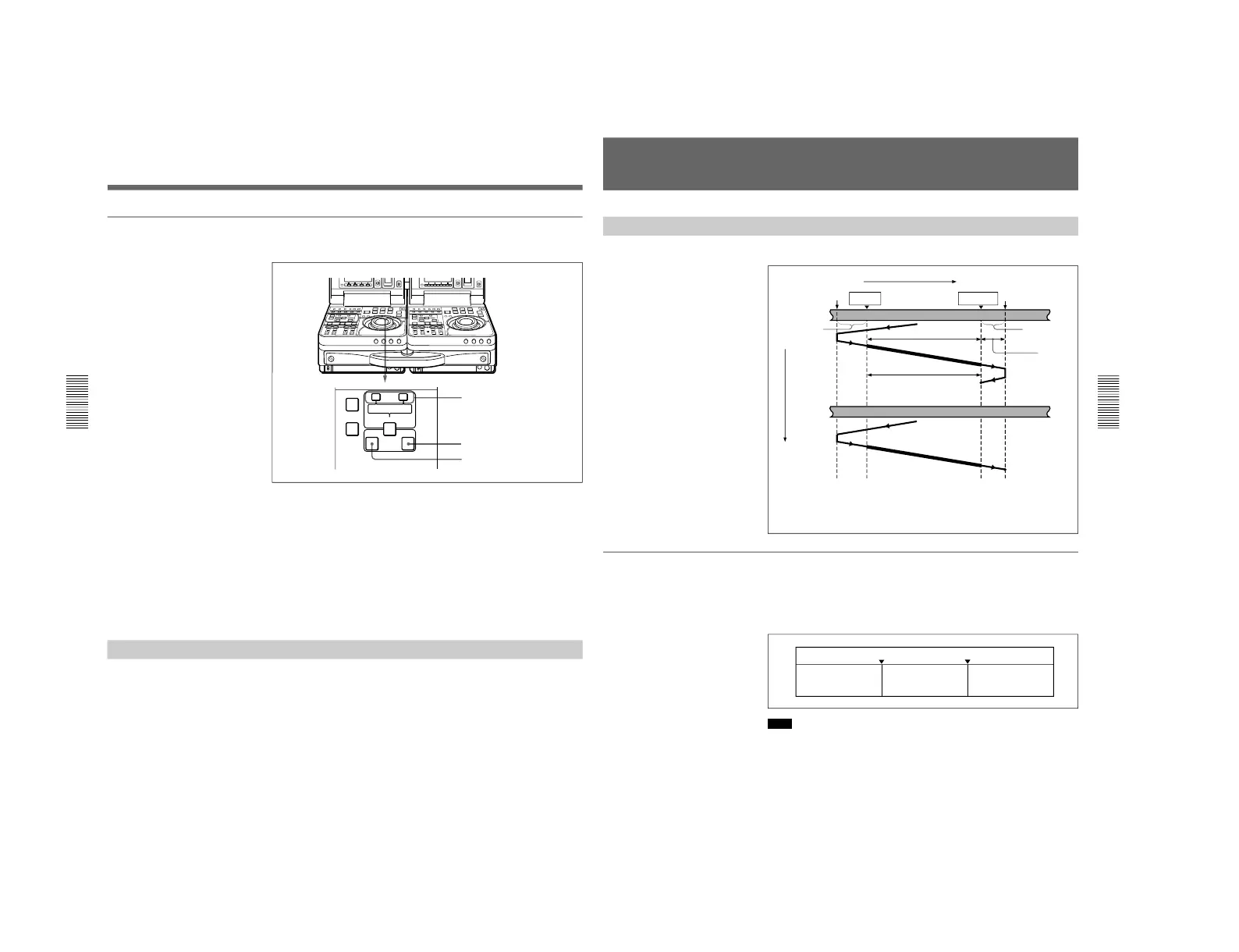
The figure below shows how the recorder and player operate during edit.
Monitoring signals during an edit
Just as during a preview, you can see the video in the recorder side LCD
monitor and listen to the audio through the recorder side speaker.
The figure below shows the video and audio signals which can be
monitored.
Note
For insert editing, the tape set on the recorder must be a recorded one. You
cannot perform insert editing on a blank tape.
IN point OUT point
Recorder’s
playback signals
Player’s E-E signals
Recorder’s
playback signals
Preroll point
IN point
Recorder
Preroll
a)
Postroll
b)
Assemble editing
Play-
back
Stop
a) The factory default preroll time is 5 seconds. You can use the setup menu item
001 to set a time from 0 to 30 seconds (see page 102).
b) The postroll time is set to 2 seconds.
Stop
Playback
Tape transport
Postroll point
Player
Insert editing
Over
recording
OUT point
Time flow



 To Next Page