Video Settings (Video)
Video settings will adjust items related to the
image, such as size and color.
Choose the settings according to the type of TV,
tuner, or decoder connected to the recorder.
1 PressSYSTEMMENUwhile therecorderis
in stop mode.
2 Select"Setup," and pressENTER.
3 Select"Video," andpress ENTER.
The "Video€' setnp appears with the tbllowmg
options. The defhult settings are underlined. I I_FIFI
10:10 AM
_3 Pan Scan I
Off
Standard
TV Type
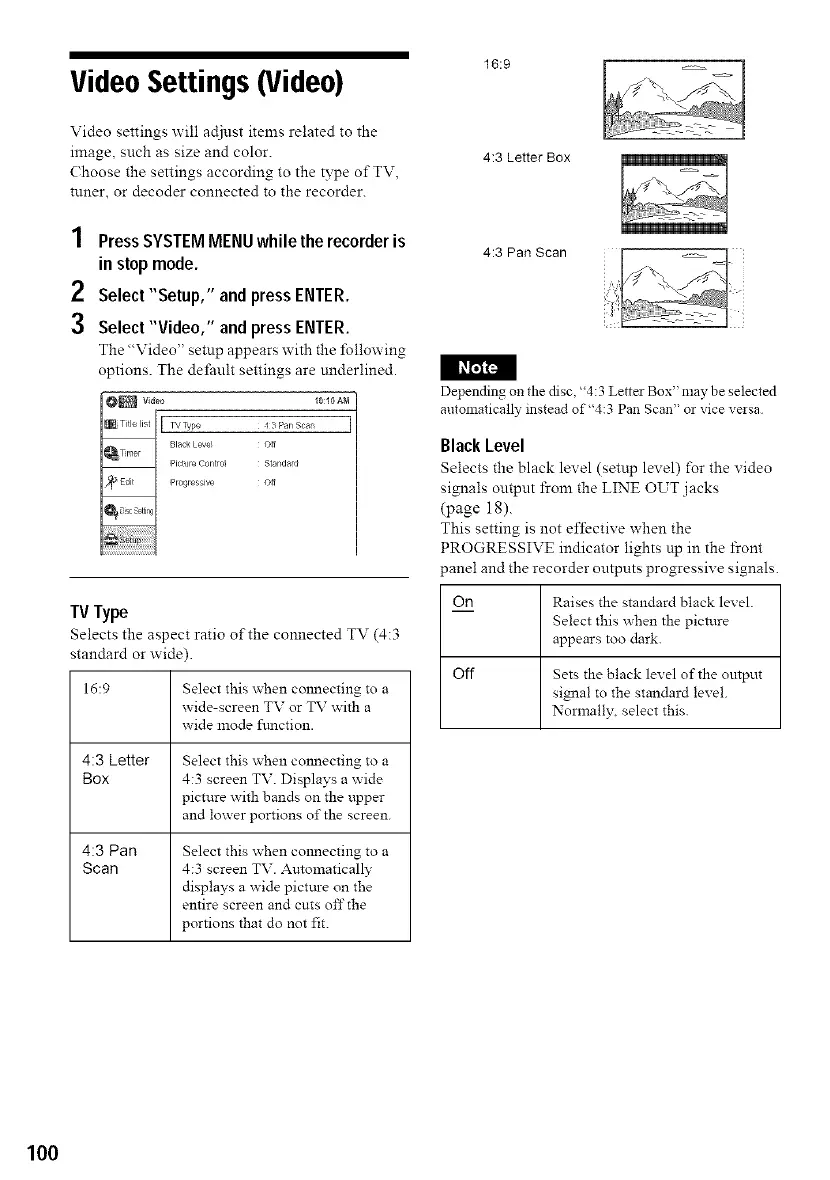
Selects the aspect ratio of the connected TV (4:3
standard or wide).
16:9
4:3 Letter
Box
4:3 Pan
Scan
Select this when COllecting to a
x_ide-screen TV or TV with a
x_ide mode ffmction.
Select this when connecting to a
4:3 screen TV. Displays a wide
picture with bands on the upper
and lm_ er portions of the screen.
Select this when COllecting to a
4:3 screen TV. Automatically
displays a wide picttu-e on the
entire screen and cuts offthe
portions that do not fit.
16:9
4:3 Letter Box
4:3 Pan Scan
Depending on the disc, "4:3 Letter Box" may be selected
automatically instead of"4:3 Pan Scan" or vice veisa
Black Level
Selects the black level (setup level) for the video
signals output from the LINE OUT jacks
(page 18).
This setting is not effective when the
PROGRESSIVE indicator lights up in the front
_anel and the recorder outputs progressive signals.
On Raises the standard black level.
Select this when the picture
appears too dark.
Off Sets the black level of the output
signal to the standard level.
Normally, select this.
100



 To Next Page