RecordingandVCRSettings
(Features)
The "Features" setup allows you to change the
tape length, auto play and auto repeat settings.
1 Press SYSTEMMENUwhile therecorderis
in stop mode.
2 Select"Setup," and pressENTER.
3 Select "Features," and pressENTER.
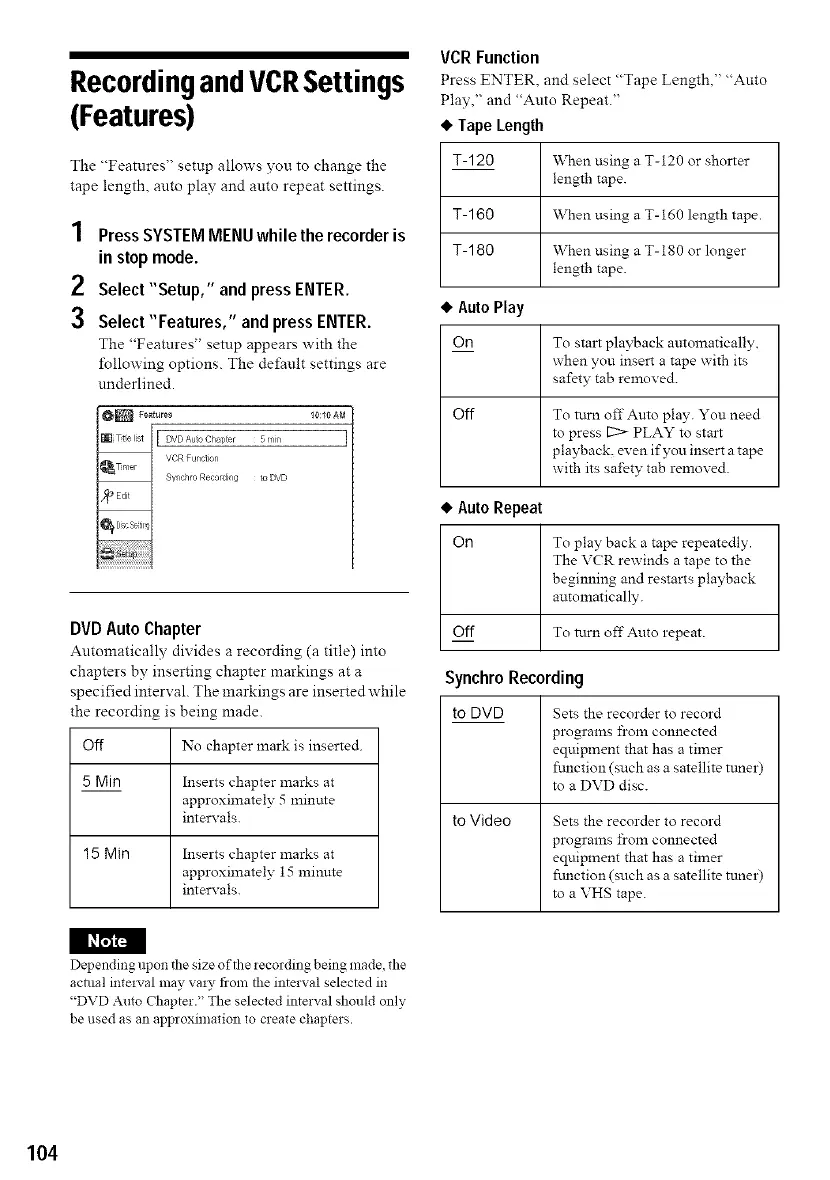
The "Features" setup appears with the
t5llowing options. The defauh settings are
underlined.
_[ DVD Auto Chapter
[
5_rn
VOR Funct on
SV_ chro Recordi g to DVD
DVD Auto Chapter
Automatically divides a recording (a title) into
chapters by inserting chapter markings at a
specified interval. The markings are inserted while
the recording is being made.
Off No chapter lnark is inserted.
5 Min
Inserts chapter marks at
approximately 5 minute
intervals.
15 Min Inserts chapter marks at
approximately 15 minute
intervals.
VCR Function
Press ENTER, and select "Tape Length," "Auto
Play," and "Auto Repeat."
• Tape Length
T-120
When using a T-120 or shorter
length tape.
When using a T-160 length tape.
When using a T-180 or longer
length tape.
T-160
T- 180
• Auto Play
OR To sta:t playback automatically,
when you insert a tape with its
safety tab removed.
Off To turn offAuto play. You need
to press [2> PLAY to strut
playback, even if you insert a tape
with its safety tab removed.
• Auto Repeat
Orl To play back a tape repeatedly.
The VCR rewinds a tape to the
beginning and restarts playback
automatically.
Off To turn off Auto repeat.
Synchro Recording
to DVD
to Video
Sets the recorder to record
programs from connected
equipment that has a timer
ftmction (such as a satellite ttmer)
to a DVD disc.
Sets the recorder to record
programs from connected
equipment that has a timer
ftmction (such as a satellite tuner)
to a VHS tape.
I_
Depending upon the size of the recording being made, the
actual inte:5,al may va D, from the interval selected in
"DVD Auto Chapter." The selected interval should only
be used as an approximation to create chapters.
104


 To Next Page