Searching using the index function
(Scan and Play)
The VCR automatically marks the tape with an
index signal at the point where each recording
begins. Use these signals as references to find a
specific recording.
1 Press VIDEO to control the VCR.
2 Press TOOLS.
The TOOLS menu appears.
Co ToZero
•) Select "Forward Intro Scan" to scan
ahead, or "Reverse Intro Scan" to scan
backwards.
The VCR searches and then plays back for
about five seconds.
Selectingthe soundduring
playback
iii_i iii!i i_i iii
PressAUDIOrepeatedly duringplayback.
To listen to On-screen Front panel
display display
Stereo Hi-Fi STEREO
Left channel Left STEREO
Right chalmel Right STEREO
Monaural Mono No indicator
sound on the
normal audio
track
4 Press _ PLAY to view that program.
If you do not press I2:> PLAY, the V(R
automatically searches for the next index
mark, or until it reaches the end of the tape.
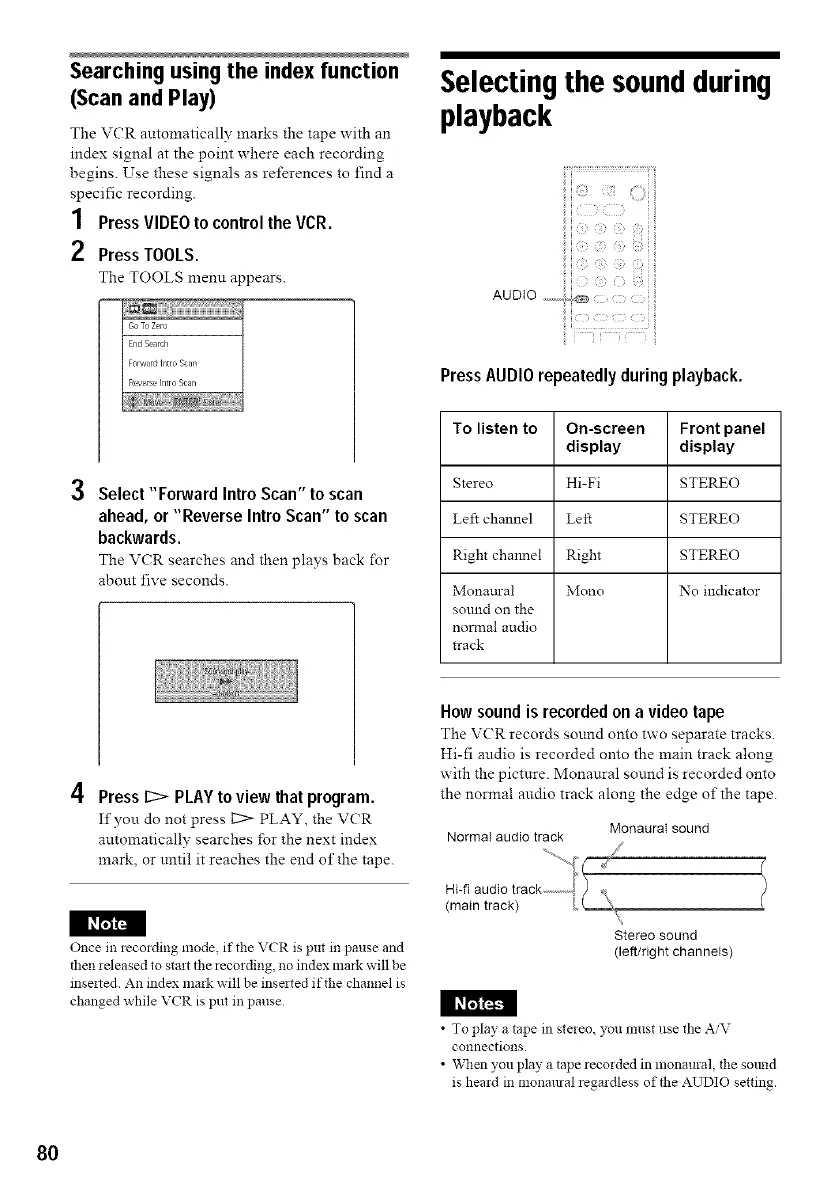
How sound is recorded on a video tape
The V(R records sonnd onto two separate tracks.
Hi-fi audio is recorded onto the main track along
with the picture. Monaural sonnd is recorded onto
the normal audio track along the edge of the tape.
Normal audio track
Monaural sound
/
I_t_
Once in recording mode, if the VCR is put in pause and
then released to start the recording, no index mark will be
inse_ted. An index mark will be insated if the channel is
changed while VCR is put in pause
%
Stereo sound
(left/right channels)
I_I_I
• To play a tape in stereo, you must use the AiV
connections.
• When you play a tape recorded in monaural, the sotmd
is heard in monmlral regardless of the AUDIO setting.
80



 To Next Page