Checking the disc status while
recording
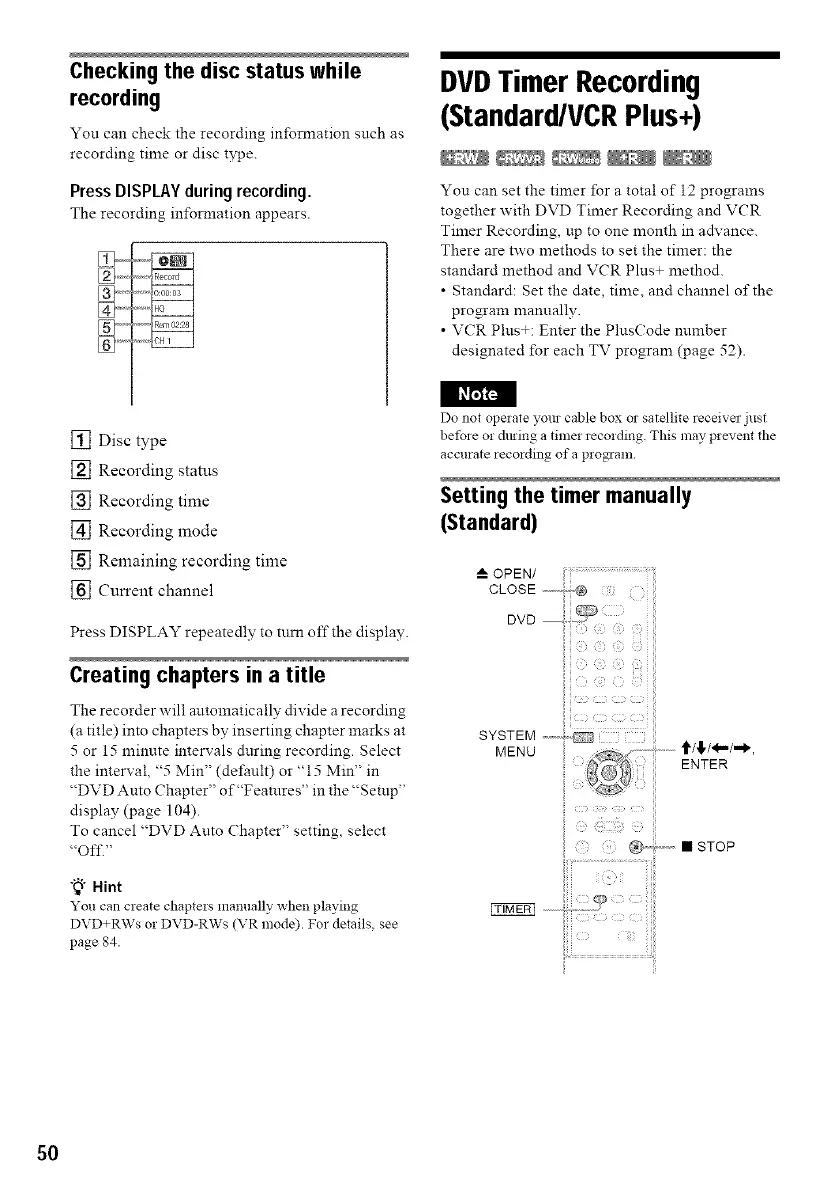
You can check the recording in.relation such as
recording time or disc type.
PressDISPLAYduringrecording.
The recording information appears.
] ....
] ....
DVDTimer Recording
(Standard/VCRPlus+)
®® ®®
You can set the timer for a total of 12 programs
together with DVD Timer Recording and VCR
Timer Recording, up to one month in advance.
There are two methods to set the timer: the
standard method and VCR Plus+ method.
• Standard: Set the date, time, and channel of the
program manually.
• VCR Plus+: Enter the PlusCode mnnber
designated for each TV program (page 52).
I I_t'_F_
[] Disc type
[] Recording status
[] Recording time
[] Recording mode
[] Remaining recording time
[] Current channel
Press DISPLAY repeatedly to turn off the display.
Creating chapters in a title
The recorder will antomatica!ly divide a recording
(a title) into chapters by inserting chapter marks at
5 or 15 minute intervals during recording. Select
the interval, "5 Min" (default) or "15 Min" in
"DVD Auto Chapter" of"Feamres" in the "Setup"
display (page 104).
To cancel "DVD Auto Chapter" setting, select
"Off."
"_° Hint
Youcan create chaptersmanuallywhen playing
DVD+RWs or DVD-RWs(VR mode). For details, see
page 84.
Do not opeiate yore cable box or satellite receiver just
bet)re or dming a time1 recmding. This may prevent the
accurate recording of a program.
Setting the timer manually
(Standard)
OPEN/
CLOSE
DVD
50



 To Next Page