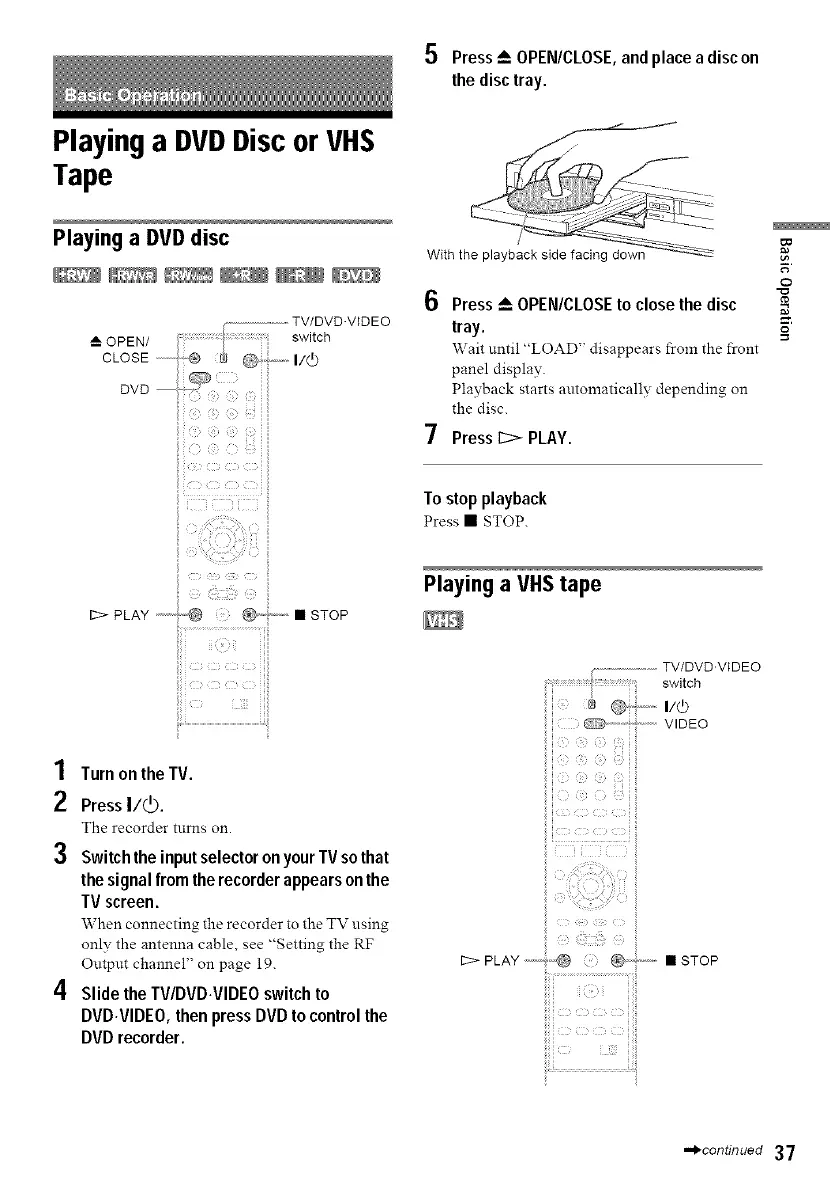
5 Press_ OPEN/CLOSE,and place a disc on
the disctray.
Playing a DVDDisc or VHS
Tape
Playing a DVDdisc
--L OPEN/
CLOSE ...........
DVD
/
Withthe playbacksidefacing down
Press _ OPEN/CLOSE to close the disc
tray.
Wait until "LOAD" disappears from the front
panel display•
Playback starts automatically depending on
the disc.
Press _ PLAY.
To stopplayback
Press • STOP.
l,e
o
=o
i iili
1 Turn on the TV.
2 PressI/_).
The recorder tnrns on.
3 Switch the inputselector onyour TVso that
the signal from the recorder appears on the
TV screen.
When connecting the recorder to the TV using
only the antenna cable, see "Setting the RF
Output channel" on page 19.
4 Slide the TV/DVD.VIDEO switch to
DVD.VIDEO, then press DVD to control the
DVD recorder.
Playing a VHStape
.............................TV/DVD.VIDEO
switch
a .._,,,,.I/(b
C_, ''' ''_" '' VIDEO
iiil
b F0 dk: ¸ '
:g_ _i_!:ii!_zi_i!i_ili_ kg_
12>PLAY ,-----;,-,@ @d' " • STOP
,.,_continued 37



 To Next Page