• Do not connect the yellow LINE IN (VIDEO) jack when using an S video cord
• Do not connect tile output jack of this recorder to another equipment's input jack with the other equipment's output
jack connected to the input jack of tiffs recorder. Noise (feedback) may result
• Picim-es containing copy protection signals that prohibit any copying ca:mot be recorded
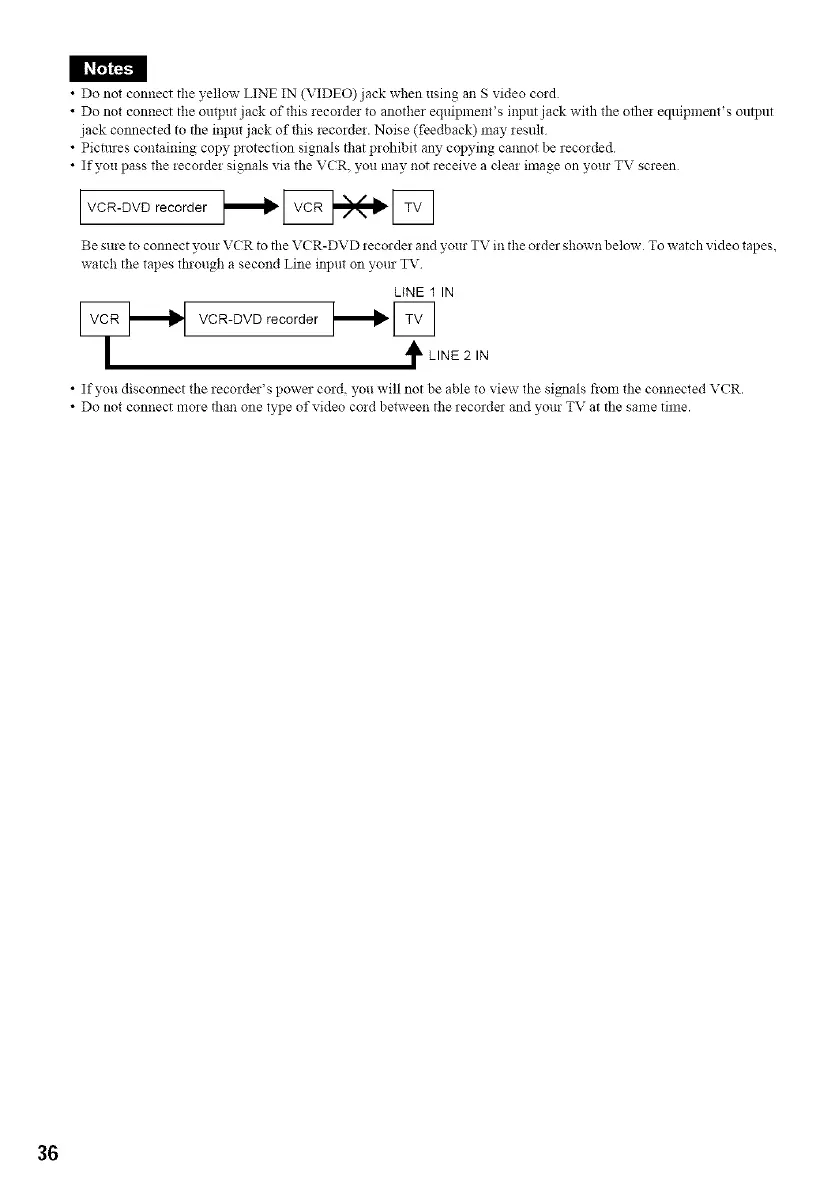
• If you pass the recorder signals via the VCR, you may not receive a clear image on your TV screen
I VCR-DVD recorder I_l_ _ I_
Be sure to connect your VCR to the VCR-DVD :ecorde: and your TV in the order shown below To watch video tapes,
watch the tapes fl_ough a second Line input on your TV
LiNE 1 IN
VCR-DVD recorder _[L LINE 2 IN
• If you disconnect the recorder's power cord, you will not be able to view the signals from the connected VCR.
• Do not connect mo:e than one type of video cord between the recorde: and your TV at the same time.
36



 To Next Page