Playing
I_I_I
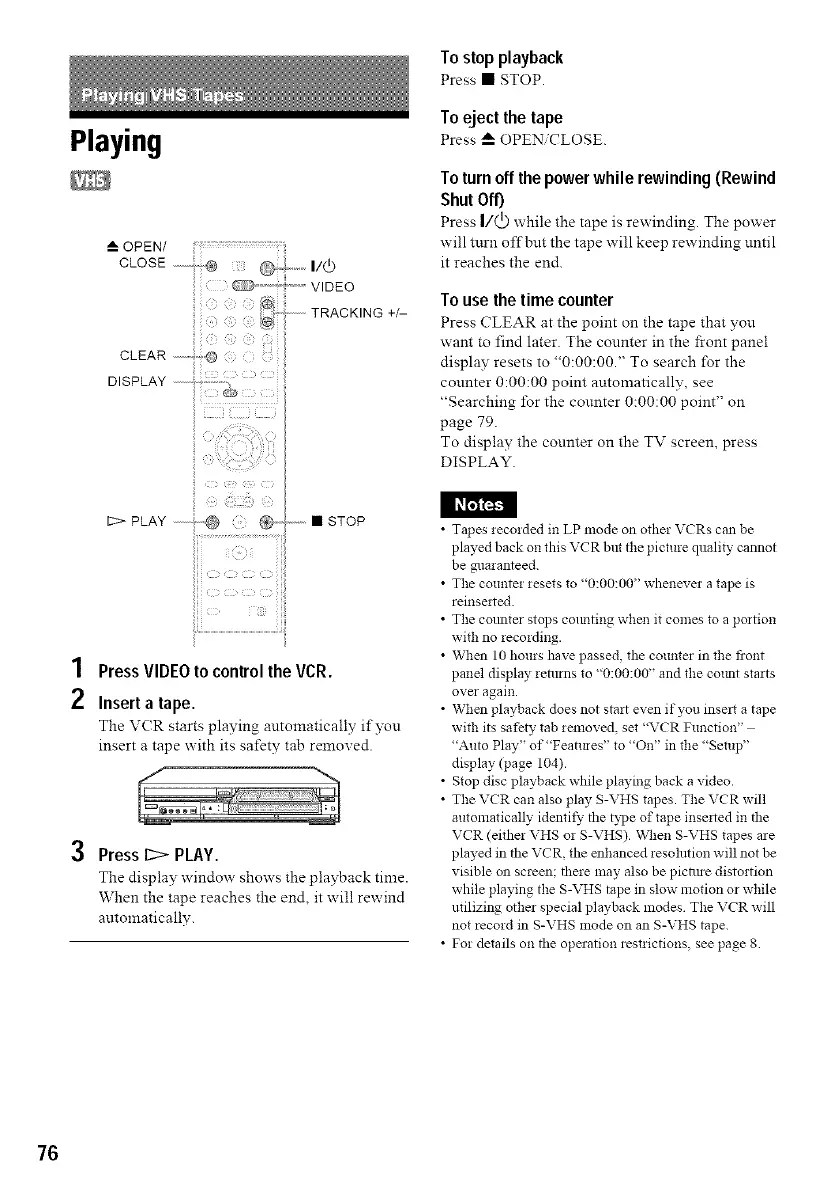
1 PressVIDEOtocontrol the VCR.
2 Insert a tape.
The V(R starts playing automaticall): if you
insert a tape with its safety tab removed.
3 Press 12> PLAY.
The display window shows the playback time.
When the tape reaches the end, it will rewind
automatically.
To stop playback
Press • STOP.
Toeject the tape
Press _" OPEN CLOSE.
Toturn offthe power while rewinding(Rewind
Shut Off)
Press I/(_) while the tape is rewinding. The power
will turn offbut the tape will keep rewinding until
it reaches the end.
To use the time counter
Press (_'LEAR at the point on the tape that you
want to find later. The counter in the front panel
display resets to "0:00:00." To search for the
counter 0:00:00 point automatically, see
"Searching/br the counter 0:00:00 point" on
page 79.
To display the counter on the TV screen, press
DISPLAY.
• Tapes recorded in LP mode on other VCRs can be
played back on this VCR but the picture quality cannot
be guaranteed.
• The counter resets to "0:00:00" whenever a tape is
reinse_ted.
• The counter stops colmting when it comes to a portion
with no recording.
• When 10 hours have passed, the counter in the front
panel display reia_rns to "0:00:00" and the cotult starts
over again.
• When playback does not start even if you inse_t a tape
with its safety tab removed, set "VCR Function"
"Auto Play" of"Featmes" to "On" in the "Setup"
display (page 104).
• Stop disc playback while playing back a video.
• The VCR can also play S-VHS tapes. The VCR will
automatically identit}' the type of tape inse_ted in the
VCR (either VHS or S-VHS). When S-VHS tapes are
played in the VCR, the enhanced resolution will not be
visible on screen; there nlay also be piciau-e distortion
while playing the S-VHS tape in slow motion or while
utilizing other special playback modes The VCR will
not record in S-VHS mode on an S-VHS tape.
• For details on the operation restlictions, see page 8
76



 To Next Page