Before Editing
This recorder offers various edit options for
various disc types. Before you edit, check the disc
type in the front panel display, and select the
option available tbr your disc (page 10).
I I_1_
You may lose file edited contents if you iemove tile disc
or a timer recording struts while editing.
Edit options for DVD+RWs/DVD-RWs
(Video mode)/DVD+lts/DVD-Its
You can perfoml simple edits. Since Video mode
titles are actual recordings on the disc, you cannot
undo any edits you make. The edit functions
available for Video mode titles are:
Setting protection against erasure (page 82).
Labeling a title (page 82).
Erasing a title (page 82).
• Once the disc is finalized, you cannot edit or record on
the disc (except for DVD+RWs).
• Ifa message appears and indicates that the disc's
control infom_ation is fifll, erase unnecessary titles.
Edit options for DVD-RWs (VR mode)
You can enjoy advanced edit functions. First you
have two options for a DVD-RW (VR mode):
editing either the original recording (called the
"original"), or the playback information created
from the original (called a "Playlist"). Since each
is different in nature and offers different merits,
read the following and select the one that better
suits your needs.
To edit original titles
Edits made to the original titles are final. If you
plan to retain an unaltered original recording,
create and edit a Playlist (see below). The edit
functions available IBr original titles are:
Labeling a title (page 82).
Setting protection against erasure (page 82).
Erasing a title (page 82).
Erasing a section of a title (A-B Erase) (page 83).
To create and edit Playlist titles <_
A Playlist is a group of Playlist titles created from ¢_
the original title for editing purposes. When you
create a Playlist only the control infommtion
necessary for playback, such as the playback
order, is stored on the disc. Since the original titles
are left unaltered, Playlist titles can be re-edited.
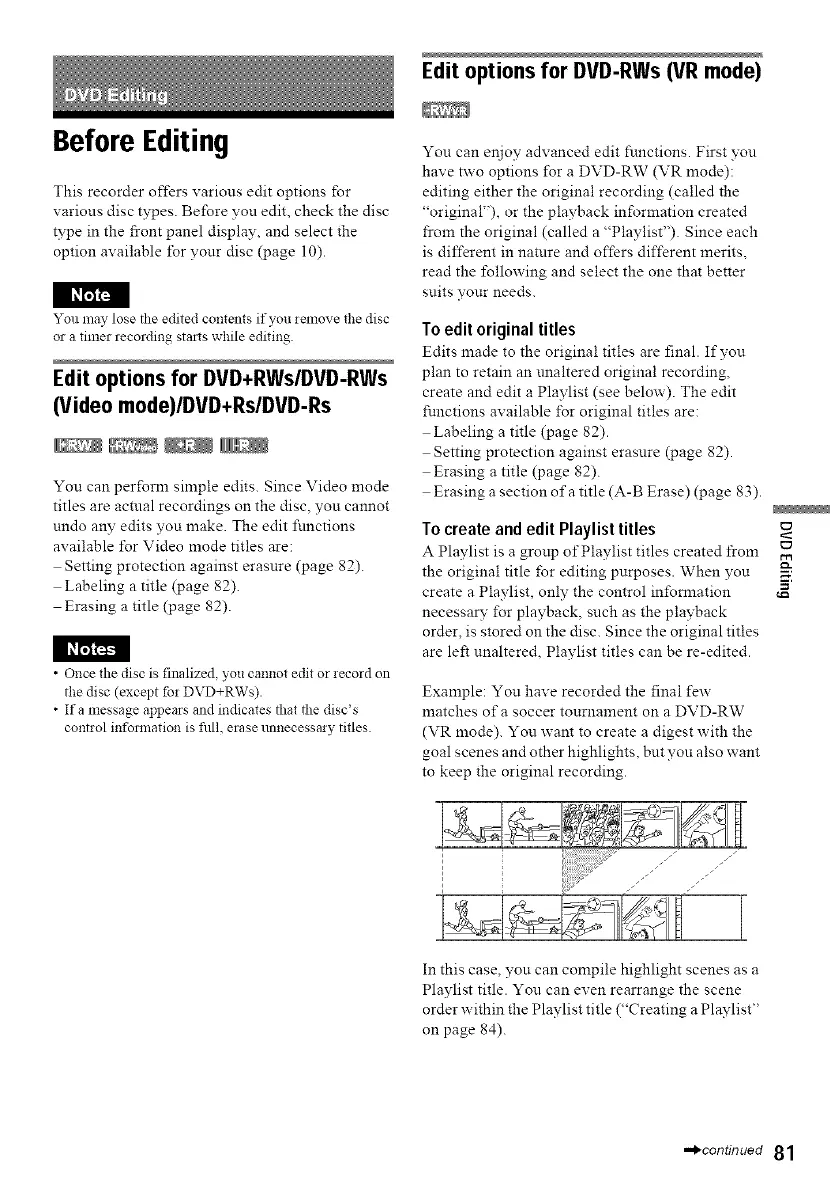
Example: You have recorded the final few
matches of a soccer tournament on a DVD-RW
(VR mode). You want to create a digest with the
goal scenes and other highlights, but you also want
to keep the original recording.
In this case, you can compile highlight scenes as a
Playlist title. You can even rearrange the scene
order within the Playlist title ("Creating aPlaylist"
on page 84).
-,_continued 81



 To Next Page