Dubbingfrom a DVDto a
Video
You can record (dub) DVD video and audio to a
VHS tape. However, note that when you record
copy-protected software to a tape, the video may
appear disrupted when you play back the tape.
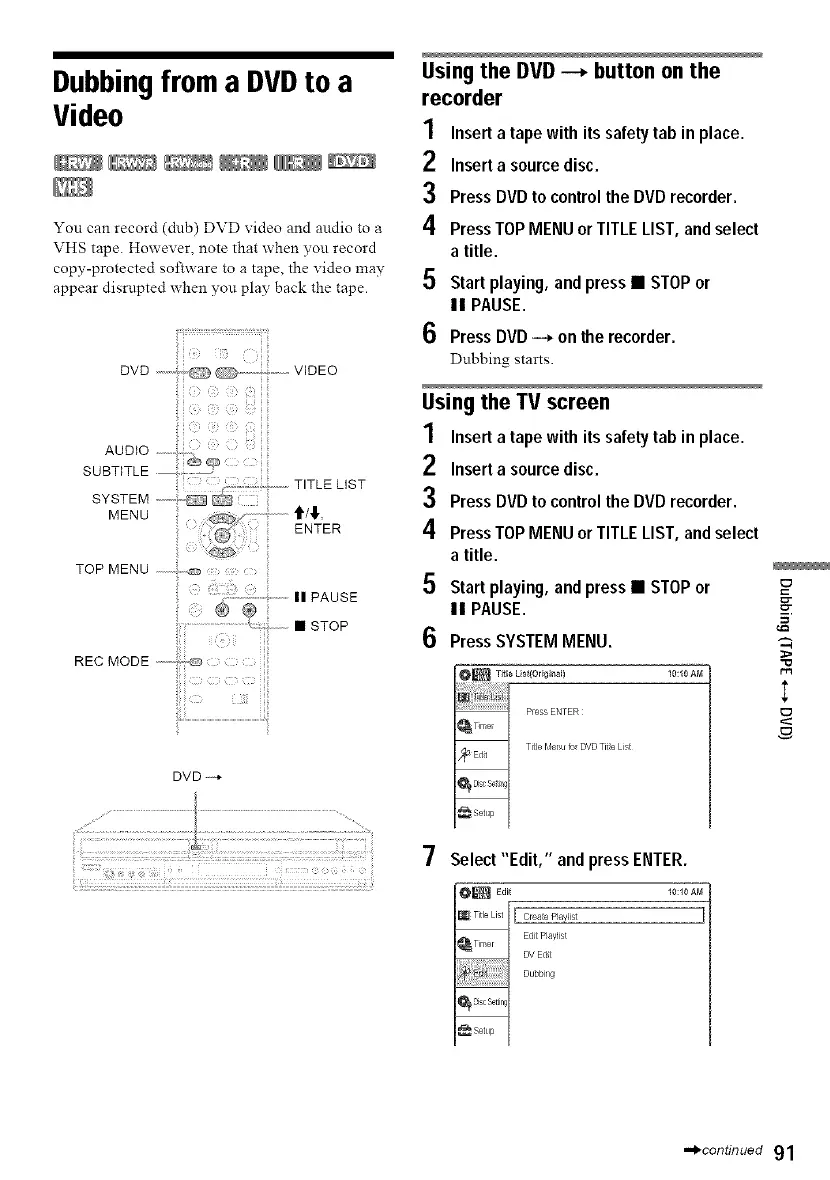
TOP MENU ii
DVD -4
Usingthe DVD--, button on the
recorder
1
2
3
4
5
6
Inserta tape with its safety tab in place.
Inserta source disc.
Press DVDto controlthe DVDrecorder.
PressTOPMENUor TITLELIST, and select
a title.
Startplaying, andpress • STOPor
II PAUSE.
PressDVD-_ on the recorder.
Dubbing starts.
Usingthe TV screen
1 Inserta tape with its safetytab in place.
2 Insert a sourcedisc.
3 PressDVDto controlthe DVDrecorder.
4 PressTOPMENUor TITLELIST, and select
a title.
5 Start playing, andpress • STOPor
II PAUSE.
6 PressSYSTEMMENU.
10:10 AI_
I
7
Select "Edit," and pressENTER.
[ roat÷ P_aylist
Edit P_aylist
DV Edt
Dubbi g
,,,,_continued 91



 To Next Page